How to Submit to ToolifyNav: Free, Premium, and Highlight
Free Launch ($0) needs the official Listed badge and a backlink on your site, then a passing badge check publishes it from the standard 14+ day queue. Premium ($9.90) and Highlight ($20/week) publish right after payment. Here are the exact steps and fields.
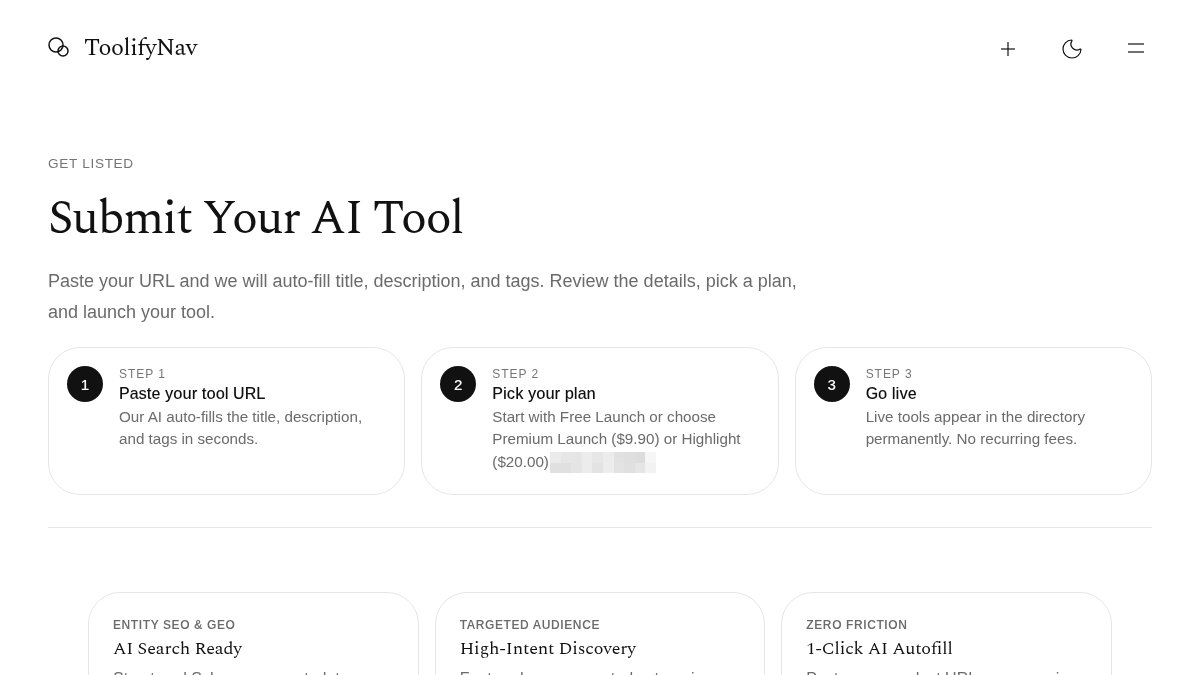
ToolifyNav is a curated AI tools directory. If you build an AI product and want it listed, there are three launch paths: Free Launch, Premium Launch ($9.90 one-time) and Highlight ($20 one-time for one week). This guide covers what each path requires, the exact steps, and what we do not sell.
Pick your path first
Free Launch is $0 and requires the official Listed badge plus a backlink on your own site. It joins the standard weekly queue, which currently runs 14+ days.
Premium Launch is $9.90 one-time. No badge is required, and the listing publishes after payment with 7-day Featured placement labeled sponsored.
Highlight is $20 one-time for one week: a labeled highlight card in the directory feed plus homepage New Arrivals exposure.
Popular rankings stay organic. We do not sell Popular slots.
Path A — Free Launch (badge + Verify)
A free listing is published from the Review & Publish page, and only once the live badge check passes.
- Open toolifynav.com/submit and choose Free Launch.
- Paste your product URL and run Smart fill to prefill the listing, then correct anything the autofill got wrong. Editing the URL afterwards discards the autofill data.
- Complete the required fields: product name, Category, Sub-Category, 1–3 Tags, short description and a cover image. The GitHub repo and the long-form markdown body are optional.
- Copy the official Listed badge HTML from toolifynav.com/badge and place it on your site — the footer or an about page works.
- Submit the form. Free submissions are reviewed from the standard queue, so allow the 14+ day window before expecting a live page.
- Open the Review & Publish page for your submission and click Verify badge. A passing live check publishes the listing immediately; a failing check keeps it unpublished, so fix the badge snippet and verify again.
- Once published, your tool has a permanent /item/<slug> page.
Skip Free if you are not willing to put a badge on your marketing site. Use Premium instead.
Path B — Premium Launch ($9.90)
- Open toolifynav.com/pricing, or pick Premium Launch on the submit form.
- Pay once through checkout. It is a one-time payment, not a subscription.
- The listing publishes after payment clears. No badge is required on your site.
- You get a Featured badge labeled sponsored and Featured placement for 7 days.
- Your listing can link to your official site; that link is marked sponsored.
Path C — Highlight ($20 / week)
- Same auto-publish behavior as Premium, with a stronger labeled highlight in the directory feed for one week.
- Includes homepage New Arrivals exposure and a newsletter mention.
- Still one-time. Nothing renews on its own.
Badge requirements for Free
Free listings need a verified badge before they go live. Premium and Highlight publish automatically after payment and do not require a badge. Use the official HTML from the badge page, keep the hosted SVG URL and the native size, and do not restyle or recolor it.
What we do not offer
- Guest posts or paid link inserts into blog articles.
- Dofollow links. The badge link stays nofollow.
- Buying Popular ranking.
A hands-on review later is an editorial decision, separate from any launch plan. Editorial questions go to info@toolifynav.com.
Checklist before you click Submit
- The product is an AI tool people can actually open, not a vapor landing page.
- The cover image shows the product, not a logo stub.
- The category and sub-category match what the tool does.
- Free path: the badge is live and crawlable on your site before you verify.
- Paid path: you are comfortable with the sponsored label on the listing.
Start here
- Submit your tool: toolifynav.com/submit
- Compare plans: toolifynav.com/pricing
- Get the badge: toolifynav.com/badge
- Contact: info@toolifynav.com
Sources: https://toolifynav.com/item/how-to-submit-to-toolifynav (official website, verified during review).