Artbreeder
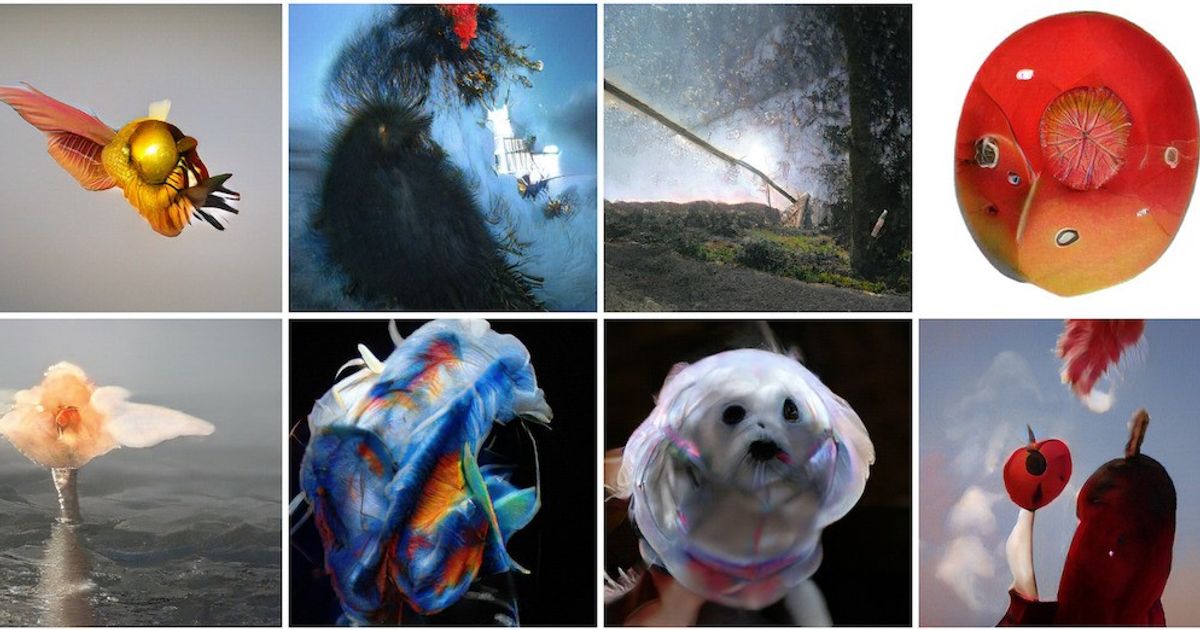
Community-driven image remixing tool where you splice, collage and gene-edit pictures into characters and artworks.
Evaluation
What to know
Best for
- Writers and game masters creating character portraits
- Hobbyists who enjoy iterating and remixing with a community
- Concept artists exploring variations of a face or creature
Not ideal for
- Commercial product photography or ad creative
- Teams needing strict confidentiality by default
- Users who want typography or layout design
Key features
- Splicer gene sliders for blending and adjusting image traits
- Splicer 2 branching for non-destructive variation trees
- Collage mode that renders scenes from shapes, images and text
- Public gallery, follows, daily contests and remix parties
- Pro perks: no ads, privacy controls, Google Drive sync, fast mode
Pros
- Slider-based remixing gives more control than pure prompting for faces and characters
- Collage input helps visual thinkers block out compositions
- Credit bundles are cheap compared with most image platforms
Cons
- Community-first defaults mean you must actively manage privacy
- Output style can feel dated next to newest frontier image models
- Credits and plan names take a minute to decode
ToolifyNav verdict
Artbreeder is less a rival to frontier text-to-image engines than a different instrument: a mixing desk for faces, creatures and moods, with a social layer that keeps people experimenting. That makes it unusually good at character work, where consistency and gradual tweaks matter more than a single spectacular render, and noticeably weaker for commercial imagery or anything with legible text. The yearly Pro bundles are inexpensive and the privacy toggle is the main reason to pay. Readers who enjoy iterating in public will get the most from it; anyone with an NDA should set visibility before uploading a single reference image.
About
About Artbreeder
Artbreeder is one of the older names in AI image making, and it still works differently from prompt-box generators. Instead of typing a paragraph and hoping, you mix existing images together and nudge their traits. The Splicer tools treat pictures as having adjustable "genes" — sliders such as age, gender or a color channel — so you can blend two portraits, then push the result older or bluer. Splicer 2 adds branching, so you can fork an image and explore variations without losing the original. Collage lets you block out a scene with simple shapes, pasted images and text, then have the model render it, which suits people who think in thumbnails rather than prose. A Composer tool rounds out the set and is unlimited on paid plans.
The site is built around its community: you can follow creators, browse public images, enter daily themed contests, and join "remix parties" where people riff on each other's work. Artbreeder claims 14 million users and more than 300 million images created.
Paid Pro plans are sold as yearly credit bundles and remove ads, add privacy controls and Google Drive sync, and enable a fast mode for Splicer. That privacy note matters: by default the platform's culture leans public, so anyone building confidential character designs should check visibility settings first.
Related
More in Art & Creative Design
Same category — not a curated competitor list.
Discover More
Weekly digest
Get weekly AI tools + hands-on reviews
A short digest of new tools and hands-on breakdowns — unsubscribe anytime.