Topaz Labs
Pro AI photo and video enhancement suite — denoise, sharpen, upscale, restore, and stabilize via desktop, web, and mobile.
Evaluation
What to know
Editorial notes based on the vendor's own documentation and public pricing, plus hands-on testing where a score or review is shown above. They describe fit for a job, not absolute quality.
Best for
- Photographers and filmmakers finishing imperfect captures
- Post houses upscaling archival or GenAI footage
- Creators who need local rendering and batch enhancement
Not ideal for
- Users seeking text-to-image generation as the primary job
- Casual phone editors who only need free filters
- Teams that refuse subscription software entirely
Key features
- Photo denoise, sharpen, restore, and face recovery models
- Video upscale, interpolation, slow-mo, and SDR→HDR
- Gigapixel upscaling up to high multiplication factors
- Local desktop rendering plus optional cloud credits
- Web and mobile apps alongside Studio bundles
Pros
- Industry-standard enhancement quality for finishing workflows
- Local processing option for sensitive or huge files
- Broad photo and video model catalog under one vendor
Cons
- SKU maze and revolving promos make price comparison painful
- GPU/time costs on desktop for long video jobs
- Commercial-use ceilings on lower plans need legal reading
ToolifyNav verdict
Topaz Labs is the professional enhancement finishing suite — denoise, sharpen, upscale, restore — not a generative art playground. Pixelcut owns mobile-first product-photo commerce edits; Photoshop remains the general compositor; Runway-class tools invent footage. Topaz belongs when the frame already exists and quality is the bottleneck. Pick the smallest SKU that matches photo vs video and local vs cloud. Read commercial-use clauses if you are above the small-org revenue threshold. Recheck topazlabs.com pricing the week you buy — discounts move often.
About
About Topaz Labs
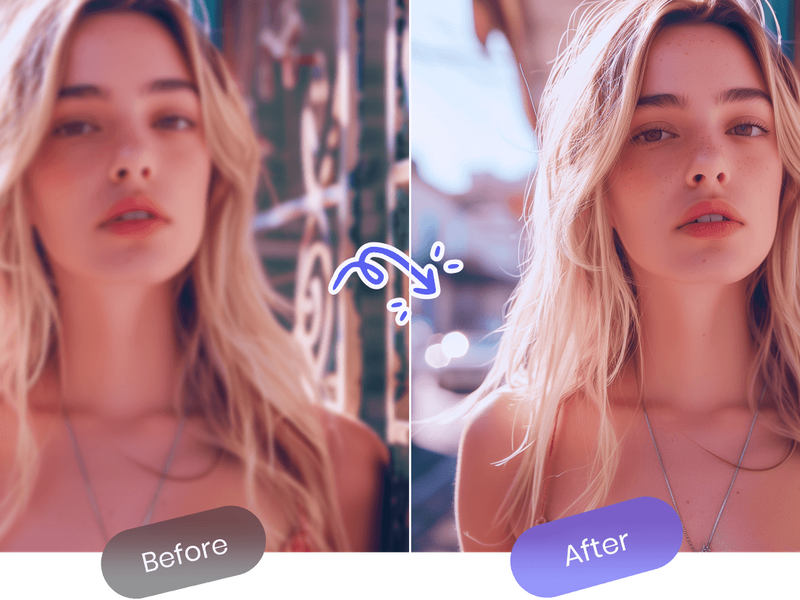
Topaz Labs has spent two decades shipping deep-learning enhancement for photographers and filmmakers. The current lineup spans Topaz Photo, Topaz Video, Topaz Gigapixel, Topaz Studio bundles, browser-based Topaz for Web (image and video), Topaz for Mobile, and Astra cloud video. Jobs are finishing tasks: upscale, denoise, sharpen, face recovery, photo restoration, frame interpolation, slow motion, SDR to HDR, and stabilization — not generative scene invention.
Models such as Starlight Precise and Wonder generations are marketed as production-grade finishing steps trusted after GenAI or imperfect capture. Local rendering remains a differentiator for pros who will not upload every frame; cloud credits cover overflow. Enterprise and API paths exist for commercial catalogs. Emmy-related recognition and large processing volume claims support the “serious finishing tool” narrative versus casual mobile filters.
Pricing is multi-SKU and promotional. Examples verified around verification date: Topaz for Web Image from about $12–19/mo, Web Video from about $19–29/mo, Studio about $399/yr (~$34–69/mo depending on offer), Photo ~$39/mo, Video ~$59/mo, Gigapixel ~$29/mo, Studio Pro higher with full commercial use. Commercial rights often limited under $1M revenue orgs on lower tiers. Always confirm the live topazlabs.com pricing grid — promotions rotate heavily.
Related
More in Image Generation & Editing
Same category — not a curated competitor list.

Discover More
Weekly digest
Get weekly AI tools and hands-on reviews
A short digest of new tools and hands-on breakdowns. Unsubscribe anytime.