Clipdrop Review: Sharp Free Cutouts, Then the UI Falls Over (3/5)
Free Clipdrop cutout on a watch photo in a few seconds — sharp mask, watermark-free PNG after SD downscale. Relight crashed, no credit meter, Turnstile mid-job. Final rating: 3 out of 5.
I needed a quick cleanup on a product watch photo — cut the background, maybe relight it — without opening Photoshop. That pain is why I opened Clipdrop (listed on ToolifyNav). Homepage now says Clipdrop by jasper. Fine. I just wanted the tools to work on one real JPG.
Signed in with my Hotmail address. No Google SSO. Clipdrop does magic links: “Check your mail inbox, we have sent you a link to sign in.” Inbox stayed empty. Junk had it — noreply@clipdrop.co, timestamped around 01:18 UTC on 21 Sep 2026. Clicked through, landed on Free. No card. No fake trial checkbox. That part I like. Deliverability into Junk is a small slap, but at least the link worked.
One file at a time, then downscale
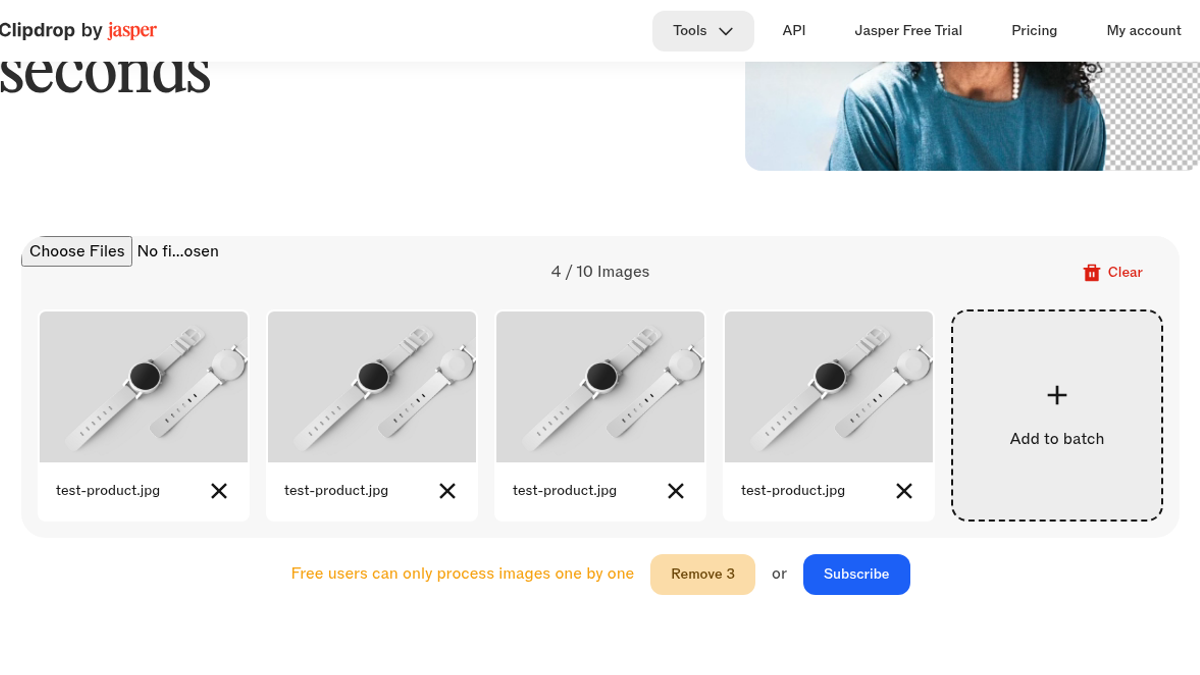
I dropped test-product.jpg (1200×872 watch on gray) into Remove Background. Tried a small batch first out of habit — same file a few times, honestly, just to see the queue. Yellow banner: Free users can only process images one by one. Buttons: Remove 3 or Subscribe. I cleared the extras. Batch is clearly a paid story.
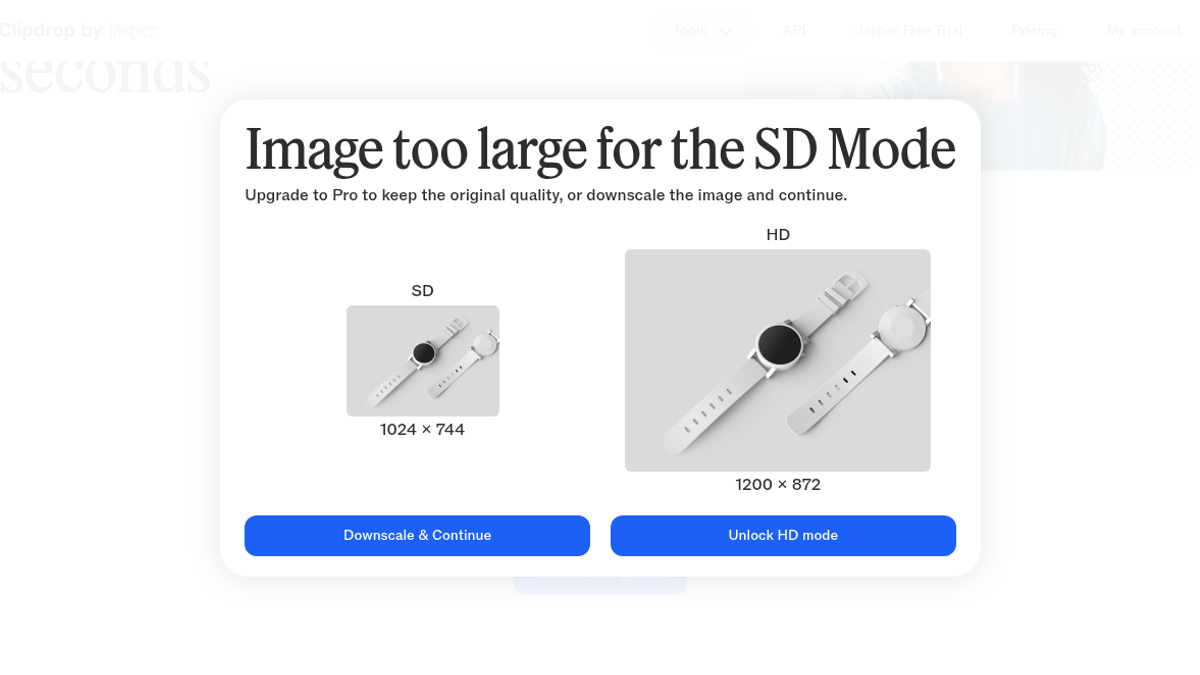
Next modal was worse for store assets: Image too large for the SD Mode. Side-by-side — SD 1024×744 vs HD 1200×872. Free path is Downscale & Continue. I took it. Already annoyed. A 1200-wide product shot is not exotic. Forcing SD before you even see the mask is an upsell with a polite smile.
Then Cloudflare Turnstile slid into the bottom-right of the editor: “Verify you are human.” Inside the canvas. Mid-job. Jarring. After I clicked through, inference ran. I get why freemium tools fight bots. I still hate solving a captcha between “upload” and “result.”
The cutout was the good part
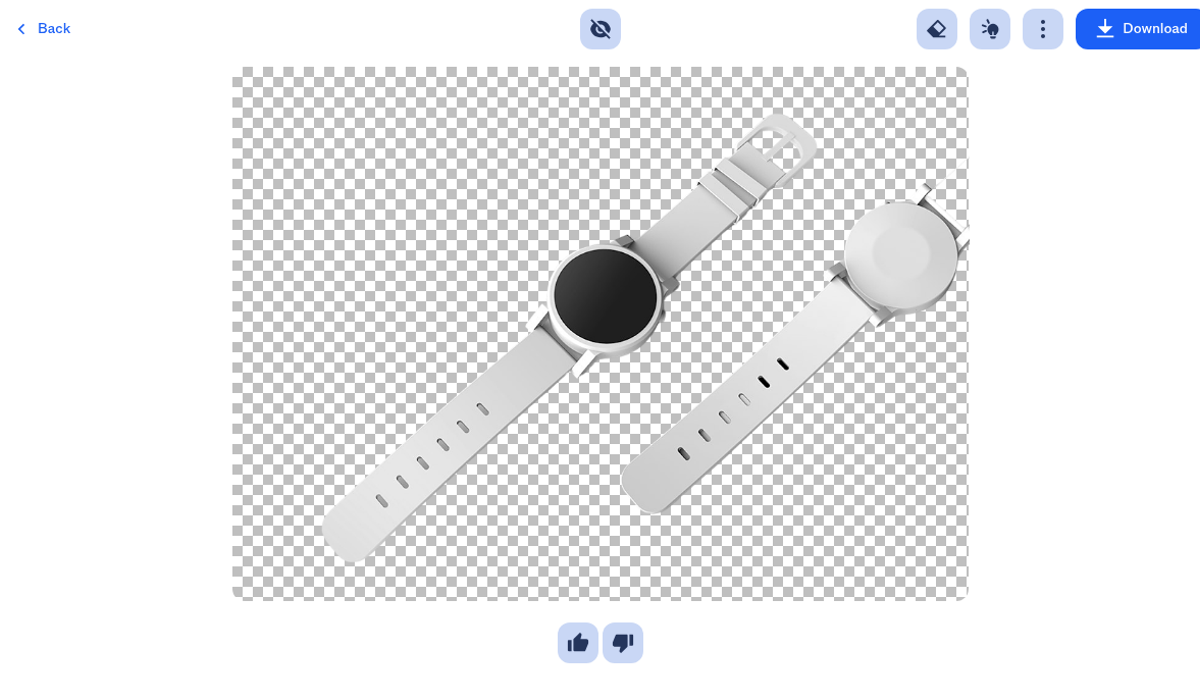
About 3–4 seconds later the watch was on a checkerboard. Strap pinholes open. Buckle edges clean. No ugly halo on the bezel. I poked the eye toggle — before/after held up. Download gave me test-product.png, 184 KB, 1024×744, real alpha, no watermark. That core loop is why Clipdrop still earns a seat for “I need a cutout tonight.”
This is the part that almost pushed me higher. Watch hardware usually shreds cheap removers — mushy holes, melted clasps, white fringing on the crystal. Clipdrop’s mask did not. For a free-tier Remove Background pass, that quality is the product.
I did not run a second photo. Did not try hair, glass bottles, or people. One stubborn watch. Enough to trust the mask on that class of shot; not enough to crown it universal.
Relight: toast, then a React crash
I wanted the second pain fixed too — relight the cutout so the face looked less flat. Toolbar had a Relight shortcut next to the eraser. Clicked it.
Spinner. Another Turnstile. Blank canvas. Red toast: Error during the relight process, please try again. Cool.
Tried standalone /relight with a fresh upload. Dropzone looked disabled. Then the whole page fell into an unhandled React boundary: An error occurred. Sorry for the inconvenience. Go to home. Raw i18n keys leaking in the chrome — /header/item/relight, /footer/a/home, /sessionmanager/button/account. That is not soft-launch roughness. That is a broken tool page shipping translation keys to paying-attention users.
Poked /cleanup briefly. Upload handlers felt inconsistent — hidden inputs, flaky drop state. I stopped. Not running Upscaler, Text Remover, Uncrop, or Replace Background on this pass. Relight had already crashed twice; chaining from Remove Background was dead. The free pipeline was leaking enough.
Where did my 20 free runs go?
Pricing copy says free Background Removal is something like 20 / 24h. Account menu just said Current plan: Free and Subscribe. Settings: same Subscribe CTA. No number. No bar. No “17 left.” You fly blind until the wall, I guess. One of my three fail-able checks was “credit meter visible after one run.” That check failed hard.
So the score lands here: one excellent free remove-bg path (after downscale + Turnstile), watermark-free PNG you can actually download — then Relight dies, chaining dies, and you cannot see remaining credits. That is a 3, not a 4. Keep Clipdrop for the cutout. Do not plan a multi-tool lighting workflow on Free until Relight stops throwing React boundaries.
I still have the PNG on disk from this session. Opening it locally confirms a real alpha channel, not a fake white background. That download is the reason I did not abandon Clipdrop after the Relight crash — the cutout job finished and paid out a usable file.
Final rating: 3 out of 5.
Sources: https://toolifynav.com/item/clipdrop (official website, verified during review).
ToolifyNav Directory
Explore Clipdrop on ToolifyNav
Utility belt for the photo in front of you: cleanup, uncrop, relight, replace background.
Keep Reading
Related posts
AI Tool Reviews
Felo Review: 4/5 — Anonymous Search Nailed a Chile Trap, Signup Hit an Image Captcha
Anonymous Felo search answered a three-part Argentina fact check in about 21 seconds, caught the Aconcagua-in-Chile trap, and rewrote the answer in Spanish with citations kept. Signup stopped on an image captcha. Final rating: 4 out of 5.
AI Tool Reviews
ChatPDF Review: A Trap Question, a Missing Citation and a Fair Free Tier (4/5)
I wrote a two-page darkroom handbook, hid a trap question in it and asked ChatPDF's free tier four questions. It got all four right and refused to invent a price, but one cross-page answer cited the wrong page for half its maths.
AI Tool Reviews
Cleanup.pictures Review: Fast Inpainting Behind a 720p Gate (4/5)
Cleanup.pictures let me wipe SAMPLE WATERMARK, FOR SALE — DEMO, and REMOVE ME off a watch photo in about six seconds of server time — then handed back a 720×523 free download with the HD gate spelled out up front.