Explainpaper Review: 4/5 — Highlight Jargon Stay in the Paper
I highlighted a Transformer abstract span on Explainpaper’s sample paper, got a plain-language explain in about five seconds, then a useful follow-up — Free, no credit wall. Final rating: 4 out of 5.
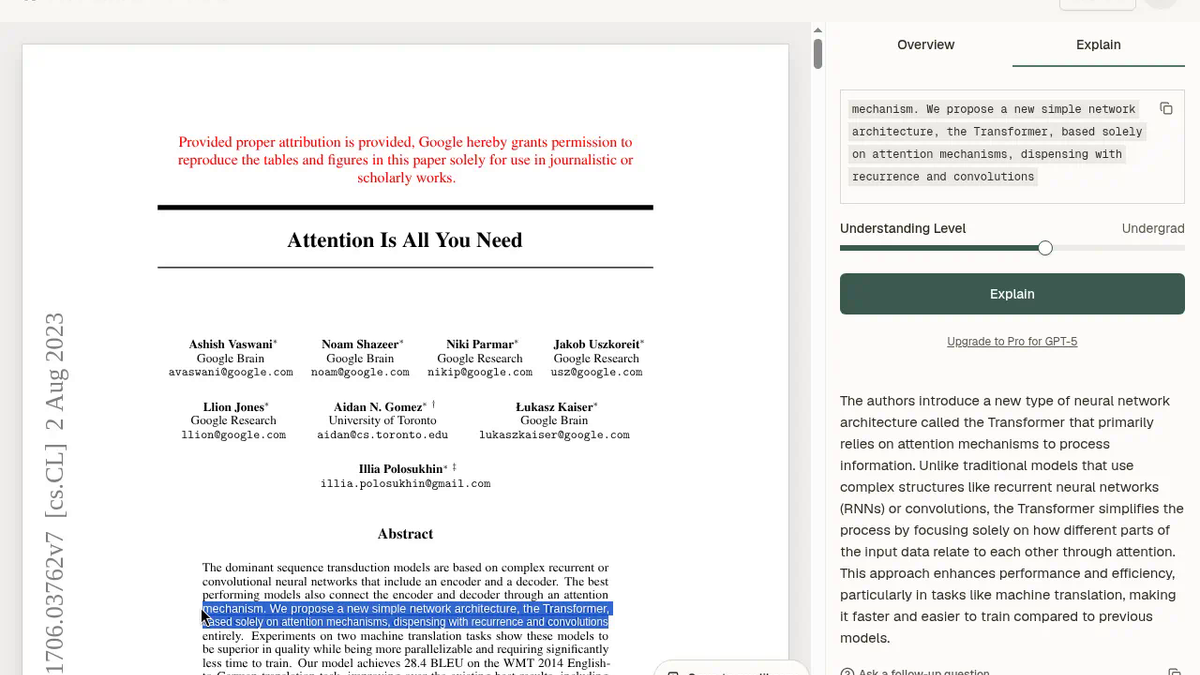
I wanted a plain-language read of a confusing passage without copying it into another chat tab. That is the whole bet for Explainpaper (listed on ToolifyNav). Homepage copy is blunt about it: “Read Research Papers 10x Faster,” highlight confusing text, get a simple explanation, join “400,000+ researchers.” Big Upload Your First Paper button. Marketing bravado. I cared about whether the reader actually stuck once I was inside a real PDF page.
Email signup worked. Verification landed in Outlook Junk from Aman@explainpaper.com. After I confirmed, the workspace opened. No Google SSO in this test.
Getting into the sample
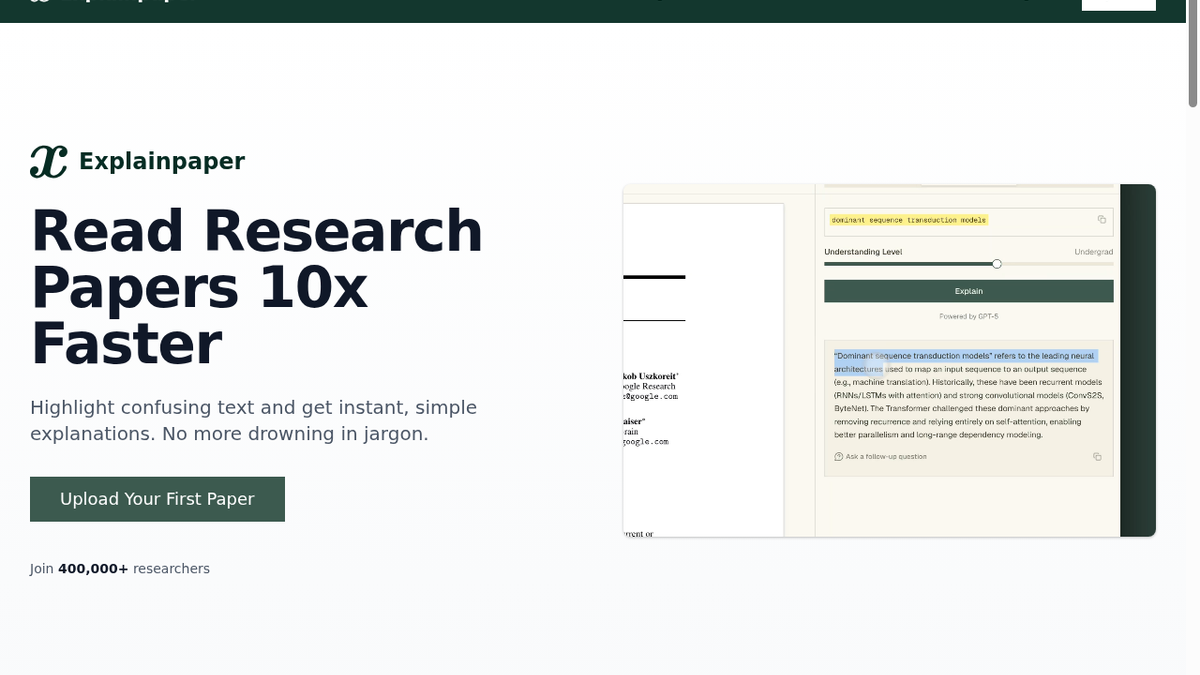
The first click on the dashboard sample-paper row did nothing. Annoying. I opened the sample route directly: /read/u/sample. That worked. Built-in paper: Attention Is All You Need, page 1 / 15. I did not upload my own PDF.
The highlight that took a couple tries
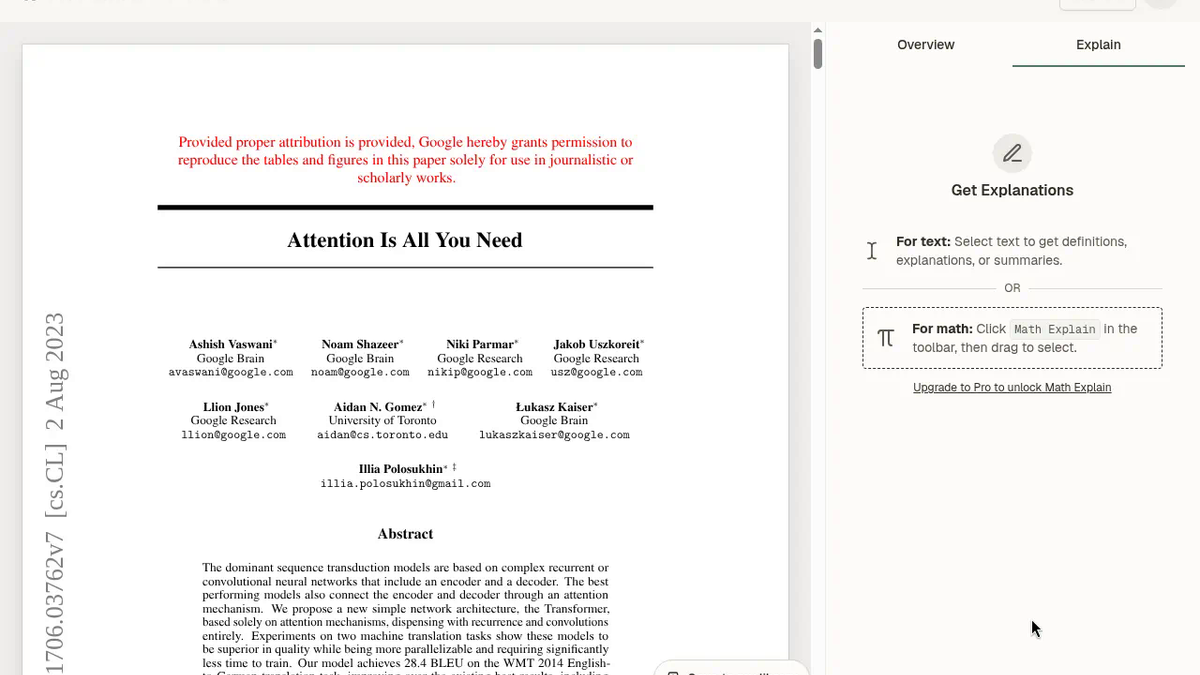
I dragged this abstract span:
“mechanism. We propose a new simple network architecture, the Transformer, based solely on attention mechanisms, dispensing with recurrence and convolutions”
The first couple of native drags did not stick. No selection, no explain affordance. Then the rendered text layer finally caught it and the blue highlight showed up. Small thing. Still the kind of friction that makes you wonder if you are fighting the PDF canvas or your own mouse.
Understanding level sat on Undergrad. I hit Explain.
About five seconds later the side panel returned:
“The authors introduce a new type of neural network architecture called the Transformer that primarily relies on attention mechanisms to process information. Unlike traditional models that use complex structures like recurrent neural networks (RNNs) or convolutions, the Transformer simplifies the process by focusing solely on how different parts of the input data relate to each other through attention. This approach enhances performance and efficiency, particularly in tasks like machine translation, making it faster and easier to train compared to previous models.”
That is a real paraphrase, not a synonym swap. It named the Transformer, contrasted RNNs and convolutions, and kept the answer glued to the selected abstract instead of dumping me into a disconnected thread. No numeric speed claim. No citation. Fine for “what did this sentence mean.”
I caught myself relaxing. Five seconds is not instant, but it is fast enough that I kept reading the abstract instead of opening another tab. That is the product working.
Follow-up without leaving the margin
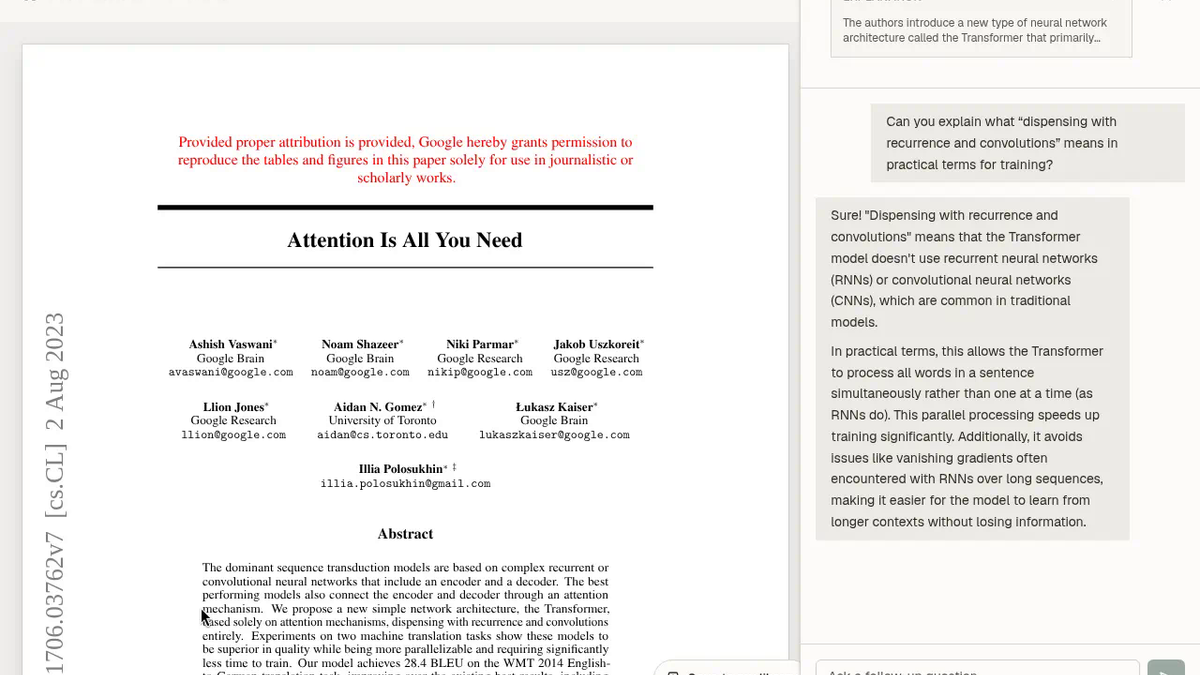
Under the card: Ask a follow-up question. I typed:
“Can you explain what “dispensing with recurrence and convolutions” means in practical terms for training?”
Another ~5 seconds. Different answer, which is what I wanted:
“Sure! "Dispensing with recurrence and convolutions" means that the Transformer model doesn't use recurrent neural networks (RNNs) or convolutional neural networks (CNNs), which are common in traditional models. In practical terms, this allows the Transformer to process all words in a sentence simultaneously rather than one at a time (as RNNs do). This parallel processing speeds up training significantly. Additionally, it avoids issues like vanishing gradients often encountered with RNNs over long sequences, making it easier for the model to learn from longer contexts without losing information.”
It moved from architecture summary into training implications — simultaneous tokens, vanishing gradients. Still said “significantly” without a number. I stopped there instead of hunting a second independent highlight.
Free vs Pro, as shown
Below the explanation: Upgrade to Pro for GPT-5. Math Explain was disabled and pushed an upgrade prompt. The highlight explain and the follow-up both ran on Free. No credit wall. No numeric free-credit counter anywhere I could see, so I never watched a balance tick down.
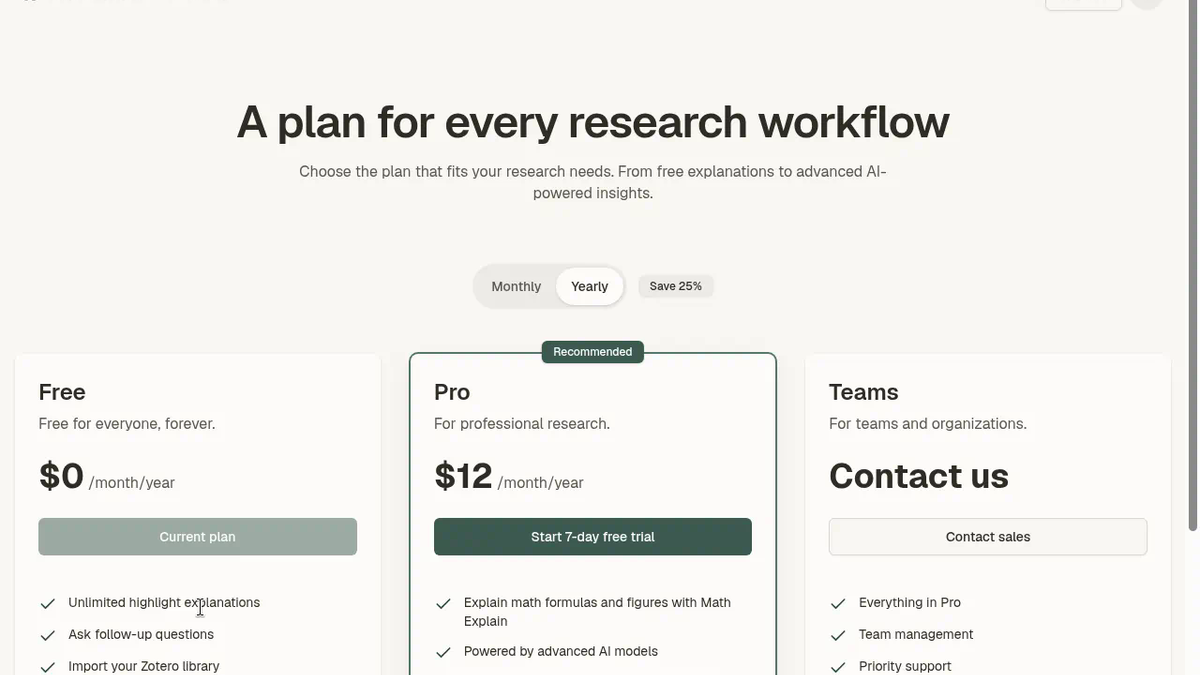
Pricing page (I flipped Monthly and Yearly):
- Free — $0/month, “Free for everyone, forever.” Unlimited highlight explanations, follow-up questions, Zotero import, basic AI models.
- Pro — $16/month monthly, or $12/month on yearly with a visible Save 25% label. 7-day free trial button. Math Explain, advanced models, whole-paper summaries.
- Teams — Contact us.
I did not start the trial or enter a card. On Free I also never saw a remaining-credit meter. This session never hit a wall. Day-20 of a lit review under Free is still an open question for me.
Who this is for, and where I stopped
If you are an undergrad, a developer reading ML papers, or anyone who keeps alt-tabbing jargon into ChatGPT, the Free highlight loop is the product. Stay on the page. Ask one follow-up. Move on.
I did not upload a local PDF, paste a PDF URL, import Zotero, run Math Explain, summarize the whole paper, or burn through any hidden Free cap. Selection friction and the dead first dashboard click are what kept this from feeling like a 5. The core explain path still earned the session.
Final rating: 4 out of 5.
Sources: https://toolifynav.com/item/explainpaper (official website, verified during review).
ToolifyNav Directory
Explore Explainpaper on ToolifyNav
Highlight dense research passages and get plain-language explanations in context.
Keep Reading
Related posts
AI Tool Comparisons
ChatPDF vs Humata vs Explainpaper vs SciSummary: Which PDF Tool Actually Answered Me (Tested)
I gave four PDF tools documents I'd written myself. ChatPDF refused to invent a missing price, Humata's citation jumped to the exact formula, Explainpaper explained highlights with no meter, and SciSummary hid a careful summary behind a trial.
AI Tool Reviews
Felo Review: 4/5 — Anonymous Search Nailed a Chile Trap, Signup Hit an Image Captcha
Anonymous Felo search answered a three-part Argentina fact check in about 21 seconds, caught the Aconcagua-in-Chile trap, and rewrote the answer in Spanish with citations kept. Signup stopped on an image captcha. Final rating: 4 out of 5.
AI Tool Reviews
ChatPDF Review: A Trap Question, a Missing Citation and a Fair Free Tier (4/5)
I wrote a two-page darkroom handbook, hid a trap question in it and asked ChatPDF's free tier four questions. It got all four right and refused to invent a price, but one cross-page answer cited the wrong page for half its maths.