ChatPDF vs Humata vs Explainpaper vs SciSummary: Which PDF Tool Actually Answered Me (Tested)
I gave four PDF tools documents I'd written myself. ChatPDF refused to invent a missing price, Humata's citation jumped to the exact formula, Explainpaper explained highlights with no meter, and SciSummary hid a careful summary behind a trial.
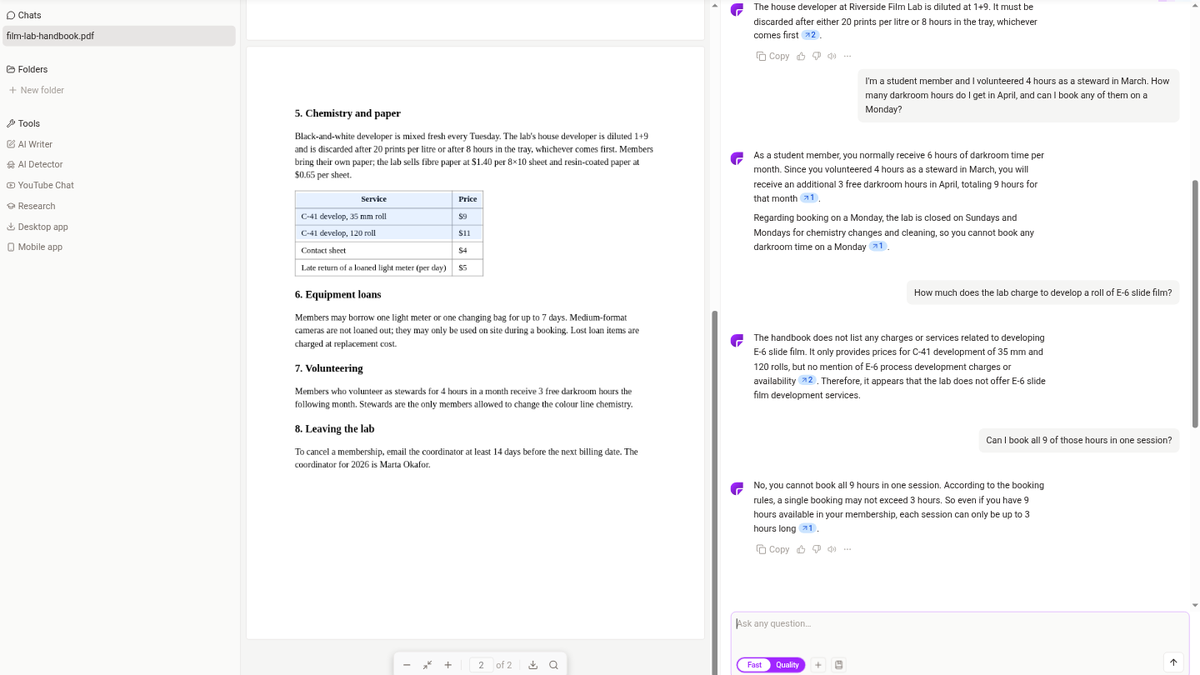
Two little chips, both reading ↗1. I'd just asked ChatPDF how many darkroom hours a student member gets in April after stewarding for 4 hours in March, and the answer was right: 6 plus 3, so 9. The trouble was that the "plus 3" lives on page two of the handbook, and neither chip pointed there. It did the maths with page two and showed me a receipt from page one.
That moment is roughly why I wanted to put four tools side by side. I've now tested four apps that promise to get you out of a PDF faster, and they turned out to be doing four different jobs. ChatPDF and Humata let you ask a whole file questions and click back to the source. Explainpaper explains whatever sentence you highlight. SciSummary writes a summary and keeps its chat behind a trial. I tested them on different days with different documents, so this isn't a same-file shootout. It's what each one did when I gave it something I already knew the answers to.
The steward hours that lost their page
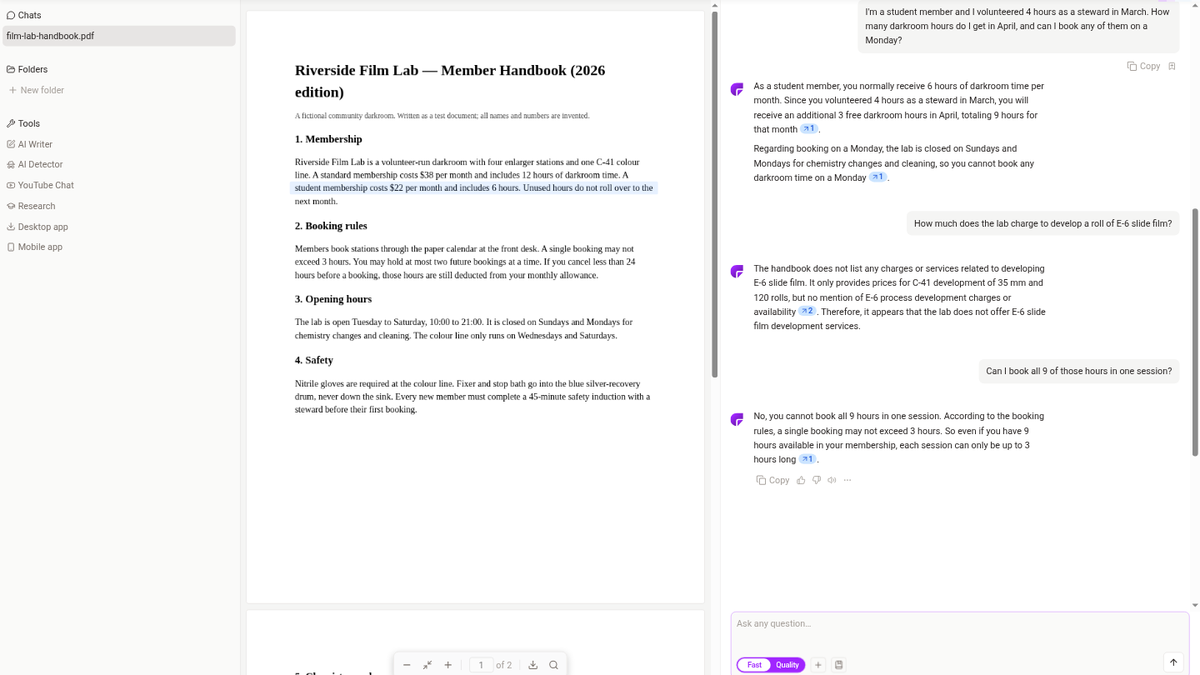
For ChatPDF I wrote a two-page handbook for a darkroom that doesn't exist, "Riverside Film Lab," and spread the facts across both pages on purpose. Upload worked without an account. About 15 seconds later it said "All 2 pages checked, ready to chat!" and greeted me with "Hey there, film enthusiast!", which I could have done without. Signing up later took a plain email form, with no captcha, no verification mail and no card, and the chat came along.
Answers took two or three seconds each. The page-two developer rule (1+9, thrown out after 20 prints per litre or 8 hours) came back correct, and the ↗2 chip jumped to page two and lit the sentence in blue. Then the cross-page one above: right answer, and it also caught that the lab is shut on the day I asked about, but the steward rule never got its chip.
The trap mattered more to me. I asked the price of E-6 slide processing, which the handbook never mentions. It said the handbook "does not list any charges" for E-6, pointed at the C-41 price table, and then pushed one sentence too far by concluding the lab "does not offer" it. Not listed isn't the same as not offered. But no made-up price, which is the failure I actually worry about with these tools. A follow-up about booking all 9 hours in one go kept the context and correctly hit the 3-hour cap.
Free gives you 20 messages and 2 chats a day, with a "Resets at 9:00 PM" that never says whose 9 PM. Everything ran on the Fast model; clicking Quality just opens the Plus window ($14.99 a month, or $7.58 a month yearly). The longer story is in my ChatPDF review (4/5).
A checkbox where the chat should be
![Humata answer giving the attention formula with citation [1], and the formula highlighted yellow in the PDF pane](https://cdn.sanity.io/images/8zf2m0g8/production/d709c4f7ba9d685cd98208a05fd1900f3e301157-1200x675.png?w=1200&fit=max&auto=format)
Humata got a one-page note on attention mechanisms that I'd made myself. The verification mail arrived in about five seconds, I was on the $0 plan without a card, and the file was indexed in about 18 seconds.
Then I clicked the file row and nothing happened, except a checkbox ticking. Chat lives behind a separate "Ask" link on the right. Open the chat URL before indexing finishes and you get "Uh-oh. This file failed to load" instead of a spinner.
Once it was open, though, it gave me the nicest citation click of the lot. I asked for the attention formula and got softmax(QKᵀ/√dₖ)V in about two seconds; clicking [1] slid the PDF pane to the formula and painted it yellow. The exact-match figure (98.4%) took about 2.5 seconds, and a follow-up comparing it with the LSTM under the same budget pulled 98.4% vs 71.2% without me restating anything.
What I can't tell you is how it handles a trap or a fact split across pages, because my note was one page and I never asked it something that wasn't there. The free ceiling is also muddled: 60 pages, and either 10 answers (upgrade window) or 100 questions (settings page). OCR for scans is a Team-plan thing at $49 per user a month. Details in the Humata review (4/5).
Dragging a cursor through someone else's abstract
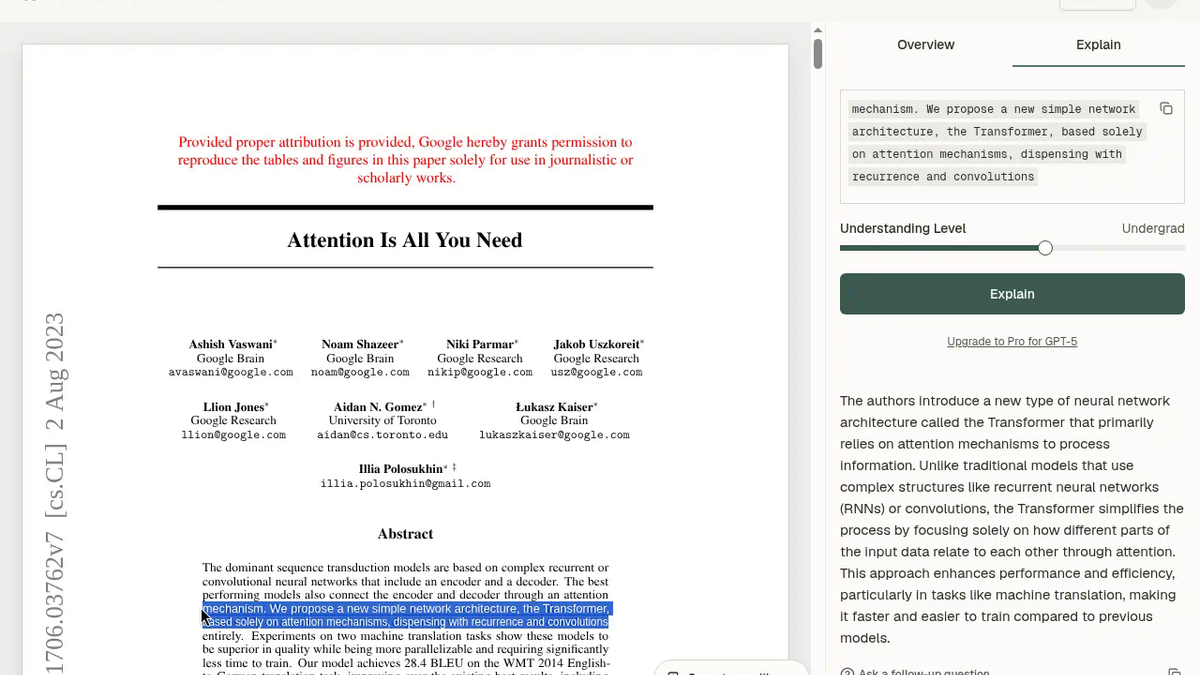
Explainpaper doesn't really answer questions about a file. You highlight a passage and it explains that passage in the margin. I used its built-in copy of "Attention Is All You Need" rather than my own upload. The dashboard's sample row didn't open on the first click and my first couple of drags didn't select anything, which is a slightly silly way to start a reading tool. Once the highlight took, the explanation came in about five seconds at the Undergrad level: a real paraphrase, no citation, no numbers. The follow-up in the margin, about what dropping recurrence means for training, also took about five seconds and went to parallel processing and vanishing gradients. No counter, no wall, and the free plan says "Free for everyone, forever." Pro is $16 a month for things like whole-paper summaries. My Explainpaper review (4/5) has the rest.
Four hundred good words under a card
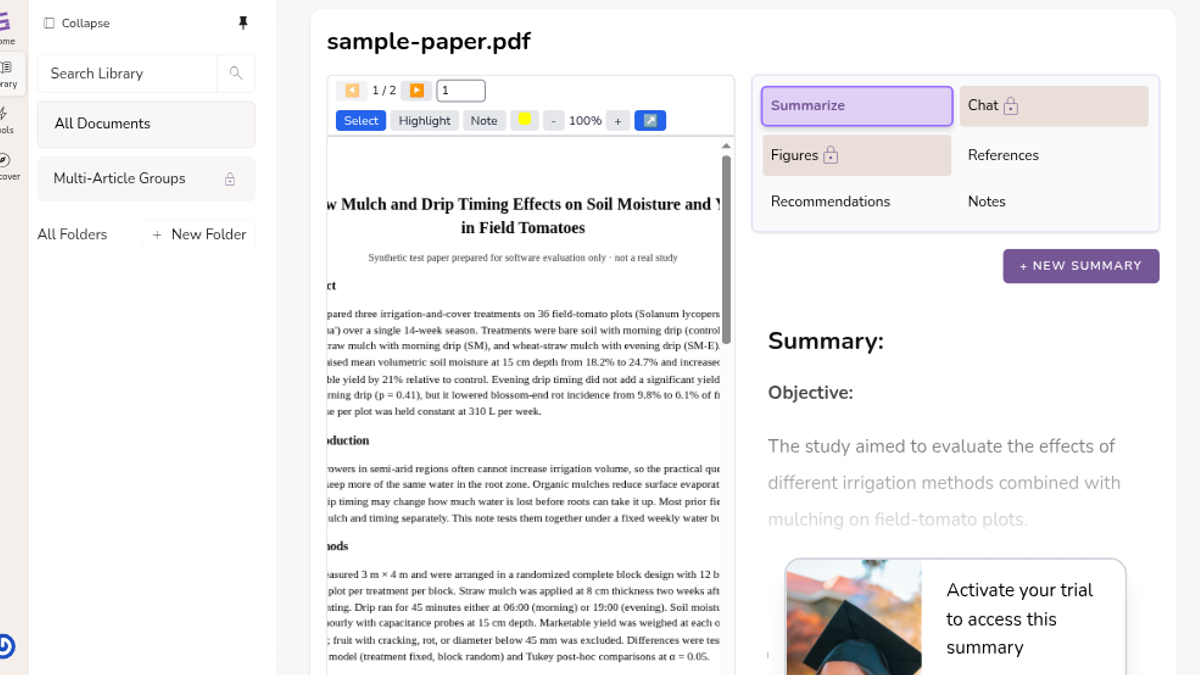
SciSummary is the one I'd have liked most if I'd been allowed to read it. I gave it a two-page agronomy paper I wrote, with numbers I knew cold: moisture 18.2% to 24.7%, yield up 21%, evening versus morning drip at p = 0.41, hail in block 7.
The summary took about 43 seconds. The first text in the slot had the numbers right but padded the limitations with generic ones my paper never mentions. A little later the same slot held a 403-word version that got everything, down to p = 0.38 for mulch alone and the warning about plastic mulch and sandy soil. Careful work.
On screen I could read about one sentence of it. The rest sits under an "Activate your trial to access this summary" card that doesn't close, in a box that doesn't scroll. A second summary was refused outright, chat and figures are locked, and the trial goes through a checkout that wants a payment method before day one. I backed out. Hence the SciSummary review (3/5).
Which tab I'd actually leave open
For a handbook, a lease or a course reader where I need one rule and the line it came from, I'd open ChatPDF first. It's quick, it works before you even sign up, and it said "not listed" when the answer wasn't there. I'd still click every chip on an answer that spans pages, because I've seen it skip one. If the PDF is a clean, short research note and the click-to-highlight loop is the whole point, Humata did that best, provided you find the Ask link and stay under its small free allowance. If I'm reading a paper and keep tripping on sentences rather than hunting for facts, Explainpaper is the one I'd keep beside it, since it never put a meter or a paywall in front of me. SciSummary only makes sense if you were already going to pay; its summarizer is good, and its free plan is a preview of a summary rather than a summary.
If you're down to two, the pairwise pages are here: ChatPDF vs Humata, ChatPDF vs Explainpaper and Explainpaper vs Humata.
ToolifyNav Directory
Explore ChatPDF on ToolifyNav
Chat-with-your-documents tool that answers questions about PDFs, Word files, slides, websites and YouTube videos with page-linked citations, plus summaries and flashcards.