Paperpal Review: 7 of 7 Planted Grammar Slips Caught on the Free Tier (4/5)
I pasted an 86-word paragraph with seven planted grammar slips into Paperpal's free tier. It caught all seven, rewrote one sentence with Make Academic in about 2.5 seconds, and quietly charged 11 of my 200 monthly edits before I'd accepted a single fix.
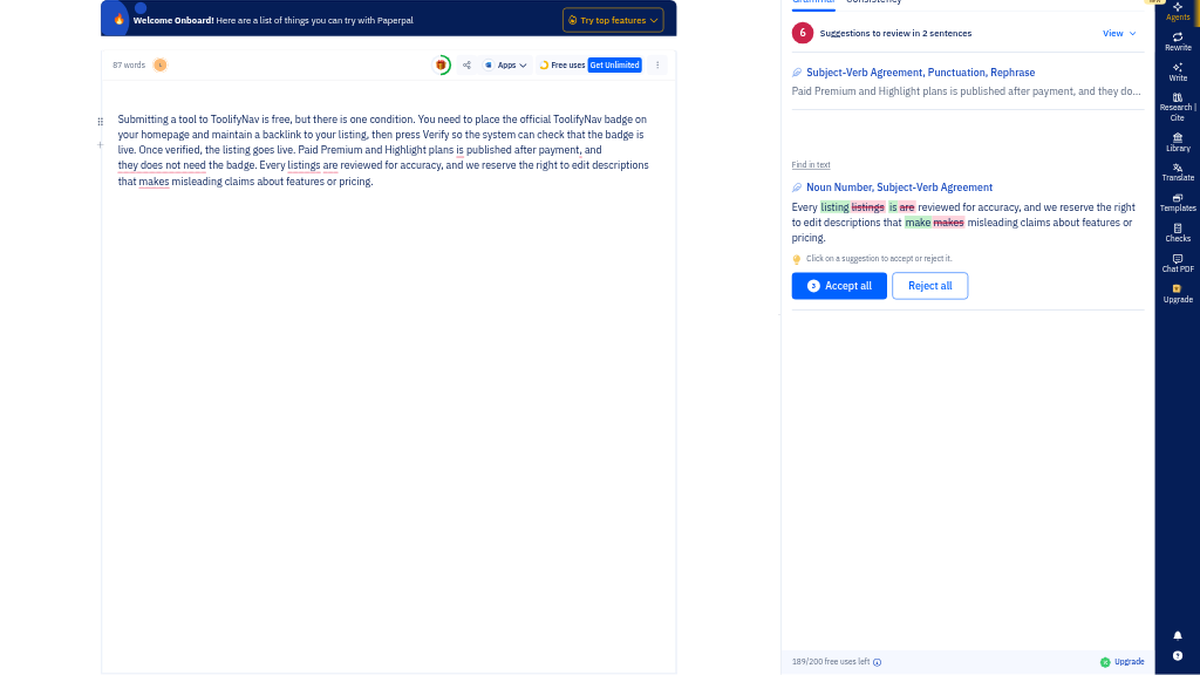
The red badge said 11. Next to the first sentence of my paragraph, "their is one condition," Paperpal had already put "there" in green, with a one-line note: "Use 'there' instead of 'their' in this context." The panel header read "11 Suggestions to review in 4 sentences." I'd planted seven mistakes in that paragraph on purpose, so the first thing I did was stop reading the suggestions and start counting them.
Getting there was quick. Paperpal is the academic writing assistant we list under writing tools on ToolifyNav, and its homepage at paperpal.com leads with "The only AI workspace you need from search to submission," a Forbes "Best AI Writing Tool" laurel, and a strip of numbers: 1,500+ journals, 1M+ papers checked before submission, 24+ years of scholarly publishing. The big button is "Sign up with Google." I went with email and a password instead, which routes you through an Editage sign-in page, because Paperpal comes from the same company and the accounts are shared. Name, email, a password, the Terms checkbox. No verification link, no code. It dropped me straight into a blank draft on edit.paperpal.com, and when I looked at the inbox and the junk folder afterwards there was nothing from them at all. No card either.
A three-step quiz sits in front of the editor: role (I said Post-Doc/Researcher; Student, Professor and Editor were also there), how I heard about it, and what I wanted to do today. I picked "Improve Writing." One oddity: paperpal.com/pricing gave me a CloudFront 403 error page, though the plans page inside the app loaded fine.
Seven slips, eleven cards
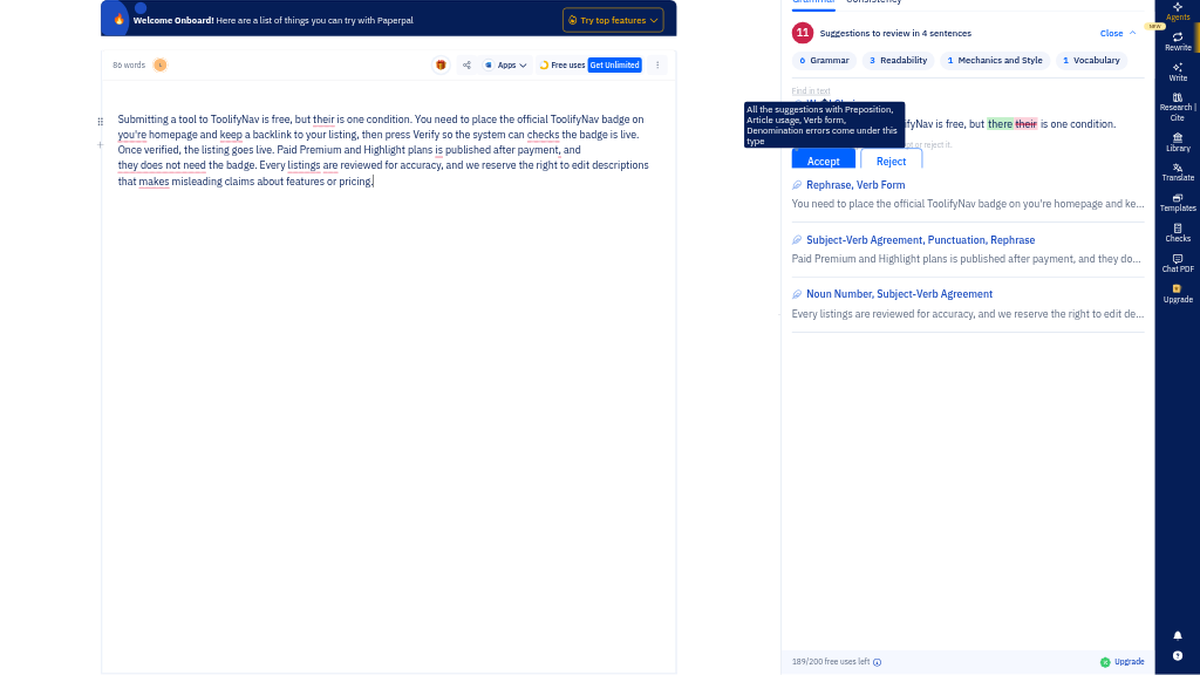
The test text was 86 words I wrote myself, a rough take on a directory submission rule, deliberately bloggy. The seven slips: "their is one condition," "on you're homepage," "the system can checks," "plans is published," "they does not need the badge," "Every listings are reviewed," and "descriptions that makes misleading claims."
The eleven suggestions came out as Grammar 6, Readability 3, Mechanics and Style 1, Vocabulary 1. None of them were blurred or tagged for Prime. On a lot of free grammar tiers, that's where the good half of the list disappears, and here it just didn't.
All seven slips were caught. "checks" went to "check" as a verb-form fix. "plans is" became "are," and "descriptions that makes" became "make," both as subject-verb agreement, with the explanation spelled out. "Every listings are" was handled as two separate cards, one for the noun ("listing") and one for the verb ("is"), which is the right way to read that mistake.
The two I'd call plain grammar got filed somewhere else. "you're homepage" showed up under Readability as "Rephrase this portion for readability," offering "your." "they does not need the badge" was also a Readability rephrase, offering "do not require." Both ended up correct. The labels were just a little vague for errors that basic.
Then three things I hadn't planted: "keep" to "maintain," an inserted "that" after "check," and deleting the comma after "payment." I accepted the their/there fix (11 dropped to 10), then hit "Accept all" on the second sentence, which cleared four cards at once and left six. That sentence now read: "You need to place the official ToolifyNav badge on your homepage and maintain a backlink to your listing, then press Verify so the system can check that the badge is live." Correct, and a notch stiffer than I'd write it for a website.
189 before I'd accepted anything
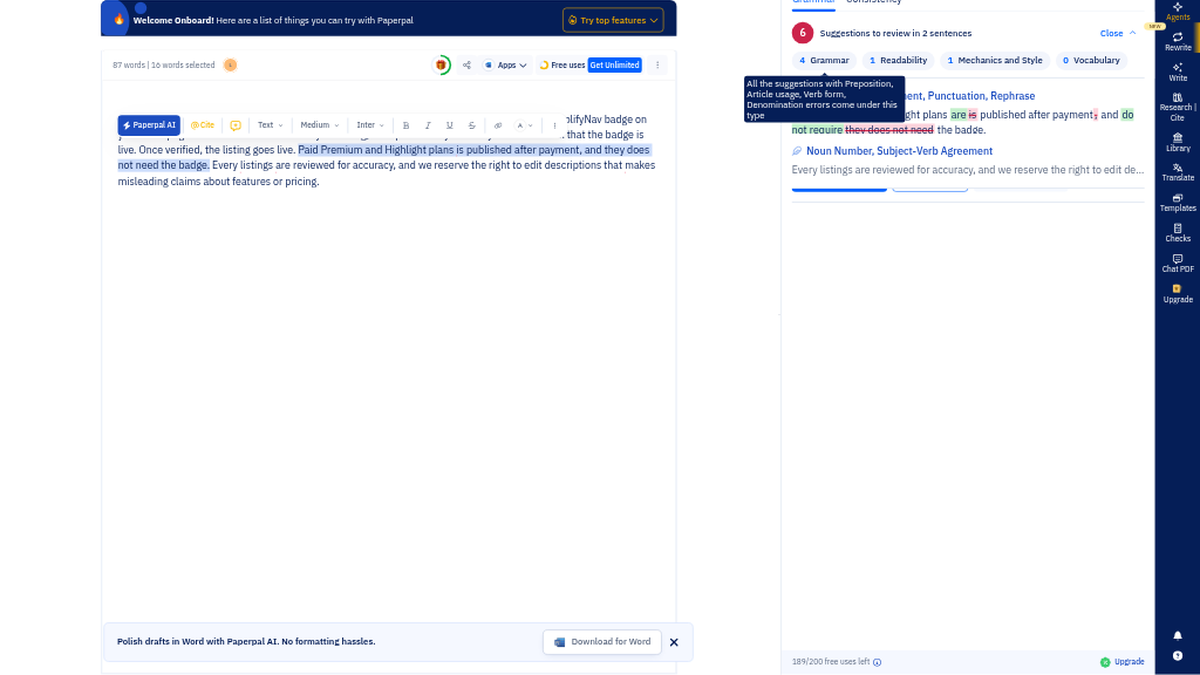
The footer under the panel had said "200/200 free uses left" when I opened the draft. The moment the check finished, it said 189/200.
So the free allowance counts suggestions generated, not fixes you take. Eleven cards, eleven edits gone, before I'd clicked a single Accept. Accepting afterwards cost nothing; it stayed at 189 through the single fix and the batch of four. That's fine on an 86-word paragraph. On a messy chapter draft with a few hundred problems, one pass could eat most of the month.
One Make Academic, four left
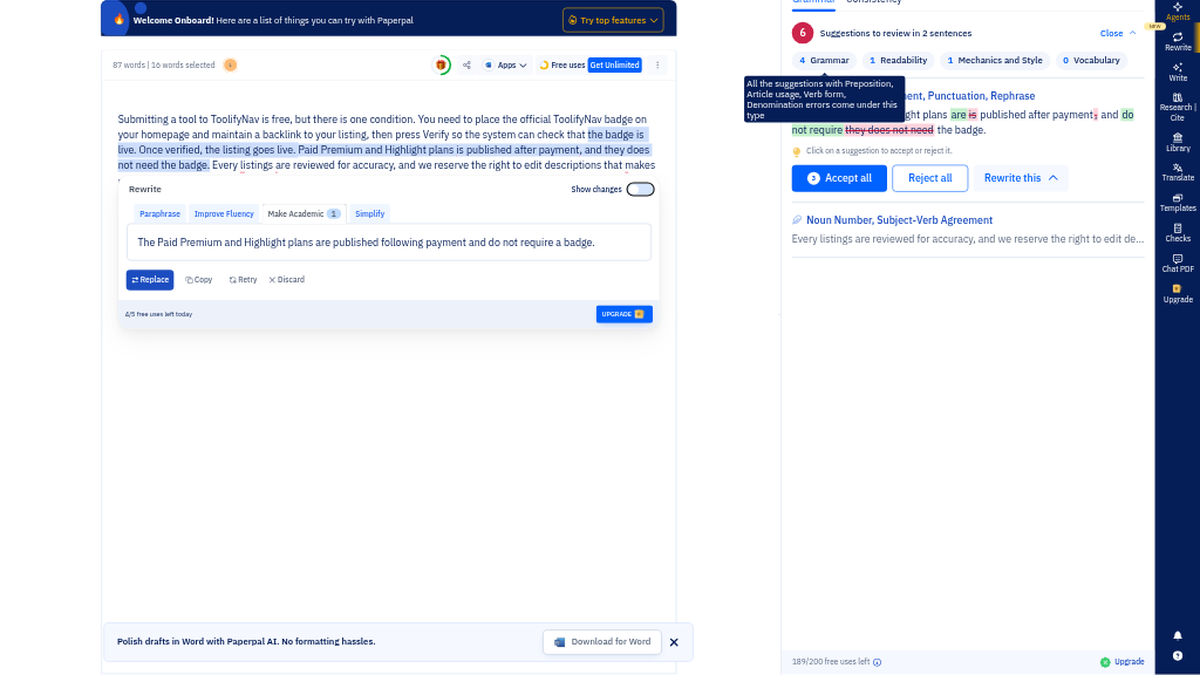
I highlighted the third sentence, "Paid Premium and Highlight plans is published after payment, and they does not need the badge," clicked "⚡ Paperpal AI" on the floating toolbar, and picked "Make Academic." About 2.5 seconds later:
"The Paid Premium and Highlight plans are published following payment and do not require a badge."
Both errors fixed, the meaning intact, nothing added that I hadn't said. The panel has tabs for Paraphrase, Improve Fluency, Make Academic and Simplify, a Show changes toggle, and Replace, Copy, Retry, Discard. In the corner, "5/5 free uses left today" became "4/5 free uses left today," next to an UPGRADE button. No wall, no modal. Five a day is a handful of stubborn sentences, not a section.
I left the rest of the sidebar alone this time. There's a Research & Cite panel ("Your AI Research Assistant with 300M+ scholarly publications") with Ask a Question, Cite Text and Search Papers on its own 5-a-day pool, and a Checks area that takes .docx uploads up to 25 MB and lists Plagiarism Check, AI Detection, Reference Check, Journal Fit, AI Review and human expert editing. A banner at the bottom kept offering "Download for Word." I didn't upload a file, run a plagiarism or reference report, or try the Word add-in, so I can't tell you how any of that holds up.
What $12 a month changes
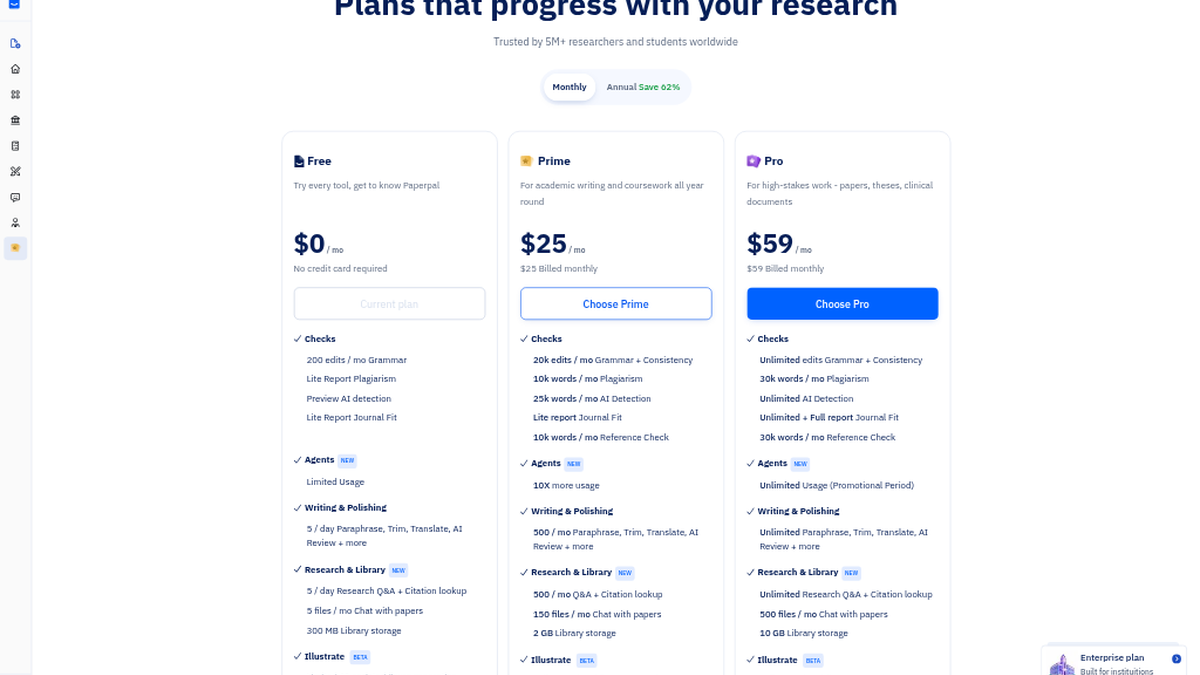
The plans page inside the app, monthly: Free $0, Prime $25, Pro $59. Billed annually, Prime is $12 a month ($144 a year) and Pro is $29 ($348). On the annual view a welcome code, US2026, was already applied and showed $9.60 and $23.20.
- Free: 200 grammar edits a month, 5 AI writing actions a day, 5 research questions a day, 5 chat-with-paper files a month, a Lite plagiarism report and an AI-detection preview
- Prime: 20,000 edits a month, 500 AI writing actions a month, 10k words of plagiarism checking, 25k words of AI detection
- Pro: unlimited edits and AI writing, 30k words of plagiarism checking
The jump that matters for me is edits. Two hundred is plenty for a cover letter or an abstract. It is not a thesis.
If you're a grad student, a researcher, or writing journal English as a second language, this is a good free way to clean up short passages, and the academic pull ("keep" turning into "maintain") is probably what you want. For blog posts, product copy or anything with a casual voice, that same pull will keep sanding your sentences into a register you didn't ask for. I'd start with a paragraph like I did, watch the 200 meter, and only then decide about Prime.
Final rating: 4 out of 5.
ToolifyNav Directory
Explore Paperpal on ToolifyNav
Academic writing assistant from the Editage team that flags grammar, rewrites text in a scholarly register, and adds citation, plagiarism and AI-detection checks.