QuillBot Review: 4/5 — Free Paraphrase Works Without Signup
I used QuillBot’s free paraphraser anonymously: Standard and Fluency both rewrote a 72-word work paragraph without signup, then Formal hit Unlock Premium Modes. Final rating: 4 out of 5.
I wanted to see what happens when you land on QuillBot cold. No account. No Google sign-in. No credit card. Just a blank browser window and an unpolished draft paragraph that needed help.

My goal was narrow and practical: paste a standard work paragraph, get a usable rewrite without paying, toggle between the modes that are actually free, and see exactly where the free tier hits a wall.
What I actually did
I opened https://quillbot.com directly in Chrome. There was no cookie banner in the way. A Google account sign-in prompt popped up over the interface, but I dismissed it immediately and stayed logged out. The homepage presented the Paraphraser tool in the left rail alongside a prominent green “Upgrade to Premium” button.
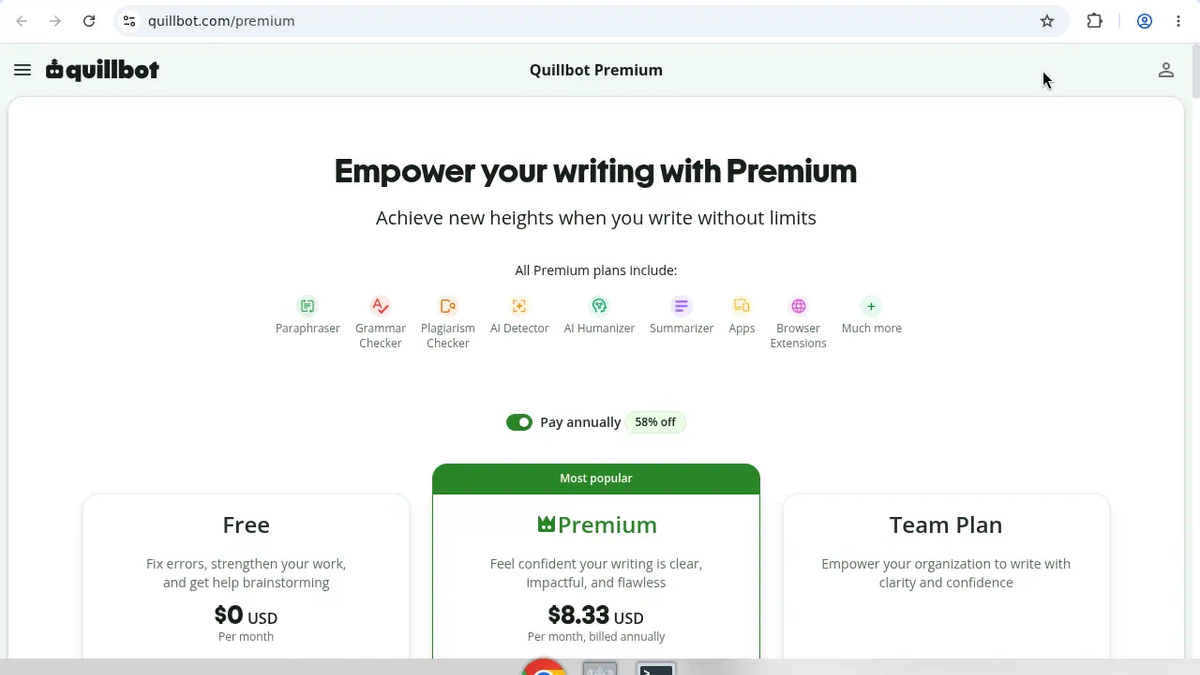
Before running any text, I checked the official comparison page at https://quillbot.com/premium. The pricing grid showed a $0 USD/month Free column positioned next to Premium and Team Plan. The Free tier listed the following specific inclusions:
- “Paraphrase up to 125 words”
- “Paraphrase in 2 modes”
- “Fix basic grammar errors”
- “Humanize up to 125 words, 6 uses/day”
- “Generate basic summaries”
- “Access AI Detector (limited)”
- A footnote warning: “Limits may vary across platforms”
Next, I tried navigating directly to /paraphraser by guessing the URL. That threw a page error: “It appears you are lost…”. I backed out and clicked the left-rail Paraphraser link instead, which routed properly to /paraphrasing-tool.
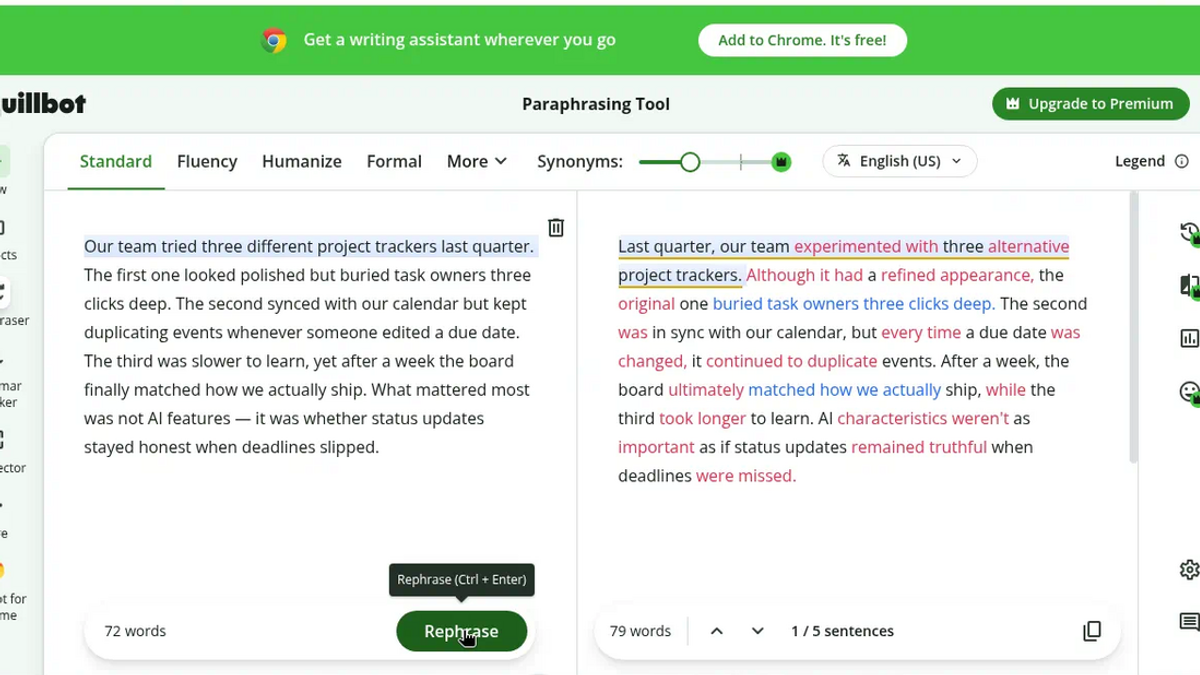
Once the editor loaded, I picked Standard mode and pasted a neutral five-sentence paragraph about project tracking. QuillBot’s interface word counter clocked the input at 72 words. I hit the green “Paraphrase” button.
The output appeared in the right-hand panel effectively immediately. I did not run a stopwatch, so I will not claim an exact millisecond latency, but there was no noticeable lag. The right panel showed an output counter of 79 words across the five sentences, with colored diff highlights showing what shifted. The rewrite changed “tried three different project trackers” to “experienced with three alternative project trackers,” modified a sentence about calendar sync and duplicate events, and reworked “status updates stayed honest when deadlines slipped” into phrasing about updates remaining truthful when deadlines were missed.
To test the second free option, I switched the mode selector to Fluency. The panel refreshed on the spot without asking for a payment or a login. The right panel updated its counter to 72 words across 5 / 5 sentences. The Fluency pass focused on readability—for instance, changing “the board finally matched how we actually ship” to “the board mirrored how we actually ship.”
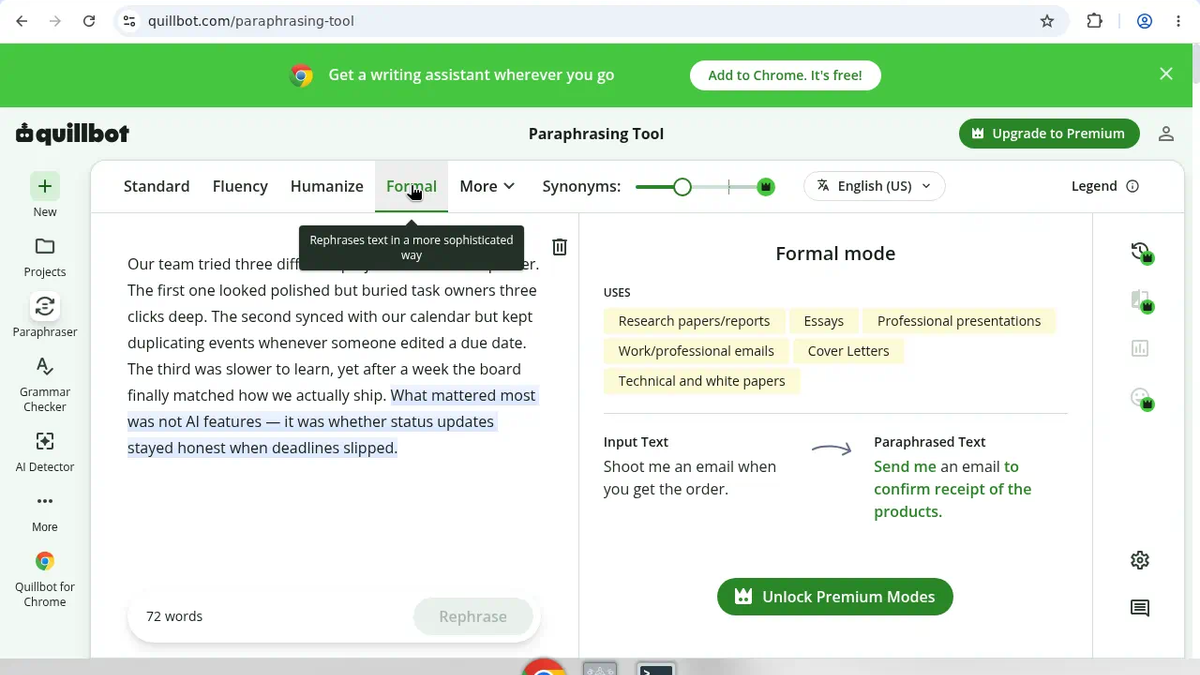
Then I clicked Formal to test a locked feature. The editor immediately switched to an informational panel explaining Formal mode with listed use cases (research papers/reports, essays, professional presentations, work/professional emails, cover letters, and technical/white papers). The main action button turned into “Unlock Premium Modes”, and the paraphrase trigger was disabled. That was the hard boundary of the free tier.
Finally, I checked the account onboarding flow. I opened the profile menu and brought up the login/signup modal. It offered single sign-on buttons (Continue with Google, Continue with Facebook, Continue with Apple) and a standard email signup/login path. The email form required three fields: Work or school email, Password, and Name. I stopped there without filling in details or submitting. No credit card was requested because I did not proceed past the credential form.
What worked and what annoyed me

The anonymous core flow worked cleanly. I did not need to sign up, hand over an email, or touch billing to rephrase a short paragraph. Standard mode was assertive, slightly expanding the text from 72 to 79 words to vary the vocabulary. Fluency mode was more conservative, holding the length at exactly 72 words while smoothing out the phrasing. The colored inline diff made comparing the changes fast.
What kept it from a 5/5 were a few clear constraints and minor interface hiccups:
- The 125-word limit is adequate for a standalone paragraph or an email snippet, but it will immediately block anyone trying to clean up a multi-paragraph article section or report in one paste.
- The direct
/paraphraserroute was broken in this session, showing the “It appears you are lost…” dead end instead of redirecting to/paraphrasing-tool. - The Google SSO overlay appears immediately on landing, requiring an extra click to dismiss before getting to work.
- Only two modes (Standard and Fluency) are available for free; higher-value options like Formal are hard-gated behind the “Unlock Premium Modes” prompt.
- The UI exposes a word counter only; there is no character count displayed, so text length is strictly governed by word metrics.
Limits and Premium gates
Pricing listed Free at $0 USD/month with paraphrase up to 125 words in 2 modes, plus Humanize up to 125 words / 6 uses per day, basic grammar, basic summaries, and limited AI Detector. Formal mode never ran on free — it showed Unlock Premium Modes and disabled paraphrase. I stopped at the email signup form (Work or school email, Password, Name) and did not create an account.
Not tested
To be clear about what this session did not evaluate:
- I did not test the Humanize feature or its 6 uses/day allowance.
- I did not test the Grammar Checker, Summarizer, AI Detector, plagiarism checker, browser extension, or file export/download features.
- I did not paste a text longer than 125 words to observe the exact interface cutoff message.
- I did not complete account creation, email verification, password login, Google/Facebook/Apple SSO, or any paid checkout/card flow.
- I did not test document persistence across sessions, document history, file upload, collaboration tools, API access, or data deletion policies.
- I did not test other Premium-only modes (such as Academic, Simple, or Creative) beyond hitting the Formal mode gate.
- I did not record stopwatch-level latency measurements.
No assumptions
- I do not assume the 125-word cap translates into a specific character limit; QuillBot explicitly measured and displayed words.
- I do not assume Humanize or any other tool listed on the pricing page is usable without restrictions simply because it appears in the menu.
- I do not assume the rewritten text is grammatically or stylistically superior across every domain; I only evaluated the specific project-tracker output received.
- I do not assume the email signup supports passwordless magic links; the form explicitly contained a password field.
- I do not assume the direct
/paraphraserURL is broken globally on every browser; it failed in this specific Chrome session while the sidebar link worked.
Who it's for
I’d reach for the free tier when I need a short email rewrite, a Slack update tightened, or one clunky paragraph cleaned up — without creating an account.
I would not try to drop a multi-page report into the free box, and Formal (or other Premium tones) stayed locked until Upgrade.
Verdict
For a cold visit, QuillBot still let me rewrite under the 125-word free cap with Standard and Fluency, no credentials required. The word ceiling and locked Formal mode are real limits. For short unauthenticated paragraph fixes, the free paraphraser did what I came for.
Final rating: 4 out of 5.
Sources: https://toolifynav.com/item/quillbot (official website, verified during review).
ToolifyNav Directory
Explore QuillBot on ToolifyNav
AI paraphrasing, summarizing, and grammar toolkit widely used by students and writers.
Keep Reading
Related posts
AI Tool Comparisons
Grammarly vs QuillBot vs Wordtune: Which Free Writing Helper Survived My Real Tests
Hands-on Free paths: Grammarly 4/5 (score 55→61, its→it), QuillBot 4/5 (anonymous Standard/Fluency, Formal gated), Wordtune 3/5 (Please provide…, meter 9→8). Pick by job.
SaaS Reviews
Jenni vs Paperpal: One Writes the Paragraph, the Other Fixes Yours
Jenni wrote me a cited paragraph on the daguerreotype and three of its four sources held up. Paperpal caught all seven slips I seeded in my own paragraph. Same $12 entry price, opposite jobs, and two free meters that run out differently.
SaaS Reviews
Jenni Review (4/5): Real Citations, Paywalled Bibliography
I asked Jenni for a cited paragraph on the daguerreotype. Every source it cited was a real paper, three of four actually backed their sentences, and a paraphrase took four seconds. The reference list itself is paywalled on free. Final rating: 4 out of 5.