Compare
Cleanup.pictures vs Clipdrop
Side-by-side notes for builders choosing between Cleanup.pictures and Clipdrop. Prefer the tool that matches your job, not the louder brand.
Option A
Cleanup.pictures
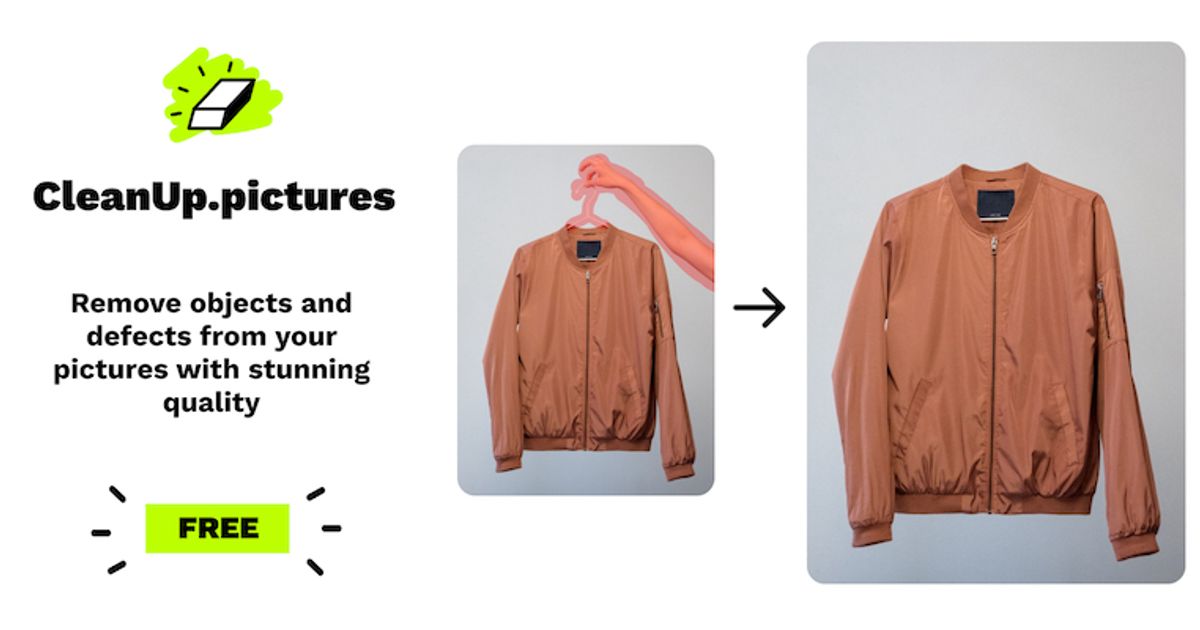
AI inpainting tool that removes objects, people, text, and defects from photos.
Best for
- Product and real-estate shooters scrubbing text, watermarks, or clutter in-browser
- Marketers who need a fast free erase for web thumbs and messaging mockups
- Anyone okay with a 720p free export and a clear $5/mo HD upgrade
Strengths
- Anonymous free erase works — no card, no signup required to download
- ~1.8–2.0s per brush stroke; successive erases on the same canvas without paywall
- HD→SD gate is upfront and honest (720×523 free vs 1200×872 Pro)
- Passwordless magic-link signup works (Junk folder); Pro pricing clearly listed at $5/mo or $36/yr
Trade-offs
- Free hard-caps exports at ~720p — 1200×872 uploads forced to downscale before editing
- Magic-link email landed in Outlook Junk
- Full-res / high-quality refiner locked behind Cleanup Pro or ClipDrop Pro
- Not a full generative editor — single-purpose inpainting only
Verdict
Hands-on (Sep 29, 2026): Anonymous brush erase on a cluttered watch photo in ~2s per stroke, honest 720p free gate (720×523 download), magic link via Junk, Pro at $5/mo or $36/yr. 4/5. Full review: https://toolifynav.com/blog/cleanup-pictures-review

Option B
Clipdrop
Utility belt for the photo in front of you: cleanup, uncrop, relight, replace background.
Best for
- Indie sellers who need a fast free product cutout and can live with ~1024px SD output
- One-off Remove Background jobs when you refuse to open Photoshop for a simple mask
Strengths
- Free Remove Background produced a clean watch cutout in ~3–4s with open strap holes and no bezel halo
- Downloaded watermark-free transparent PNG (1024×744, 184 KB) with no card
- Magic-link signup reached Free plan without Google SSO or billing form
Trade-offs
- Relight crashed (React error boundary + leaked i18n keys); chaining cutout→Relight failed with error toast
- No visible free credit meter despite ~20/24h pricing copy; SD downscale + one-by-one batch gates on Free
- Cloudflare Turnstile interrupts mid-job inside the editor; magic-link mail landed in Outlook Junk
Verdict
Clipdrop’s free Remove Background cut a watch cleanly in ~3–4s with a watermark-free PNG, but Relight crashed, chaining failed, and free credits stay invisible after SD downscale + Turnstile. Final rating 3/5. Full review: https://toolifynav.com/blog/clipdrop-review
Choose Cleanup.pictures if…
- Product and real-estate shooters scrubbing text, watermarks, or clutter in-browser
- Marketers who need a fast free erase for web thumbs and messaging mockups
- Anyone okay with a 720p free export and a clear $5/mo HD upgrade
Choose Clipdrop if…
- Indie sellers who need a fast free product cutout and can live with ~1024px SD output
- One-off Remove Background jobs when you refuse to open Photoshop for a simple mask
Also see Cleanup.pictures alternatives and Clipdrop alternatives. Directory curated by ToolifyNav.
Weekly digest