Banani
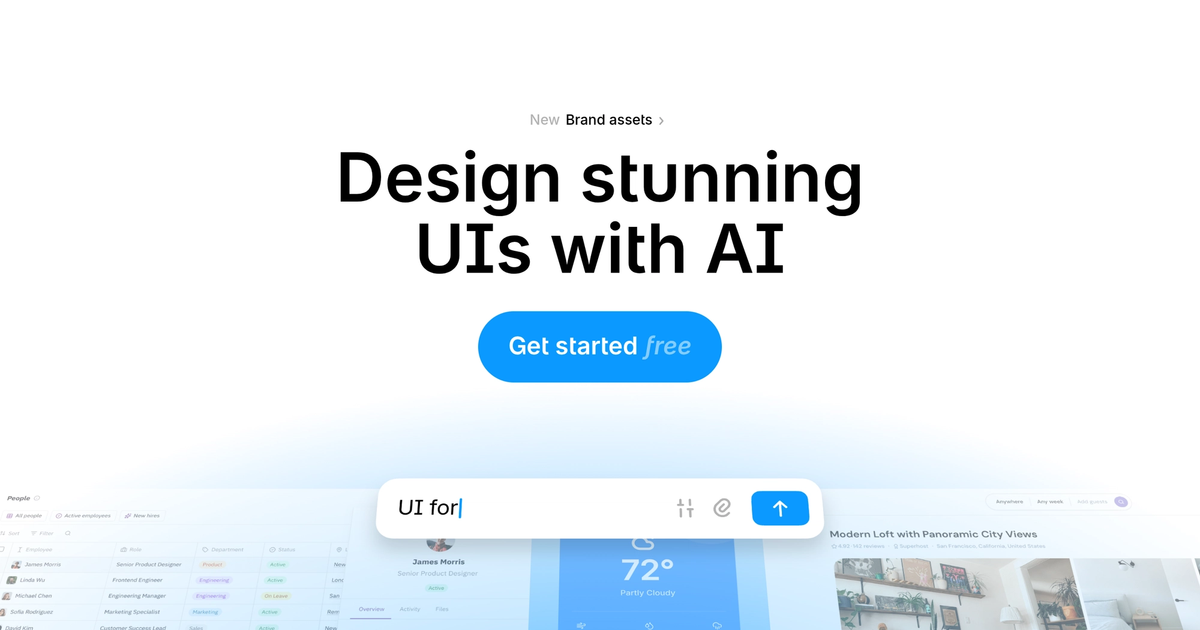
Text-to-UI canvas for editable multi-screen prototypes with Figma, HTML/CSS, and MCP handoff.
Evaluation
What to know
Editorial notes based on the vendor's own documentation and public pricing, plus hands-on testing where a score or review is shown above. They describe fit for a job, not absolute quality.
Best for
- PMs and founders needing fast multi-screen mockups
- Engineers prototyping UI before involving design
- Teams that want Figma or MCP handoff after AI drafts
Not ideal for
- Design orgs standardized on Figma Make / FigJam alone
- Unlimited daily generation on a free budget
- Complex accessibility and token governance programs
Key features
- Text, PRD, and reference-image to multi-screen UI
- Editable canvas with interactive click-throughs
- Figma export with auto layout on paid plans
- HTML/CSS and MCP export for coding agents
- Agent mode for consistent shared-component designs
Pros
- Low friction from idea to editable prototype
- Reference-image and Figma-link styling accelerates on-brand drafts
- Clear free-to-paid path with private projects from day one
Cons
- Credits make true monthly cost hard to predict on Free and Plus
- Figma export gated behind paid tiers
- Not built to own a mature multi-brand design system
ToolifyNav verdict
Banani is the editable multi-screen mockup lane with explicit Figma and agent handoff. Magic Patterns leans product-team experimentation against existing design systems; Visily targets non-designer boards; Lovable-class builders push toward shipped apps. Banani wins when the artifact must stay editable on a canvas and leave cleanly into Figma or code agents. Watch credit burn on Plus if you generate full flows daily — Pro’s unlimited pool exists for a reason. Confirm annual vs monthly pricing and export entitlements before you standardize a squad on Banani.
About
About Banani
Banani is a text-to-UI design tool built for people who need editable, multi-screen prototypes without opening a full design suite first. Describe a product in plain language — or drop screenshots, images, and Figma links as style references — and Banani generates clickable flows you refine on a canvas. Style controls cover playful-to-minimal shifts plus manual token tweaks for color and type.
Export is the practical differentiator for many teams: paid plans unlock unlimited Figma transfer with auto layout preserved, plus HTML/CSS and image export. MCP connection lets coding agents pull Banani screens into a repo workflow. The audience skews PMs, founders, engineers with thin design support, and designers who want an AI copilot for busywork rather than a Figma replacement.
Pricing is credit-based freemium. Free includes monthly and daily credits with private projects. Plus is about $12/mo on yearly billing ($20 monthly) with Agent mode, higher credits, and Figma export. Pro is about $30/mo yearly ($50 monthly) with unlimited credits and fastest generation. Enterprise is sales-led for SSO and design-system import. One generation often costs more than a single credit, so heavy ideation burns the free pool fast.
Related
More in Art & Creative Design
Same category — not a curated competitor list.

Discover More
Weekly digest
Get weekly AI tools and hands-on reviews
A short digest of new tools and hands-on breakdowns. Unsubscribe anytime.