Mage
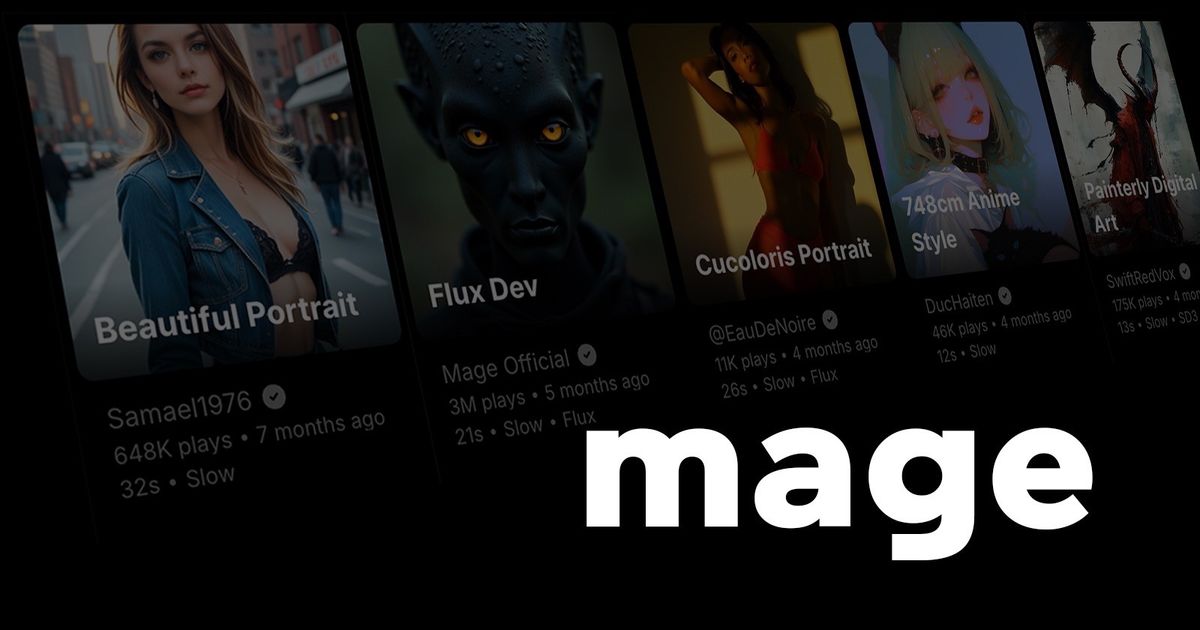
Browser-based image and video generator built on open and exclusive fine-tuned models, with unlimited generations on paid tiers and creations kept private by default.
Evaluation
What to know
Editorial notes based on the vendor's own documentation and public pricing, plus hands-on testing where a score or review is shown above. They describe fit for a job, not absolute quality.
Best for
- Hobbyists and illustrators comfortable tuning open-model settings
- Character and fantasy art creators who need consistency across images and clips
- People who prefer private generation over a public feed
Not ideal for
- Brand teams needing enterprise controls or SSO
- Beginners wanting a guided, template-led tool
- Users who need 1080p video on a small budget
Key features
- Choice of open base models (SDXL, SD 3.5, Flux 2, Krea 2) and Mage-exclusive fine-tunes
- Image-to-video and text-to-video with Wan, LTX and MiniMax models
- Motion Control that transfers movement from a reference video
- LoRA stacking, ControlNet, inpainting and custom model import
- Private-by-default gallery with optional community posting
Pros
- Unlimited plans remove per-image anxiety for heavy users
- Deep control options reward people who know Stable Diffusion workflows
- Outputs can be used commercially without attribution
Cons
- The fruit-named model lineup is confusing for newcomers
- Video resolution on the mid tiers tops out around 720-768p
- Unlimited generation applies only to select models and settings
ToolifyNav verdict
Mage sits in the enthusiast corner of the AI art market: the place for people who want to pick a checkpoint, stack a couple of LoRAs and run a hundred variations without counting credits. Its exclusive fine-tunes and permissive-but-bounded content stance set it apart from the polished, brand-safe aggregators elsewhere in this category. That same orientation makes it a poor match for corporate teams, and the model naming takes time to decode. For solo creators who already understand diffusion settings and want flat-rate volume, Mage offers a lot of control for the money.
About
About Mage
Mage (mage.space) is one of the longer-running Stable Diffusion front ends, and it has kept its focus on open models and creative freedom while adding video. The generator runs in the browser and lets you choose between base models such as SD 1.5, SDXL, SD 3.5, Flux 2, Chroma, Krea 2 and Z-Image, plus a set of Mage-exclusive fine-tunes with fruit names (Mango, Guava, Cherry, Kiwi and others) that the team tunes for broader creative latitude within its terms.
Video generation covers Wan, LTX, MiniMax and Mage's own motion models, and a Motion Control tool copies movement from a reference clip onto your character so it can dance, walk or act. Consistent characters work from a single reference image. Power users get LoRA and textual-inversion stacking, ControlNet, inpainting, upscaling to 2K or 4K, and the ability to import custom checkpoints and LoRAs on the higher tiers.
The pricing model has two halves. Gems are a pay-per-generation currency that runs any model without a subscription, while memberships unlock unlimited generation on select models and settings and add a monthly gem allowance. Creations stay private unless you post them to the community feed, and Mage permits commercial use of outputs without required attribution. An API is in limited beta.
Related
More in Art & Creative Design
Same category — not a curated competitor list.


Discover More
Weekly digest
Get weekly AI tools and hands-on reviews
A short digest of new tools and hands-on breakdowns. Unsubscribe anytime.