ButterShare
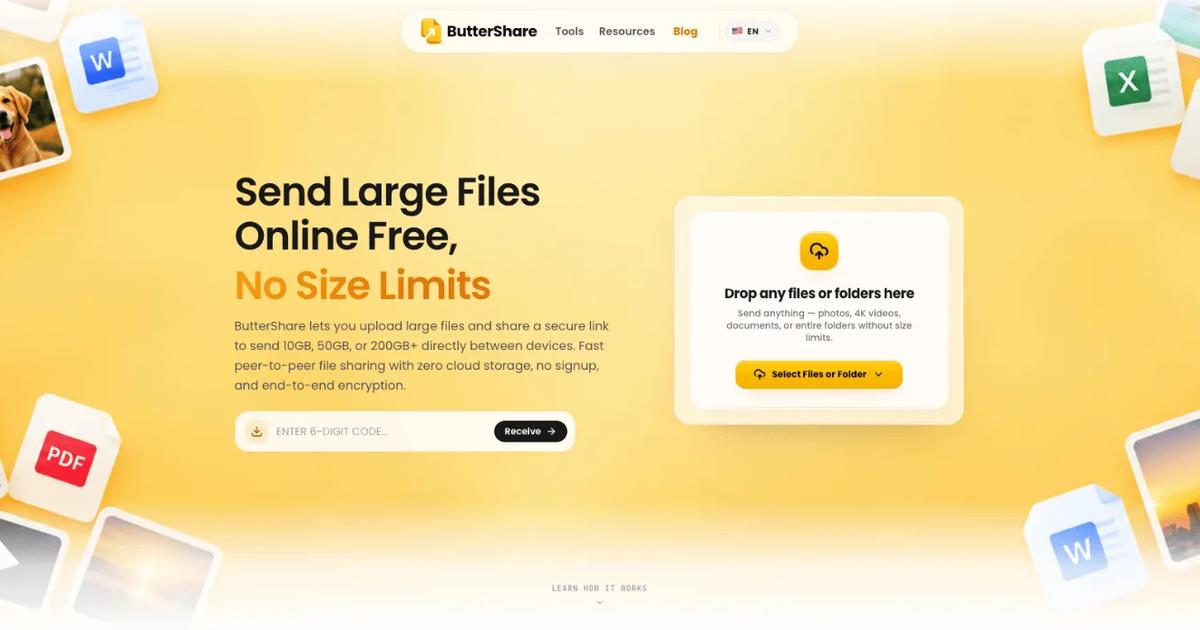
Browser-based peer-to-peer file transfer that streams large files and whole folders between devices over encrypted WebRTC, with no signup.
Evaluation
What to know
Best for
- Moving multi-gigabyte video, builds or datasets between your devices
- Quick transfers to a colleague without either side making an account
- People who prefer files not to sit on a third-party cloud server
Not ideal for
- Recipients who will download hours later; both must be online
- Teams needing shared folders, version history or permanent links
- Safari users moving very large files
Key features
- Direct browser-to-browser transfer over encrypted WebRTC
- Share by link, QR code or 8-character room code
- OPFS disk streaming for files larger than RAM (Chromium, Firefox)
- Folder structure preserved; up to 10,000 files per session
- Resumable transfers with encrypted TURN relay fallback
Pros
- No account, install or app-imposed file-size cap
- Files are not stored on a cloud server during transfer
- Works across desktop and mobile browsers
Cons
- Sender and receiver must be online at the same time
- Safari transfers are limited by browser memory
- No pricing page, so long-term limits on the free service are unclear
ToolifyNav verdict
ButterShare is a clean take on browser peer-to-peer transfer: drop a folder, share a link or QR code, and the files stream directly to the other device with no account and no cloud copy. Disk streaming through OPFS and resumable transfers are what make it practical for genuinely large files, where free tiers of services like WeTransfer stop at a few gigabytes. The trade-off comes with the model: both people must be online together, Safari is memory-limited, and there is no pricing page explaining how the free service is sustained. It suits anyone moving big video, builds or datasets between machines they control, or to a colleague on a call.
About
About ButterShare
ButterShare sends files straight from one browser to another instead of uploading them to a cloud drive first. The sender drops in files or whole folders and gets a share link, QR code or 8-character room code; the receiver opens it in any modern browser. The two devices then open a WebRTC connection and the data streams across live, so the sender's tab has to stay open until the receiver finishes.
Large transfers are written to disk in chunks through the browser's Origin Private File System, which lets Chromium browsers and Firefox receive files bigger than the machine's RAM; Safari works but is limited by browser memory. The app sets no file-size cap, supports up to 10,000 files per session, keeps folder structure intact, and can resume an interrupted transfer from a checkpoint stored in the browser. When a firewall blocks a direct path, WebRTC falls back to an encrypted TURN relay that forwards the data without storing it.
It runs in browsers on Windows, macOS, Linux, ChromeOS, Android and iOS with no install or account. There is no pricing page and no paid tier is listed; the homepage comparison table describes the service as free.
Related
More in Office & Productivity
Same category — not a curated competitor list.

Discover More
Weekly digest
Get weekly AI tools + hands-on reviews
A short digest of new tools and hands-on breakdowns — unsubscribe anytime.