Submagic
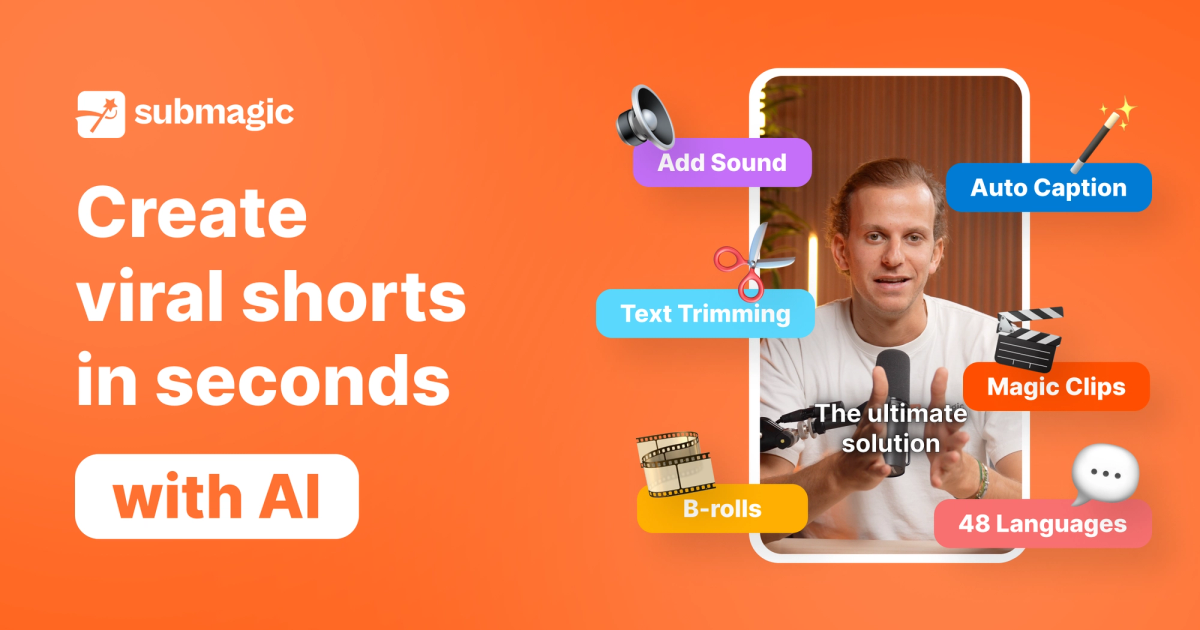
AI short-form video editor that adds animated captions, B-roll, zooms, sound effects and transitions, removes silences and cuts long videos into clips for TikTok, Reels and Shorts.
Evaluation
What to know
Editorial notes based on the vendor's own documentation and public pricing, plus hands-on testing where a score or review is shown above. They describe fit for a job, not absolute quality.
Best for
- Creators and coaches posting daily TikToks, Reels and Shorts
- Podcasters repurposing episodes into clips
- Social teams at media brands
Not ideal for
- Editors working on long-form or cinematic projects
- Brands requiring frame-precise manual timelines
- People who post video only occasionally
Key features
- Animated, multilingual caption styles with keyword highlights
- AI Auto Edit with zooms, B-roll, transitions and sound effects
- Silence and bad-take removal, audio cleanup and eye-contact correction
- Magic Clips to cut long videos into shorts
- Social publishing and a Video Editing API
Pros
- Captioning and polish take minutes instead of hours
- Strong fit for creators posting vertical content daily
- API option for media teams working at volume
Cons
- No lasting free plan, and trial exports are watermarked
- Starter limits videos to 2 minutes
- Templated caption looks can make channels feel alike
ToolifyNav verdict
Submagic does one thing quickly: turning raw vertical footage into a captioned, punchy short that matches current platform style. Its combination of animated captions, automatic zooms, B-roll and silence removal covers most of what short-form editors spend their time on, and Magic Clips extends it to long-form repurposing. The flip side is sameness, because many channels use the same templates, and it is not built for longer edits. For creators and social teams publishing every day, the hours saved are the clearest reason to pay for it.
About
About Submagic
Submagic is built for one format: vertical short-form video. Upload a talking-head clip and it transcribes the speech, then applies trending animated caption styles with emoji and keyword highlights in dozens of languages. From there the AI Auto Edit layer adds the polish that usually takes longest by hand, including automatic zooms, B-roll inserts, transitions, sound effects, background music and images or GIFs.
Cleanup tools remove bad takes and silences, enhance audio and correct eye contact so you appear to look into the lens. AI hook titles and auto-generated descriptions help with packaging, and caption translation localizes a clip for other markets. Magic Clips takes a long recording such as a podcast or webinar and extracts several short clips, and there is also a trimming tool and an AI video translator.
Recent additions include an AI Actors Studio for videos with synthetic presenters, direct publishing to social platforms, and a Video Editing API for teams that want to automate the pipeline; Submagic cites Sportskeeda producing more than 2,500 videos a month with it. The company says over four million businesses and creators have used the product. Plans are priced in monthly credits, which translate into a number of videos and a maximum video length.
Related
More in Video & Animation
Same category — not a curated competitor list.

Discover More
Weekly digest
Get weekly AI tools and hands-on reviews
A short digest of new tools and hands-on breakdowns. Unsubscribe anytime.