Tactiq
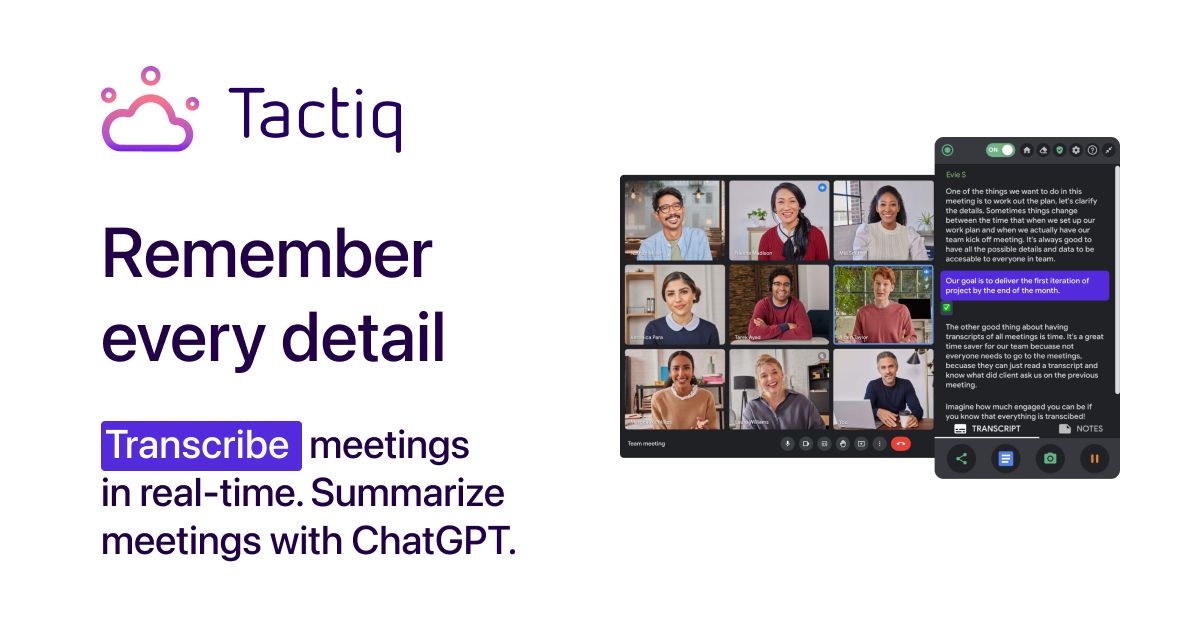
Meeting transcription and AI notes for Google Meet, Zoom and Teams with real-time captions, summaries, action items and CRM-friendly exports.
Evaluation
What to know
Editorial notes based on the vendor's own documentation and public pricing, plus hands-on testing where a score or review is shown above. They describe fit for a job, not absolute quality.
Best for
- Sales and CS teams that live in Meet/Zoom/Teams
- Operators who want action items pushed into Notion or CRM
- Individuals who hate writing recaps after every call
Not ideal for
- Organizations that forbid browser extensions in meetings
- Teams needing on-prem recording vaults
- Users who only want a lightweight personal notepad
Key features
- Real-time captions for Google Meet, Zoom and Teams
- AI summaries, action items and follow-up draft emails
- Searchable transcript library across meetings
- Exports and integrations to Notion, HubSpot, Slack and more
- Free, Pro and Team plans with shared workspaces
Pros
- Browser-extension workflow is light to adopt
- Strong post-meeting artifact generation beyond raw text
- Free tier is enough to validate on real calls
Cons
- Chrome-centric setup can annoy Safari/Firefox-only users
- AI summary credits or limits still constrain Free plans
- Not a full recording-storage platform like dedicated meeting recorders
ToolifyNav verdict
Tactiq is an Office staple for people whose calendar is wall-to-wall video calls. Live captions plus usable summaries and CRM-adjacent exports are the value. Extension dependence and Free-tier AI caps are the limits. Pair it with a recorder if you need archival video; use it alone if the transcript and follow-ups are what you actually reopen later. Tactiq is the Office meeting transcript habit that sticks because captions and follow-ups show up where work continues. Extension policy and retention reviews are the enterprise gate. It will not replace a full conversation intelligence suite alone.
About
About Tactiq
Tactiq (tactiq.io) is a meeting assistant built around live transcription. Install the Chrome extension (or related connectors), join Google Meet, Zoom or Microsoft Teams, and Tactiq captions the conversation in real time, then produces summaries, action items, follow-up emails and searchable transcripts afterward. Integrations push notes toward tools such as Notion, HubSpot and Slack so the transcript does not die in a silo.
Plans typically include a Free tier with limited AI summaries or transcript minutes, then Pro and Team seats that unlock unlimited transcription, advanced AI workflows, shared workspaces and admin controls. Public pricing has commonly listed Pro around the low twenties USD per month with annual discounts, but the live tactiq.io/pricing table should be treated as source of truth because packaging shifts with AI feature launches.
Tactiq's bet is that the transcript is the product—not a thin add-on to a video suite.
Security-conscious companies should review where transcripts live and how long they are retained before enabling the extension org-wide. Guest-heavy sales calls may need redaction habits. Tactiq pairs well with CRM hygiene rituals: action items that never enter HubSpot still get lost, AI or not.
Related
More in Office & Productivity
Same category — not a curated competitor list.
Discover More
Weekly digest
Get weekly AI tools and hands-on reviews
A short digest of new tools and hands-on breakdowns. Unsubscribe anytime.