TokScript
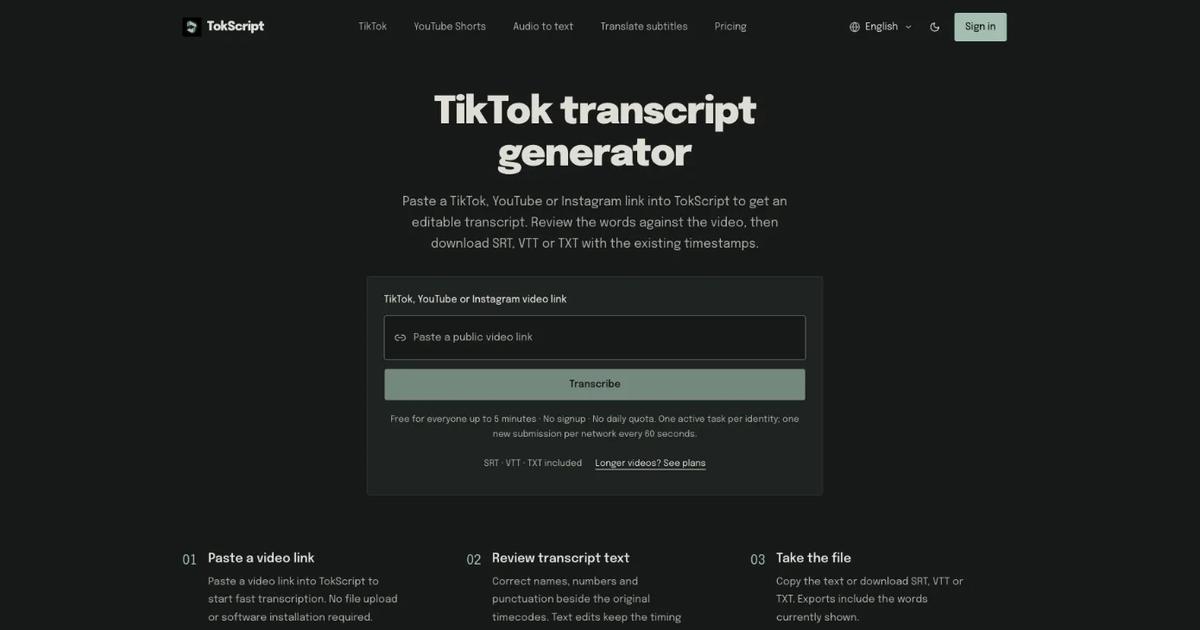
Transcribe public TikTok, YouTube and Instagram videos or upload audio and video files. Clips up to five minutes are free without sign-in; longer content requires an account and credits.
Evaluation
What to know
Editorial notes based on the vendor's own documentation and public pricing, plus hands-on testing where a score or review is shown above. They describe fit for a job, not absolute quality.
Best for
- Creating editable transcripts from public TikTok, YouTube, and Instagram videos
- Producing SRT, VTT, or TXT subtitle and text files
- Transcribing recordings when source-language captions are unavailable
Not ideal for
- Writing new video scripts or creating captioned videos
- Transcribing private or inaccessible source videos
- Users needing burned-in captions, animated effects, or ASS exports
Key features
- Free transcription for videos up to five minutes without sign-up
- Exports retain edited words and existing timestamps
- Supports public TikTok, YouTube, YouTube Shorts, and Instagram videos
- Paid packs include unlimited subtitle translation
- Automatic transcripts may require correction before publishing
Pros
- Supports SRT, VTT, and TXT exports
- Allows review and correction beside original timecodes
- Offers one-time transcription packs without automatic renewal
Cons
- Longer videos require an account and transcription credits
- Platform access restrictions may prevent some videos from processing
- Subtitle translation requires a paid account
ToolifyNav verdict
TokScript is suitable for people who need editable transcripts from public short-form videos, especially when they need subtitle files for an existing editing workflow. Its strongest points are free short transcriptions, timestamp-preserving exports, and correction controls that keep timing unchanged. It also supports longer recordings through paid minute packs, with translation included after purchase. The main trade-off is that it only transcribes existing media: it cannot write scripts, burn captions into videos, or create animated effects. Public videos remain subject to platform access restrictions, and automatic output should be reviewed before reuse.
Related
More in Voice Generation & Conversion
Same category — not a curated competitor list.
Discover More
Weekly digest
Get weekly AI tools and hands-on reviews
A short digest of new tools and hands-on breakdowns. Unsubscribe anytime.