Gamma Review: A ToolifyNav Deck in Twenty Seconds (4/5)
I watched Gamma polish slides 5/7 on a Sunday night in La Rioja. Twenty seconds later I had a seven-card ToolifyNav pitch I could edit, present, and export to PDF on the free tier.
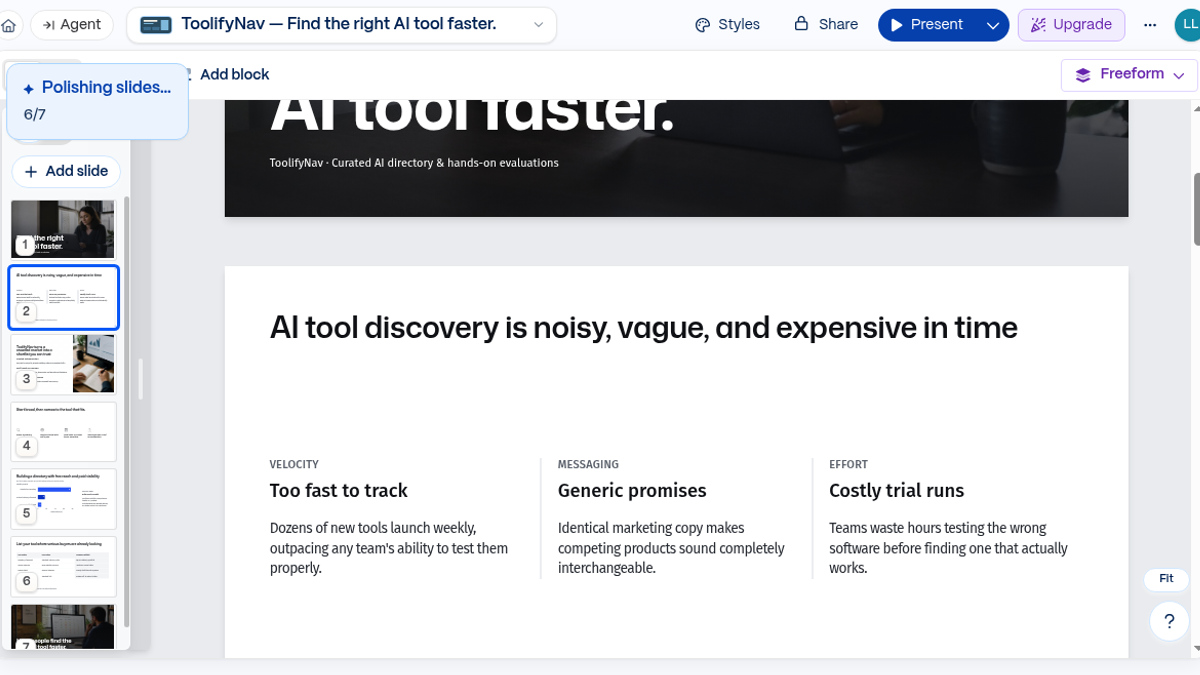
Sunday night in La Rioja, ~22:24 ART. A little status chip sat over the filmstrip: Polishing slides… 5/7. I had just pasted a short ToolifyNav pitch brief into Gamma (the listing on ToolifyNav), hit generate on the Lite model, and expected to wait. The full seven-card deck landed in the editor in about twenty seconds.
I wanted a first draft I could edit tonight — not a marketing site, not a paid trial that asks for a card before you see a slide. Email path only. forleoliang@hotmail.com, Continue with email, no Google/Apple/Microsoft. Verification mail from Gamma ("Please verify your email address") hit Hotmail Inbox in roughly fifteen seconds. Setup: Leo / Liang, password, then the onboarding taps — For work, Creator, Just me, came from search. Dashboard said Leo Liang's Workspace Free, 400 AI credits, Gamma 5 beta banner up top. No card form.
First night in Gamma 5
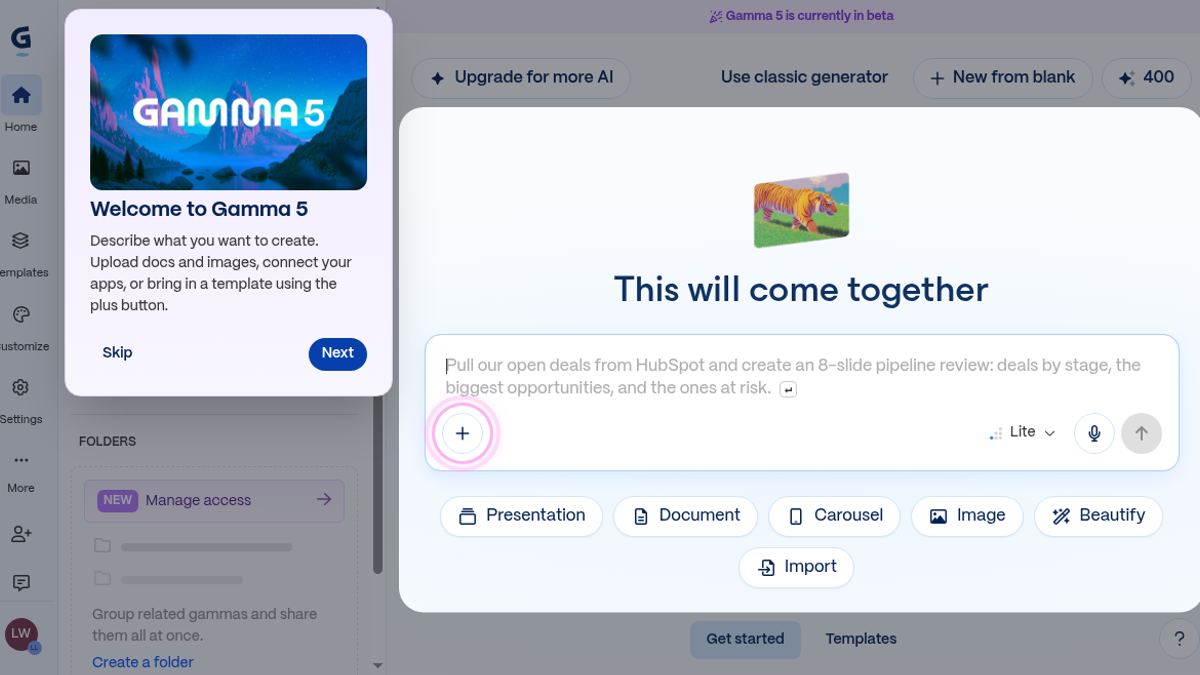
The welcome modal, a tiny tour, and a feedback nudge stacked on each other the first time through. Three dismisses before the canvas felt mine. Minor, but I muttered at it. Gamma 5 still wears a purple "currently in beta" chip; the create card offered Presentation, Document, Carousel, Image, Beautify. I stayed on Presentation and left the model dropdown on Lite.
Prompt pasted almost as written: pitch deck for ToolifyNav, six to eight slides, cover line "Find the right AI tool faster," problem/solution/how-it-works/traction/ask, keep it concrete. Generate.
Credits went 400 → 349. Fifty-one credits for one seven-slide run. Against four hundred that is still several drafts, not unlimited evenings of regenerating everything.
What the seven cards actually said
Slide 1 opened with Find the right AI tool faster. under a darker header, subtitle ToolifyNav · Curated AI directory & hands-on evaluations.
Slide 2 originally titled itself AI tool discovery is noisy, vague, and expensive in time — three columns: VELOCITY, MESSAGING, EFFORT. Weekly launches, interchangeable marketing, costly trial runs. Close to the brief, a little wordier than I wanted on the heading.
Slide 3: ToolifyNav turns a crowded market into a shortlist you can trust — curated categories, hands-on reviews under my name, comparisons. Slide 4 walked browse → compare → read reviews → submit under Start broad, then narrow to the tool that fits.
Slide 5 is where the model got creative. Building a directory with free reach and paid visibility, plus an SVG bar chart of "Listing Share %": Standard Free 76%, Featured Category 16%, Premium Highlight 8%. Those are not my analytics. Illustrative filler. Fine for a draft stage; I would not paste that chart into a real investor mail.
Slide 6 put Free Listing vs Premium Highlight in a table. Slide 7 closed with Help people find the right AI tool faster. and toolifynav.com · Founded by Leo Liang. For a six-sentence prompt, that is a usable skeleton — not empty boxes with "Insert benefit here."
Edit, Present, then a free PDF
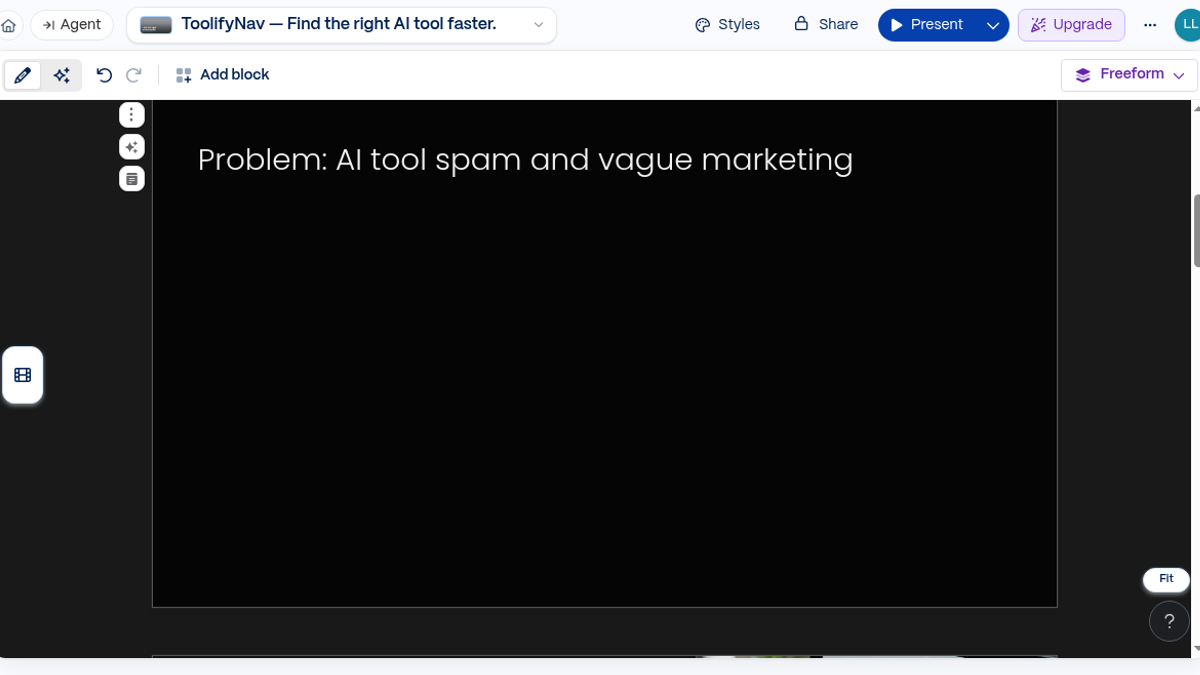
I rewrote the Slide 2 heading to Problem: AI tool spam and vague marketing — the line from my original brief. The three columns stayed put; only the title changed. It stuck when I clicked away. Opened Styles, flipped through a few presets, landed on something dark labeled Keynote Photography. Whole deck shifted in one shot. No upgrade wall for either change.
Present mode went fullscreen. Arrowed through the cards with the keyboard. The rewritten problem title was still on card two; the dark theme held. For a free account that is the whole loop I care about — generate, touch one thing, stand up and click through it.
Share → Export → PDF. Banner: Your PDF is being generated. It's safe to close the share panel. Download link in about eight seconds. Free. The pages carry a Made with Gamma badge. That is the free-tier tax. PPTX, Google Slides, and PNGs were listed in the same drawer — I did not open them in desktop apps, so I will not pretend about fidelity. Same for custom domains, the API, team seats, and the paid image models.
Four hundred credits and the upgrade ladder
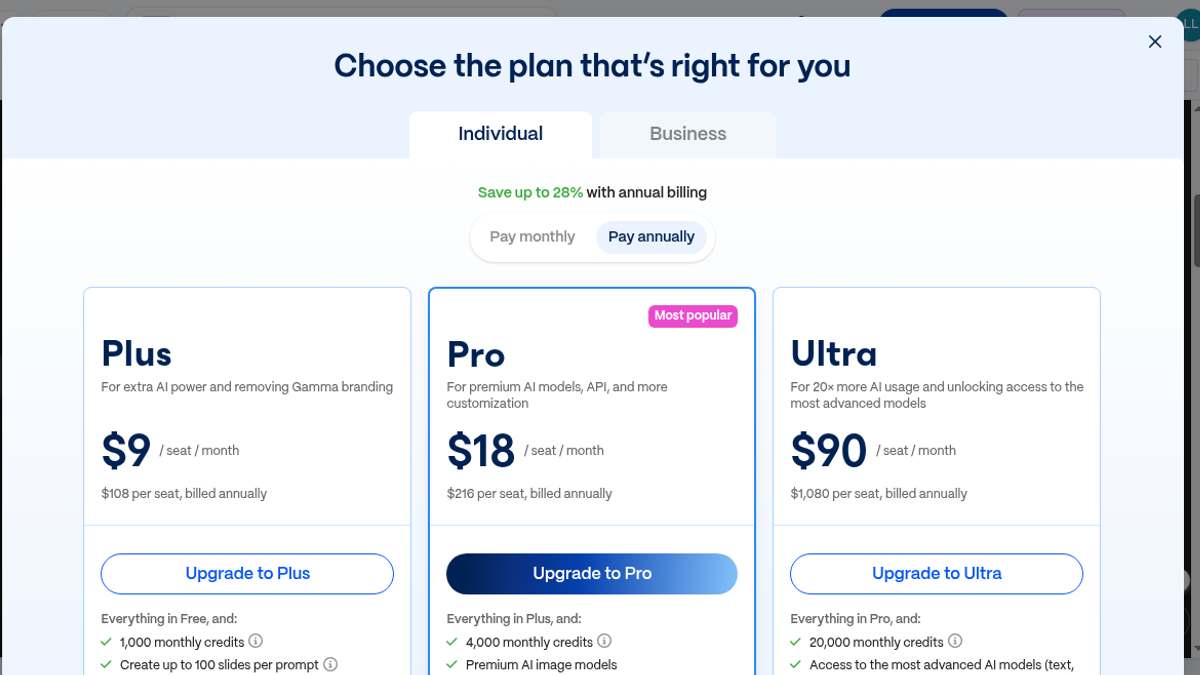
Upgrade modal, Individual tab, annual toggle ("Save up to 28%"):
- Free $0 — 400 signup credits, up to 10 slides per prompt, exports with Gamma branding
- Plus $9/seat/mo annual ($108/yr) or $12 monthly — 1,000 credits/mo, up to 100 slides/prompt, remove branding
- Pro $18/seat/mo annual ($216/yr) or $25 monthly — 4,000 credits/mo, custom branding, analytics, up to 10 custom domains, API, premium image models
- Ultra $90/seat/mo annual ($1,080/yr) or $100 monthly — 20,000 credits/mo, advanced models, up to 100 custom domains
If you are a solo maker who needs a pitch or product walkthrough tonight and you refuse to open PowerPoint first, this free path is the rare one that actually finishes the loop: signup, generate, edit, present, PDF. If you need a clean export without their badge, or you regenerate long decks all week, the meter and the watermark push you toward Plus.
I did not burn the rest of the 349 credits trying every theme. One real deck was enough to see the shape of the product.
Final rating: 4 out of 5.
ToolifyNav Directory
Explore Gamma on ToolifyNav
Fast narrative decks for founder updates and explainers when PowerPoint archaeology would kill the story.