Knowt Review: A 2-Page PDF Became a Clean Study Guide in 30 Seconds, but Flashcards Are Behind the Paywall (3/5)
Knowt's AI PDF Summarizer turned a two-page PDF I wrote myself into a structured nine-section study guide in about 30 seconds, and stayed faithful to my source. The note body leaks raw LaTeX into doubled numbers, the word count is wrong, and Flashcards from the same PDF are gated behind ULTRA at $95.99/yr.
I had a 2-page PDF in my folder and one honest question: if I hand a study platform my own file, does it actually read the file, or does it hand back a generic study guide dressed up as mine? So I wrote the PDF myself. Two pages about the Silk Road, with facts I could check afterwards — a network of roughly 7,000 km of routes, the name coming from Ferdinand von Richthofen in China, 1877, papermaking drifting west after the Battle of Talas in 751, the Black Death reaching Europe by 1347 — and I fed it to Knowt on a brand-new free account. Every claim in the note it gave back I could hold against the PDF I had just written, which is the only reason I trust the rest of this.
Getting in took longer than using it. Knowt asks for an email and a password, then mails a 6-digit code that it wants typed into six separate one-digit boxes — I clicked each box and typed one digit, because the boxes did not take a pasted code as far as I could tell. The username I wanted was already taken by somebody else, so mine has a number on the end. The birthday field is read-only: typing does nothing, you open the picker, flip to the year view, pick 1990, pick the day, and then press the picker's own Ok button before Next wakes up. After that it asks what you came for (Flashcards, Notes, or AI Summarizers), whether you want AI in the mix, a couple of goal questions, and then offers the free plan and lets you continue for free.
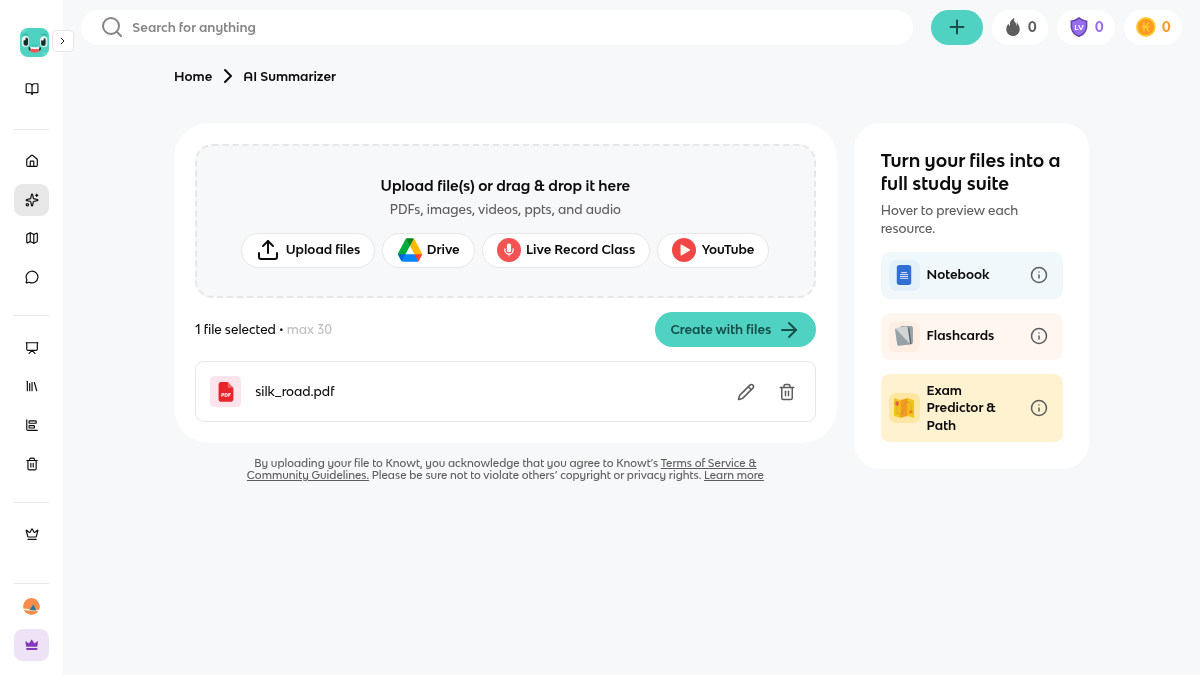
Then the product itself. The AI PDF Summarizer takes PDFs, images, videos, ppts and audio. I dropped my file in and the page said 1 file selected • max 30 — thirty files at once, more generous than I expected from a free tier. Three output cards sit underneath: Notebook, Flashcards, and Exam Predictor & Path.
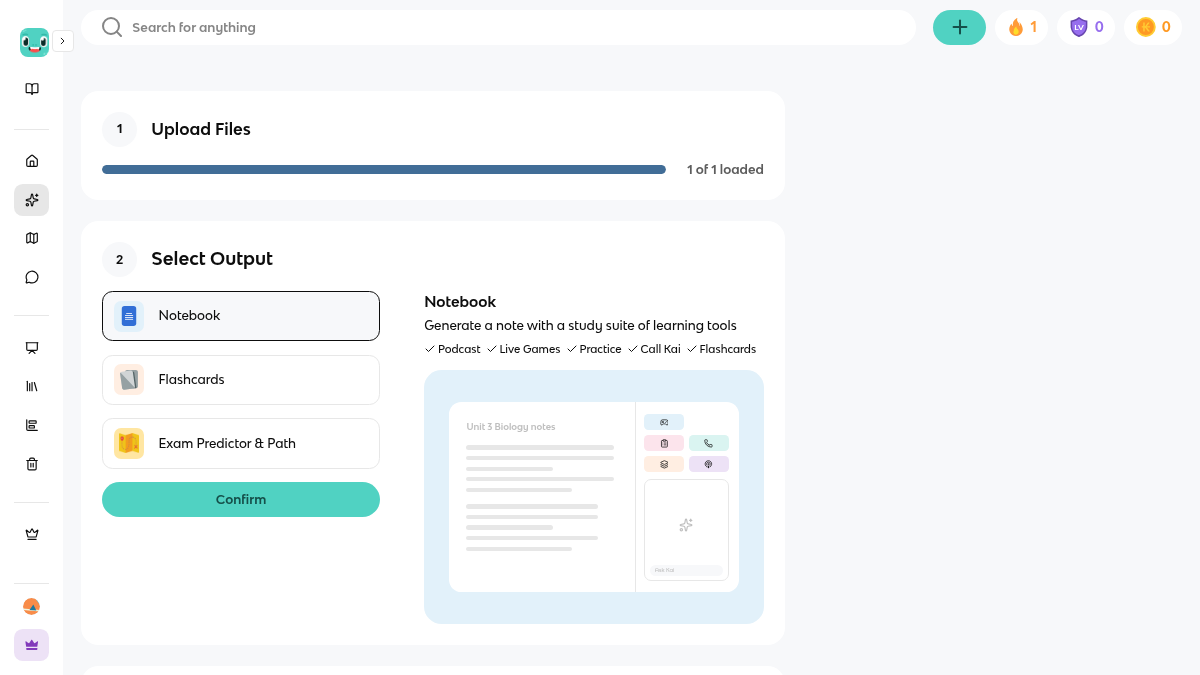
The part after that is two steps, and the second one is easy to miss. You choose an output, a Confirm button appears, and Confirm only takes you to a third screen, Enter Settings: Language, Choose structure, Format, Depth of detail, and a Next. I left everything on the defaults — Outline structure, In-depth detail — and pressed Next.
Thirty seconds from PDF to a full study guide
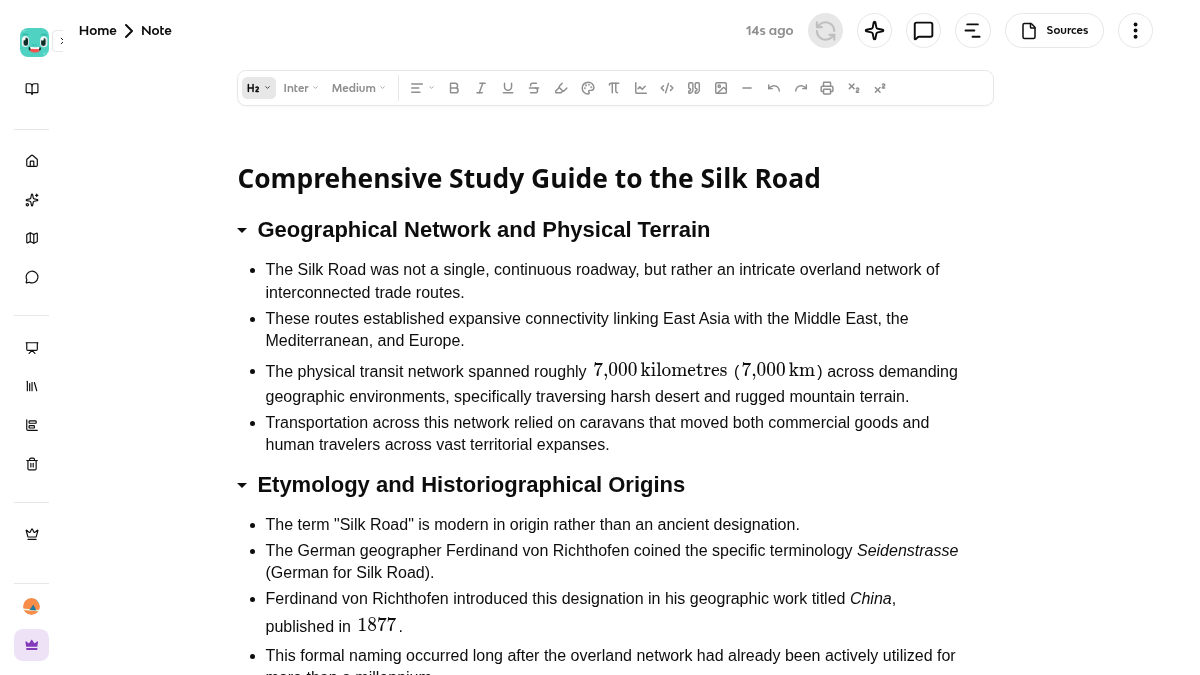
Kai takes it from there. The page said Processing file, then Creating note, then Kai is working it out, and about thirty seconds later it said Generated 148 words. The note it produced is titled Comprehensive Study Guide to the Silk Road and it is organised as nine H2 sections — Geographical Network and Physical Terrain, Etymology and Historiographical Origins, Commercial Commodities and Trade Flows, Cultural and Religious Transmission, Technological Transfer, Epidemiological Consequences, Urban Centers, Primary Travel Literature, Travel Conditions — with three or four bullets under each.
What surprised me is how faithful it is. Not faithful to the topic, faithful to the file. It says roughly 7,000 kilometres (7,000 km), and my PDF said 7,000 km. It keeps Seidenstrasse italicised. It does not add one fact I did not write — no invented battles, no extra cities, no confident nonsense about Marco Polo. It even carries over my own hedge that historians debate how much of that text he actually wrote. The Sources panel on the note agrees with me: 1 files uploaded • max 30, so it is working from my PDF and not from something it remembered.
The maths leaked into the text
One thing I do not like. Some numbers in the body come out doubled, with raw LaTeX sitting between the copies. The Battle of Talas line reads 751 CE 751CE $$751\,\text{CE}$$. The Black Death line reads 1347 1347 $$1347$$. The distance line reads 7,000 kilometres 7,000kilometres $$7{,}000\,\text{kilometres}$$. The note is a real editable document — H2 dropdown, Inter, Medium, lists, code, tables, images, undo — so I can fix it by hand, but a student who trusts the tool to handle the maths ends up with three copies of a date in their notes. And the counter says Generated 148 words for a note that clearly runs past a screen of bullets; that number does not describe what I got.
The deck is the part behind the wall
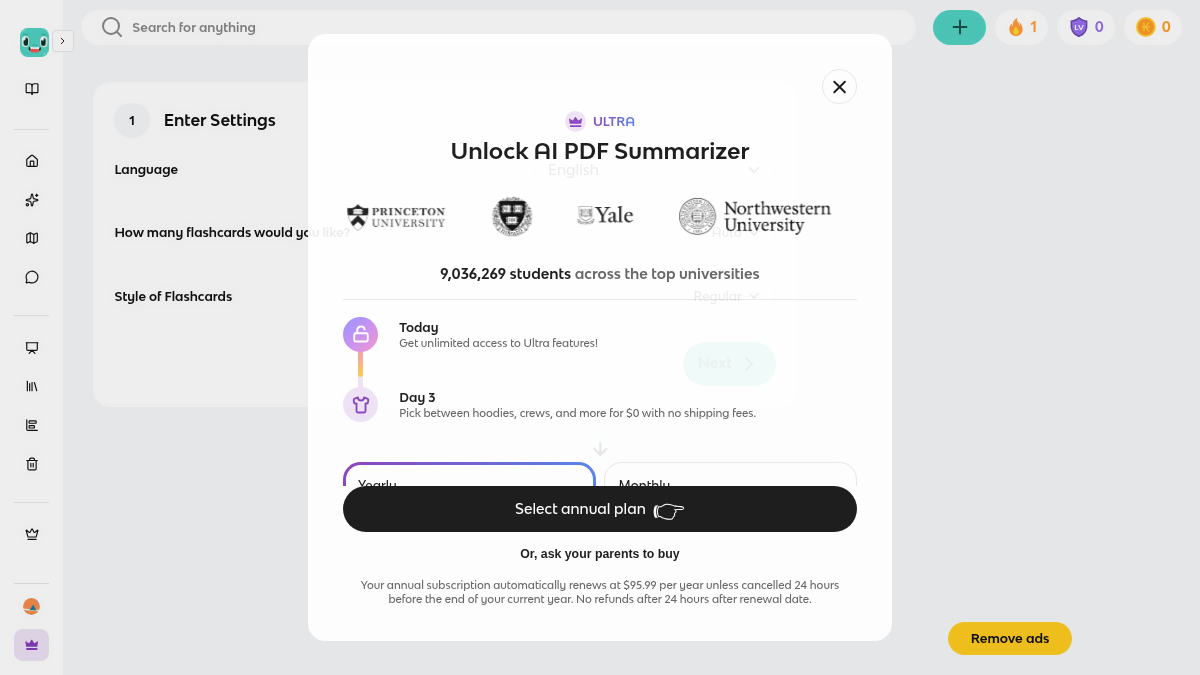
The note page carries a row of study tools underneath it — Learn, Comment, Outline, Sources, Flashcards, Podcast, Practice Test, Call Kai, Knowt Play — and the one I wanted was the one I could not get. I went back, chose Flashcards as the output instead of Notebook, and pressed Next. Knowt put an ULTRA modal in front of me: Unlock AI PDF Summarizer, Get unlimited access to Ultra features, a strip of university logos and 9,036,269 students across the top universities, Yearly $95.99/yr (SAVE 68%) or Monthly $24.99/mo, a Select annual plan button, and, this one got me, Or, ask your parents to buy. So free gives you the note and sells you the deck. There is also a yellow Remove ads button in the corner of the note page, which is the other half of free. When I pressed Next in that flashcards flow the modal came up on its own, without me asking for a price first — the request is the pitch.
Two things I should have checked and did not. I never generated a second note, so I cannot tell you whether the flame counter in the header — it read 1 the whole time, even after my one generation — is a real AI-credit allowance or just a badge. And I never got a single card out of the Flashcards button inside the note itself: the panel offers Instantly convert to flashcards or Manually type your flashcards, I clicked the first one, the panel closed, and no deck appeared. That may be the same paywall arriving by another road, or it may be my own misclick. I did not test Exam Predictor & Path, the Podcast output, the mobile app or the Chrome extension, and my PDF was only two pages, so I have no idea how any of this holds up on a 200-page textbook.
Final rating: 3 out of 5. The Notebook path is the good part — drop a file, thirty seconds, a structured note that stays honest to the source, and I would use it for a revision sheet I made myself, where fidelity to my own PDF is exactly the point. It does not earn more because of the LaTeX leaking into the body, the word count that does not add up, and the fact that the deck everyone actually wants sits behind a hundred-dollar wall. I keep the listing on ToolifyNav updated if the pricing changes.
ToolifyNav Directory
Explore Knowt on ToolifyNav
Free Quizlet-style study platform with AI notes, flashcards, and practice tests.
Keep Reading
Related posts
SaaS Reviews
Mureka Review: One Free Song a Day, and No Way to Download It (3/5)
Mureka generated a genuinely decent three-minute track from eight lines of my own lyrics on the free tier. Then it showed me what free means here: every download format is VIP, the newer model becomes a 60-second preview, and when the trial Gold runs out the composer answers with “Not Enough Gold”.
SaaS Reviews
ProWritingAid Review: Twenty-Five Reports That Edit in Place, and a Silent 500-Word Ceiling (3/5)
ProWritingAid's free tier really applies its suggestions in the editor — but it only ever reads the first 500 words of your draft, without telling you, and the useful half of the polish list is paywalled.
SaaS Reviews
Typecast Review: Free Voice Generation, 16kHz Downloads, and a Paywall Around Emotion (3/5)
Typecast generated and downloaded a real 14-second English voiceover on the free plan — but the mp3 came out at 16 kHz mono, every emotion preset demanded the $29 Pro plan, and 3,000 lifetime credits bought under three minutes of audio, not five.