Typecast Review: Free Voice Generation, 16kHz Downloads, and a Paywall Around Emotion (3/5)
Typecast generated and downloaded a real 14-second English voiceover on the free plan — but the mp3 came out at 16 kHz mono, every emotion preset demanded the $29 Pro plan, and 3,000 lifetime credits bought under three minutes of audio, not five.
I wanted a fifteen-second English voiceover for a product intro. Not a demo, not a sample — an actual mp3 I could drop into a video. So I signed up for [Typecast](https://typecast.ai) on a free plan with my Hotmail address, typed in a name, a password, and my date of birth, and waited for the verification mail. It showed up in the inbox about a minute later from noreply@mail.typecast.ai. Clicking the link said my email was verified. Then the studio sent me back to the sign-in form, so I typed the email and password a second time. Small thing, but it is the first thing you meet.
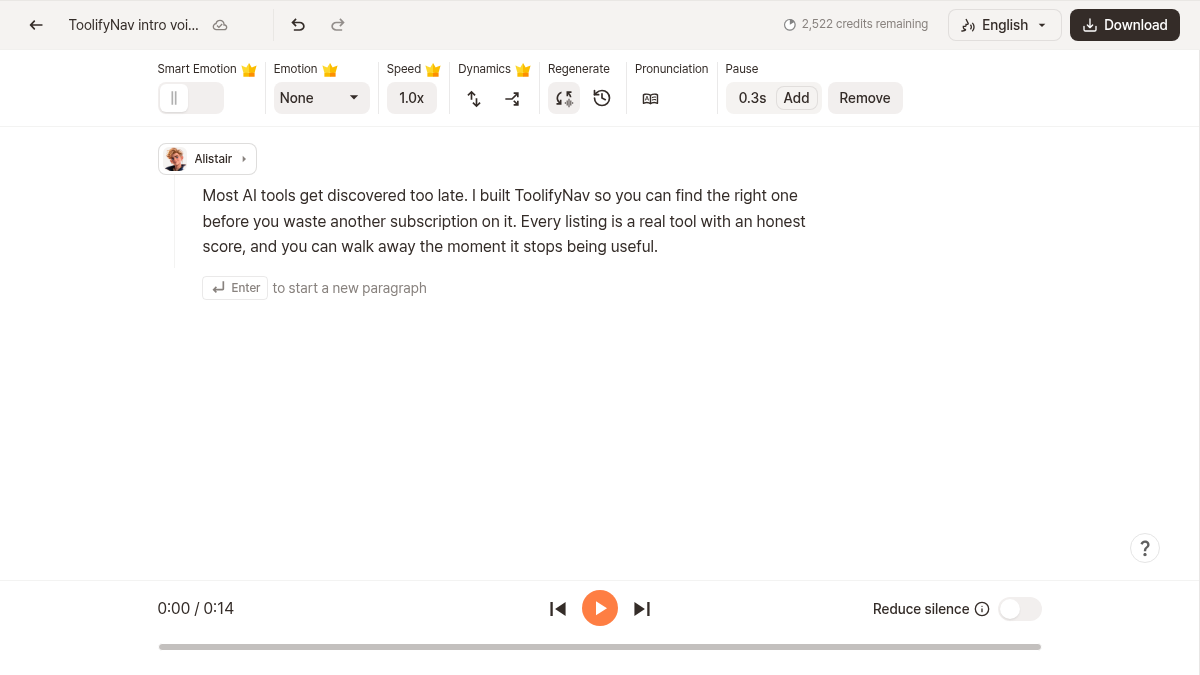
The editor is clean. A script box on the left, a voice chip above it, playback at the bottom, and a control strip across the top for Smart Emotion, Emotion, Speed, Dynamics, Regenerate, Pronunciation and Pause. A new project asks for a name and a language mode (one language, or auto-detect), and then three product tour modals sit in a row before you reach the script. My default voice was Jackson. Clicking the voice chip opens a library of 739 characters, filtered by tags like #Characters, #Audiobook, #News, #Kid, #Anime, with a 'Preview with my script' button and a 'Clone Your Voice' banner at the top.
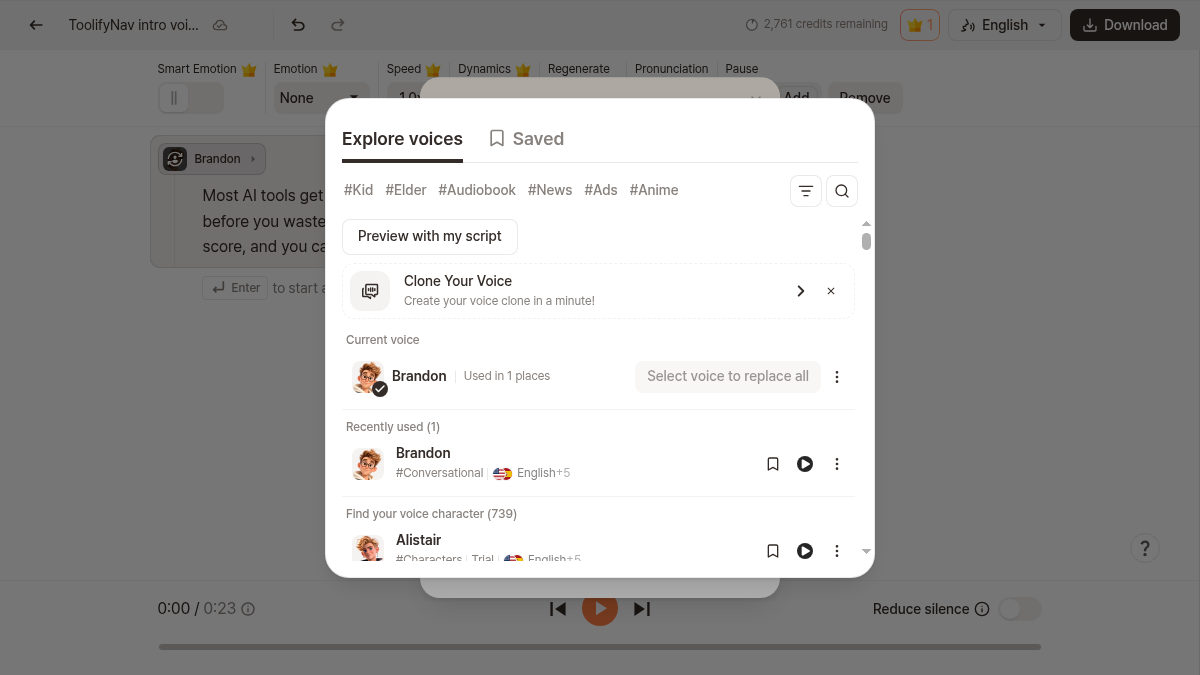
Some voices carry a 'Trial' badge. Jackson does. So do Alistair and Zara. Brandon, Alder, Felicity — the ones I looked at — do not. That badge turns out to matter a lot, but not until the download step.
I typed a 45-word script about a tool directory, clicked Regenerate, and three takes appeared in the generation history panel on the right about twelve seconds later. That part is genuinely free and genuinely fast: Typecast's pricing page says voice generation and playback are unlimited on every plan, and credits are only consumed by downloads. I played all three takes, applied Take 1, and edited the sentence in the script box to see if the timeline followed.
Then the download panel. Range is Full script only, because Selected sections is greyed out. Audio quality is Mid, because High is 44.1 kHz and carries a little crown, meaning Pro. Format is mp3, because wav is also greyed out. Output is Single file, because Split by sentence is greyed out too. And at the bottom of the panel it tells me exactly what my little script will cost: 239 credits.
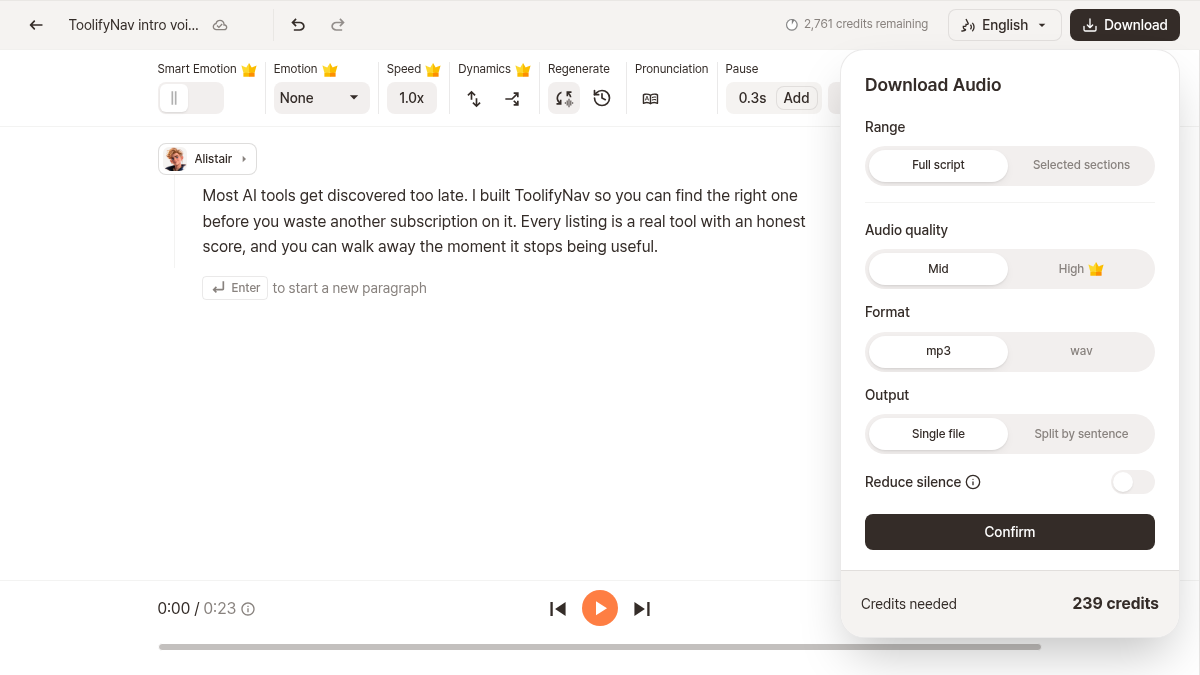
Two hundred and thirty-nine characters in my script, two hundred and thirty-nine credits. One credit per character. My balance dropped from 3,000 to 2,761 when I confirmed it. The Free plan is 3,000 lifetime credits, and the pricing table calls that roughly five minutes of audio. I do not think that is right. My download was 14.076 seconds of speech for 239 credits, which puts the whole free pool at about 176 seconds — just under three minutes, not five.
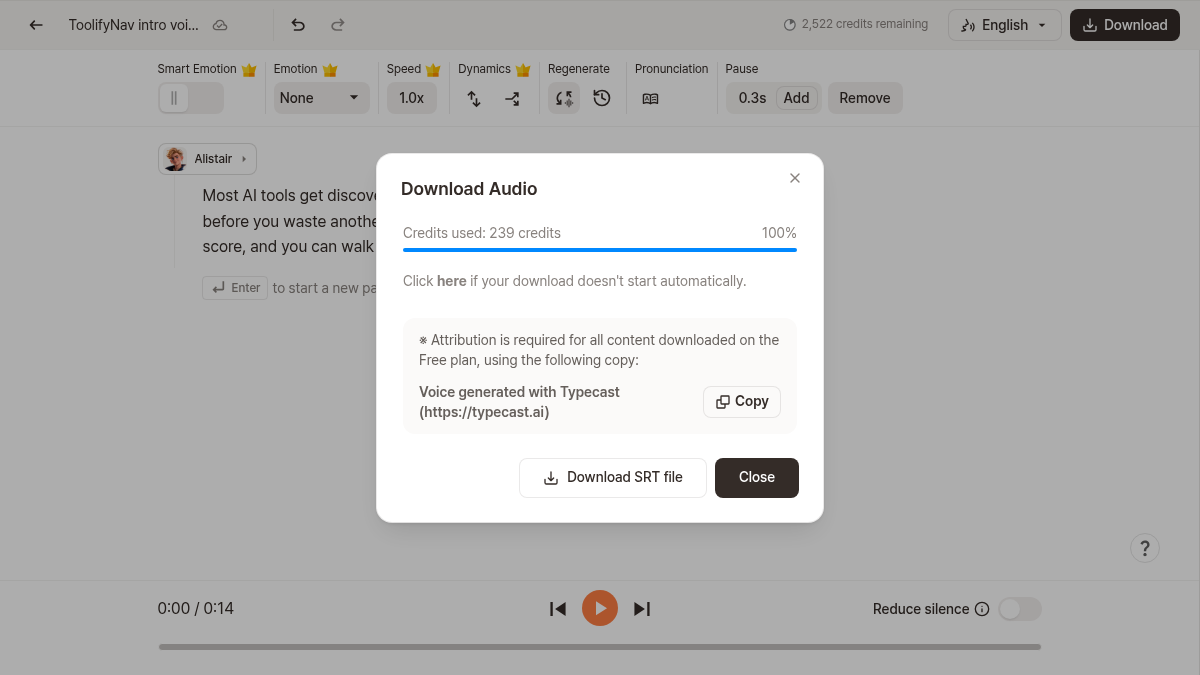
The file itself is honest about what Free gives you. 16 kHz, mono, roughly 64 kbps, 112 KB for a 14-second line. That is phone-call quality, and if you are putting it under a video it will sound like it. The dialog also tells you that attribution is required on the Free plan and hands you the exact copy to use: Voice generated with Typecast (https://typecast.ai), with a one-click Copy button and a Download SRT file link next to it. I checked the mp3 for embedded metadata and there is none — no attribution tag inside the file — so carrying that credit is on you, not on the exporter.
I went looking for the parts of Typecast that make it different from a plain text-to-speech box, and the interesting walls are all about paid features leaking into a free workflow. Set Emotion to Happy and it applied — a toast said 'Paid feature applied. You can preview paid features free.' The take regenerated with the emotion on it. But at the same moment a red banner said the history had been reset because voice settings changed, and my three takes were gone from the panel. There was an Undo button. I needed it. Then I tried to download the emotional version and the panel said the audio included a paid feature, so download was available with the Pro plan: $29 a month.
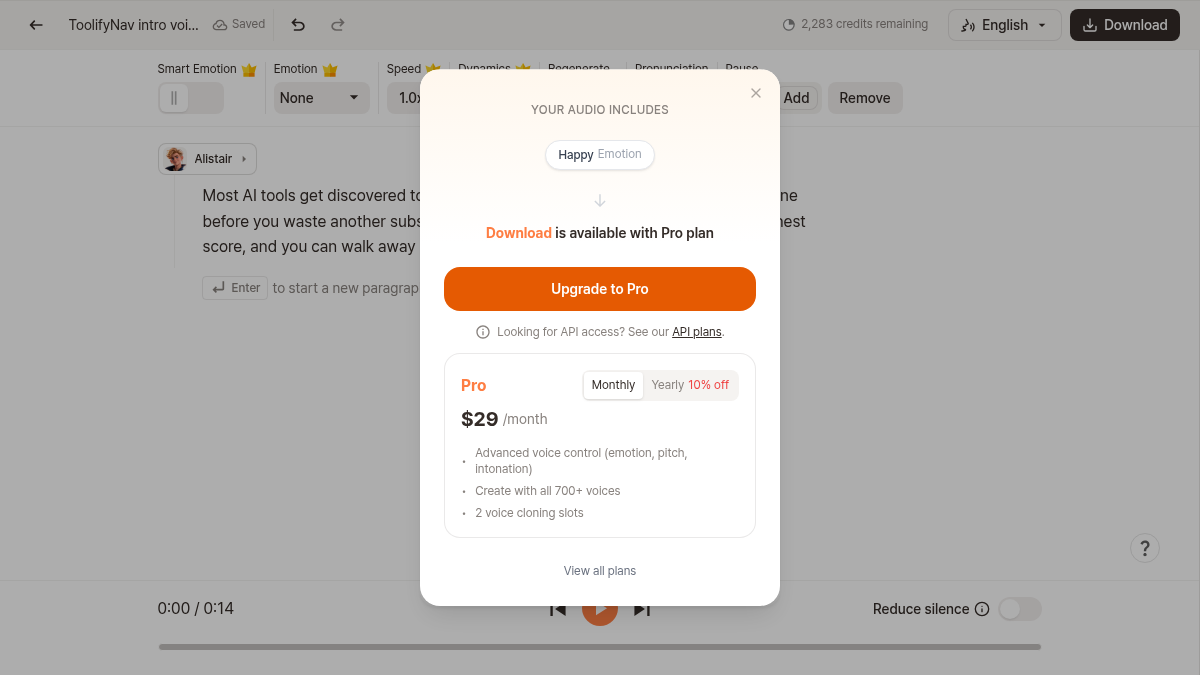
I also swapped the voice to Brandon, one without the Trial badge, and the download asked for the Basic plan at $5 a month instead. Clicking Upgrade to Pro on any of these opens a Stripe checkout — Pro Plan, $29 per month, billed monthly — and I left that alone. For the record, Basic at $5 is the interesting price on this page, because it is where the 44.1 kHz downloads, the full voice library and the commercial licence live; Plus adds speed control at $19, Pro adds emotion and intonation at $29, and Business at $69 is for teams.
What I did not try: voice cloning (the Free plan has zero slots), the API, the video editor and talking avatar, and any non-English voice, including the auto-detect language mode. I also never listened to the emotion variants side by side, so I cannot tell you whether Happy actually sounds happy or whether it just sounds different in length. That is the one thing I would want before spending $29.
For anyone making short explainer or tutorial videos and willing to live with 16 kHz, a Trial voice and a visible Typecast credit, the free tier is enough to get a real file out. For anything you publish commercially, you are one click from a $5 plan anyway, so the sensible move is to stop trying to squeeze the free tier and just pick Basic.
Final rating: 3 out of 5.
ToolifyNav Directory
Explore Typecast on ToolifyNav
Expressive text-to-speech studio and API from Korea's Neosapience, with 600+ voices, context-aware emotion control, instant voice cloning and a built-in video editor.
Keep Reading
Related posts
SaaS Reviews
Pixelcut Review: A Clean 1080p Cutout in Four Seconds, Then an Account Wall for the Studio (4/5)
Pixelcut cut out a portrait onto a clean canvas in under four seconds and handed over an unwatermarked 751×1080 download without a login, but prompt-driven AI backgrounds and full resolution hit an immediate account wall.
SaaS Reviews
Felo vs Perplexity: Two Cited-Answer Tools, Different Friction
Felo nailed an anonymous Chile/Aconcagua trap then signup hit an image captcha. Perplexity gave cited research synthesis in Incognito with a soft Pro upsell and one answer in Chinese. Both scored 4/5 for different jobs.
SaaS Reviews
Powerdrill Review (4/5): Every Number Right, Until I Changed One
I gave Powerdrill a 40-row sales CSV and seven questions. It got every number right and showed the code it ran. Then I corrected one order, and the next answer quietly used the old data. Final rating: 4 out of 5.