ProWritingAid Review: Twenty-Five Reports That Edit in Place, and a Silent 500-Word Ceiling (3/5)
ProWritingAid's free tier really applies its suggestions in the editor — but it only ever reads the first 500 words of your draft, without telling you, and the useful half of the polish list is paywalled.
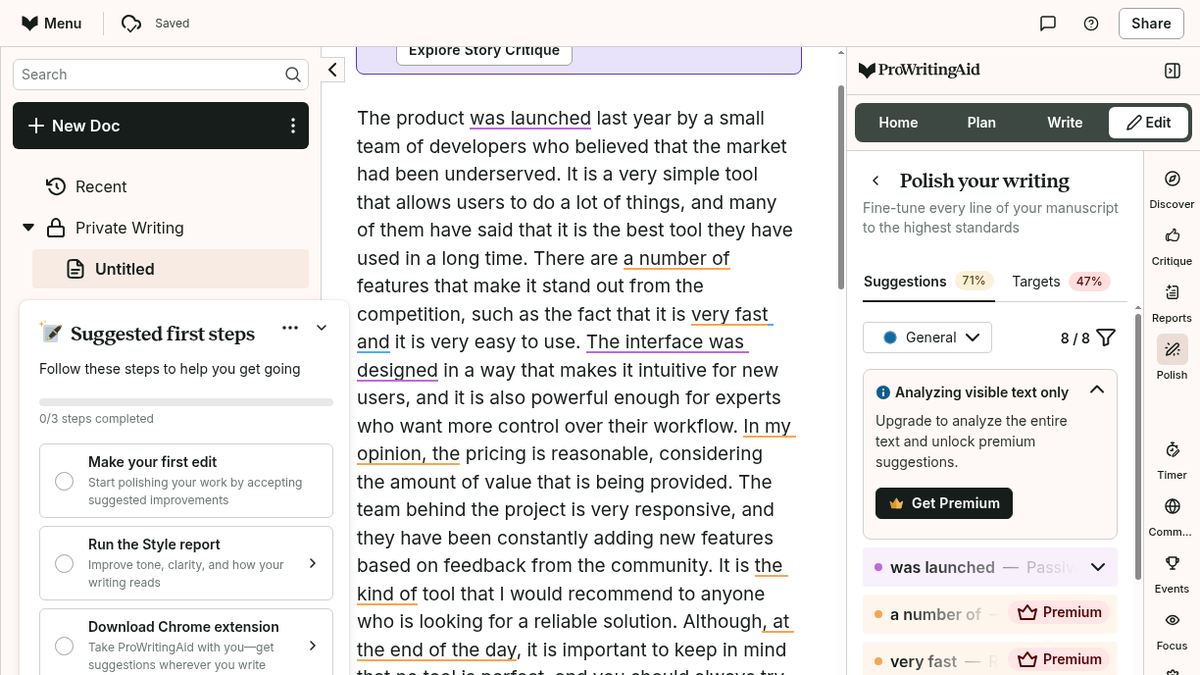
I wanted to find the boring parts of my own writing. Not a grammar score for a school essay — I have that covered — but the specific, uncomfortable question of which sentences in a 900-word blog draft are doing nothing. So I made an account on ProWritingAid with a free plan, confirmed the email, answered four onboarding questions about what kind of writer I am, and pasted a paragraph of deliberately flat marketing copy into the editor. Two hundred words of it: a product that was launched by a small team, is very simple, has a lot of features, is very fast and very easy to use, and is priced reasonably. The kind of paragraph I write when I am tired.
Signup was the least annoying part. Email and a password, no phone number, no card, no 'start your 7-day trial' upsell before you have seen the product. The confirmation mail came from noreplys@prowritingaid.com with a subject that begins '[Action required] Confirm your email.' and landed in the inbox, not the junk folder, which I did not expect from a writing tool. After it, four onboarding questions — what type of writer you are, where you usually write, how far along your project is, what you want to work on first — each with a Skip button. The dashboard then said 'Welcome back, Forleoliang', which is how it greets you: the part of your email before the @.
The editor at app.prowritingaid.com opens on a document called 'Untitled', with a right-hand panel that is the actual product: Home, Plan, Write, Edit, Discover, Critique, Reports, Polish, Timer, Community, Events, Focus, Settings. I went to Edit, then Reports, and clicked Grammar. Spelling Score 100%. Grammar: 1 issue found. The single issue was a comma splice in my own sentence — 'The product was launched last year by a small team of developers who believed that the market had been underserved. It is a very simple tool…' — flagged as 'and (1)', the kind of suggestion you get from a proofreader with a red pen and no patience.
The Style report is the one that earned the tab. On the same 200 words it found 8 possible emotion tells, 4 business jargon phrases (all four of them the same phrase, ', at the end of the day', which I had used like a filler), 4 style guide items ('In my opinion, the'), 2 passive verbs, 4 adverbs of time, and told me straight that I had no adverbs in dialogue and 4 outside of it. Not one of those numbers was wrong. That is a tool that reads the same way a decent editor does.
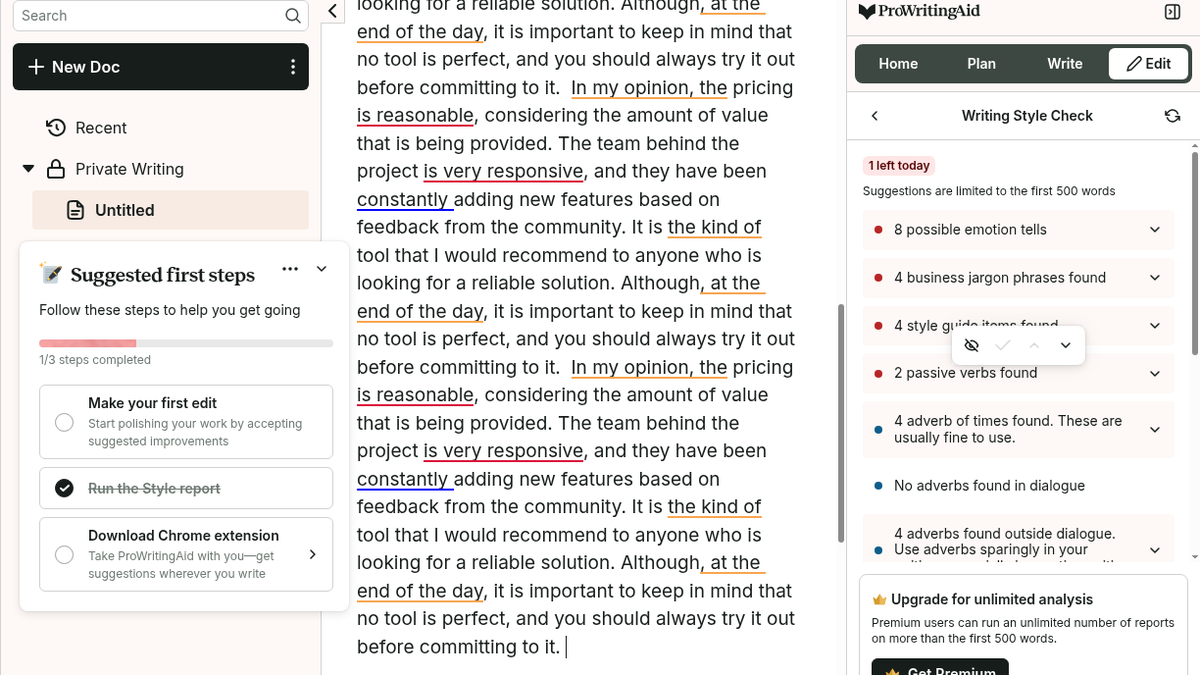
Then the part that made me put the mouse down. At the top of the panel: 'Suggestions are limited to the first 500 words' and '1 left today'. Two runs a day, per report, on a 500-word window. I had assumed a free tier would at least let me read my whole draft. It does not, and it does not shout about it — there is no error, no truncation warning, no 'only part of your document was checked'. The report just quietly stops being right about everything past word 500.
I wanted to prove that rather than trust the label, so I replaced the document with 890 words: 854 words of neutral filler, then, starting at word 855, a deliberately awful sentence — 'However there are a few things that I found slightly frustrating during the review, and one of them is that the very unique summary is very very hard to reach because the tool is very busy.' Passive construction, three adverbs of intensity, a comma splice, business vagueness. The Style report came back with '4 adverb of times found', 'No adverbs found in dialogue', '4 adverbs found outside dialogue', '4 readability enhancements found', 'No inclusive language improvements found' and 'No emotion tells'. No passive verbs. No jargon. The sentence at word 855 was never read. By the second run of that report the panel said '0 left today' and added a padlock line: 'Your limit resets at 00:00 UTC'.
That is the deal, and plenty of writing tools hide it. Free ProWritingAid analyses the first 500 words of a document, twice a day, for each of roughly twenty-five reports. Your long draft is not off-limits; it is half-visible, and the half it cannot see is exactly where your third act goes slack.
The edit actually lands
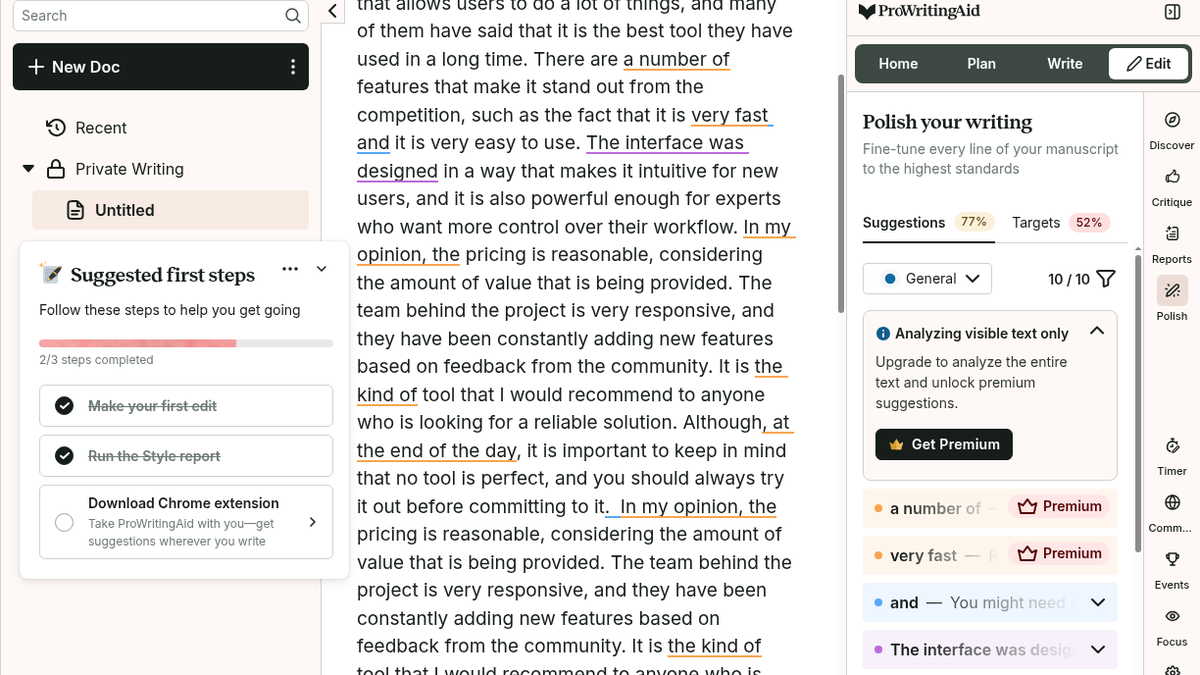
I did not want to write a review of a tool I only watched. So I clicked into one of the suggestions. The ', at the end of the day' entry expanded in place with a 'Does this phrase add anything?' question, a 'Style Guide' tag, an arrow to apply, and Turn off / Dismiss buttons. I clicked the arrow. The phrase left the document — I counted the occurrences of 'at the end of the day' in the text before and after, four and three — and the Polish panel ticked over from 8/8 suggestions to 9/9, with the Suggestions score moving from 71% to 74%. The onboarding checklist in the corner even ticked itself off: 'Make your first edit'.
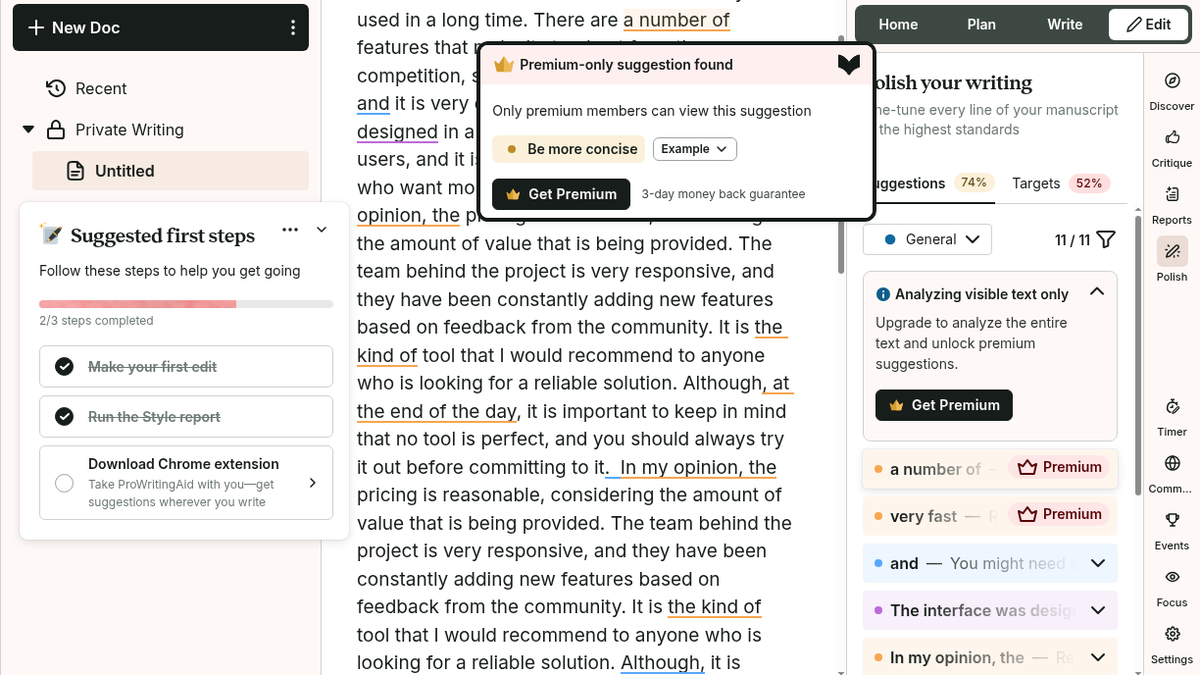
That is more than I expected from a free tier. The crown-marked suggestions are off-limits, and I confirmed that too: clicking 'a number of' opened a modal saying 'Premium-only suggestion found — Only premium members can view this suggestion', with 'Be more concise' and an Example dropdown behind the crown, and a Get Premium button with a three-day money-back guarantee underneath. Free suggestions still apply and still count. The premium ones stay visible in the list so you can see what you are missing, which is either generous or a very good upsell, and I could not decide which.
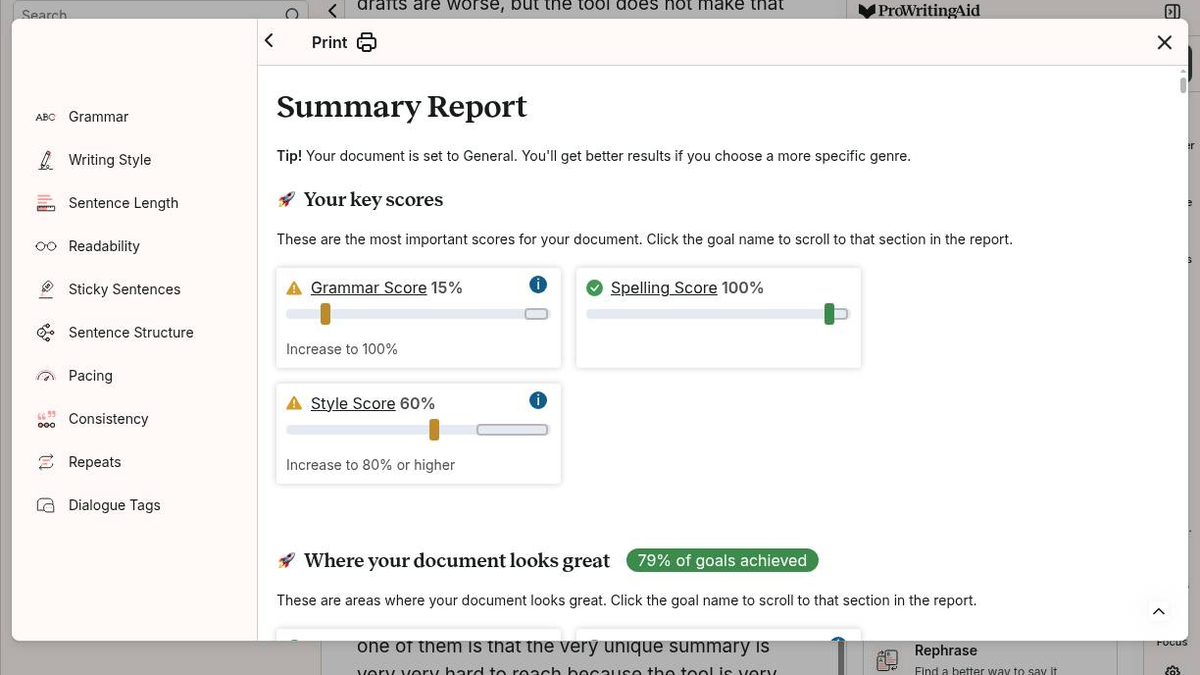
The Summary report is the one I did not expect to like. It opens as a full printable document with a Print button and a left navigation of every report, and it starts with key scores: Grammar Score 15% with a warning triangle, Spelling 100% with a green tick, Style 60% with 'Increase to 80% or higher', and a green '79% of goals achieved' badge. There was also a tip at the top: 'Your document is set to General. You'll get better results if you choose a more specific genre.' I did not set a genre, and it still gave me numbers I could argue with, which is the difference between a score and a vanity metric.
Pricing is straightforward: Free $0, Premium $10 a month billed yearly at $120, Premium Pro $12 a month at $144, three-day money back on the paid plans, and a lifetime licence sold as a one-time purchase. Free gets you 10 rephrases a day, 3 Sparks, 3 Creative Nudges, 1 Chapter Critique, and all twenty-odd line-editing reports twice a day inside that 500-word window. Everything story-shaped — Manuscript, Plot and Character Analysis, Marketability Analysis, Virtual Beta Reader — is sold separately as Story Credits, cheaper on Premium but not included in it. The plagiarism checker is extra on every tier, and the whole thing is English-only.
What I did not do: I never bought Premium, so I have not seen the paid suggestions in use or the unlimited word count. I did not buy Story Credits, so the manuscript-level critique features are something I read about rather than ran. I skipped the Plagiarism Checker, and I did not install the Chrome, Word, Scrivener or Google Docs extensions, so I cannot tell you whether the in-app highlighting survives outside the web editor. No API, no desktop app, no Story Canvas, no writing timer. And my sample was non-fiction marketing copy, so the emotion-tell and business-jargon lists may behave differently on fiction.
If you edit short pieces — a landing page, a newsletter, a product description, a few paragraphs of a blog — the free tier is genuinely good. Twenty-five reports, real explanations, edits that apply in place, and no card required to start. If your work lives in files of ten thousand words or more, the 500-word window is not a rounding error you will stop noticing, and $10 a month is a reasonable price for the whole document. Just do the arithmetic before you sign up for a year.
Final rating: 3 out of 5.
ToolifyNav Directory
Explore ProWritingAid on ToolifyNav
ProWritingAid is a comprehensive editing and grammar software platform for long-form writers, authors, and professionals, analyzing style, pacing, and manuscript consistency.
Keep Reading
Related posts
SaaS Reviews
Typecast Review: Free Voice Generation, 16kHz Downloads, and a Paywall Around Emotion (3/5)
Typecast generated and downloaded a real 14-second English voiceover on the free plan — but the mp3 came out at 16 kHz mono, every emotion preset demanded the $29 Pro plan, and 3,000 lifetime credits bought under three minutes of audio, not five.
SaaS Reviews
Pixelcut Review: A Clean 1080p Cutout in Four Seconds, Then an Account Wall for the Studio (4/5)
Pixelcut cut out a portrait onto a clean canvas in under four seconds and handed over an unwatermarked 751×1080 download without a login, but prompt-driven AI backgrounds and full resolution hit an immediate account wall.
SaaS Reviews
Felo vs Perplexity: Two Cited-Answer Tools, Different Friction
Felo nailed an anonymous Chile/Aconcagua trap then signup hit an image captcha. Perplexity gave cited research synthesis in Incognito with a soft Pro upsell and one answer in Chinese. Both scored 4/5 for different jobs.