LanguageTool Review: Score 64, One Click, Then 76 (4/5)
LanguageTool scored my seeded ToolifyNav draft 64/100 in about 1.5 seconds. One click on Their→There moved it to 76 — then the free 2,000-character wall made itself obvious.
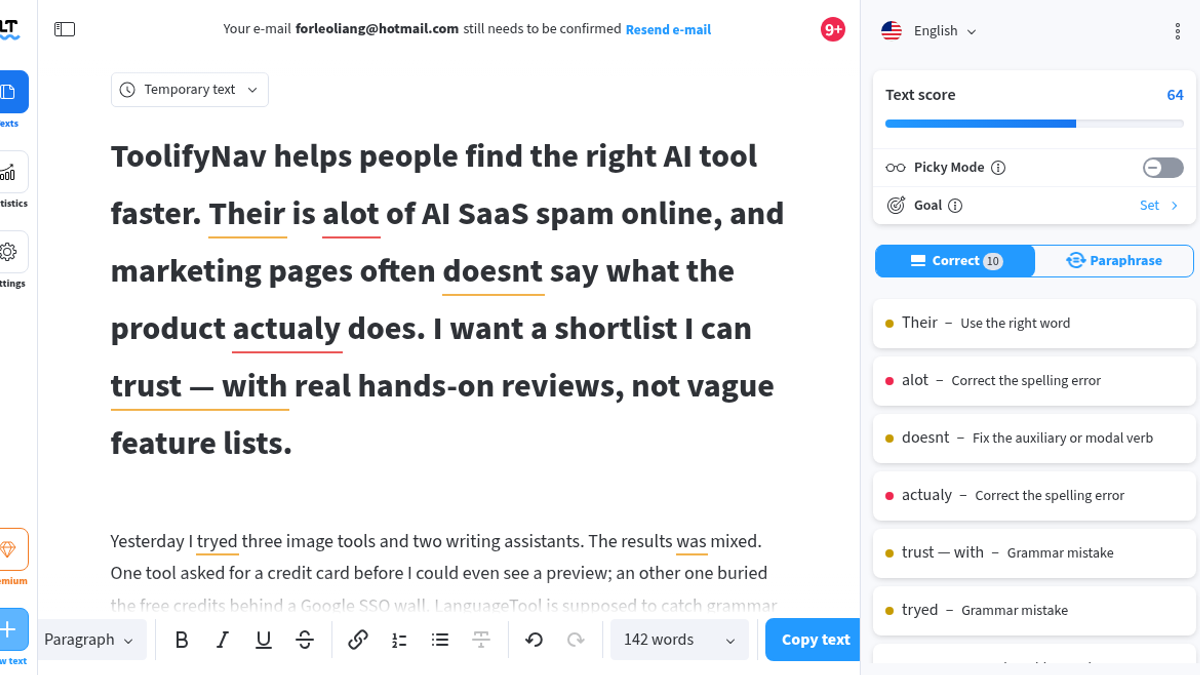
Monday night in La Rioja, ~22:29 ART. The right-hand panel on LanguageTool showed Text Score 64/100, and my paste was already striped with yellow and red underlines. Eight hundred fourteen characters. One hundred forty-two words. Ten sentences I’d seeded with the usual mistakes people actually type when they’re rushing a product note for the LanguageTool listing on ToolifyNav.
Suggestions landed in about 1.5 seconds after the paste hit https://languagetool.org/editor/welcome. Ten cards stacked in the Correct tab. The first one was blunt: Their → There, labeled “Use the right word,” with a blue replacement button. I pressed it. The word swapped inline in the canvas. The score jumped to 76. No refresh. No card form. No “start trial” toast in the way of a basic fix.
I’d already signed up a few minutes earlier with email only — more on that below — so the editor knew me as Leo Liang. A sticky banner still said my Hotmail address needed confirming. I kept writing anyway.
What the free checker caught on that draft
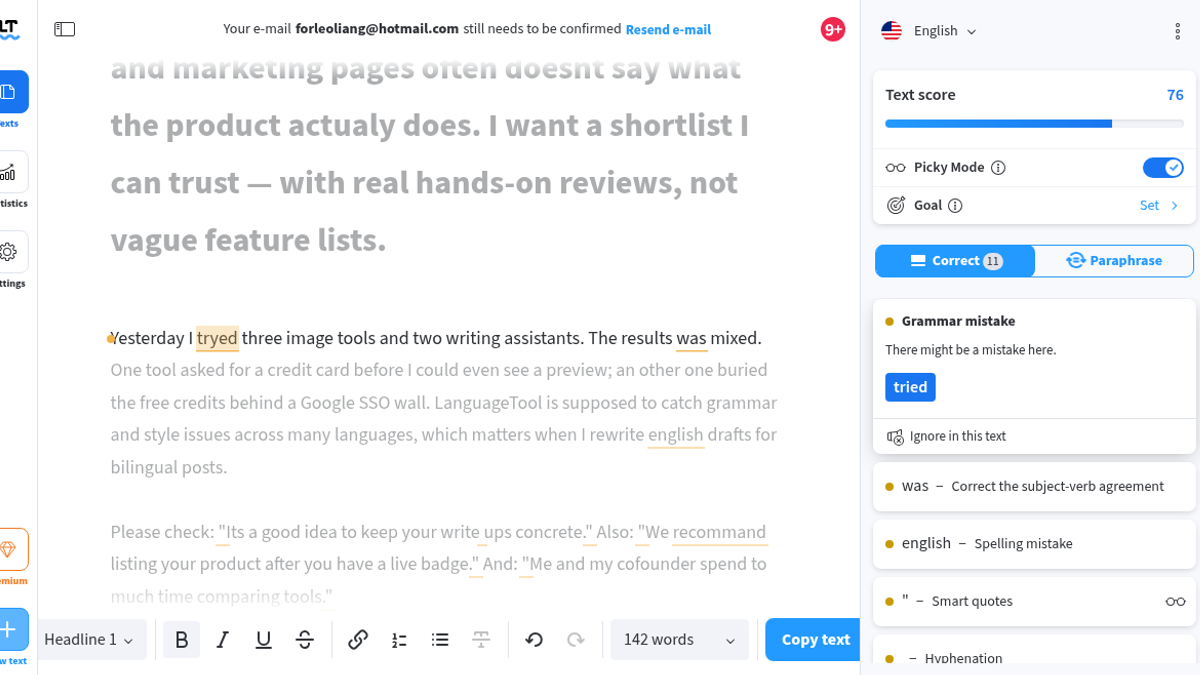
Default mode, Picky off, cleaned up a lot of the planted junk. alot → a lot under “Correct the spelling error.” actualy → actually. tryed → tried. recommand → recommend (the card said “Change the verb tense,” which is a funny label for a misspelling, but the fix was right). english → English. The results was → were for subject-verb. write ups → write-ups. doesnt → don't under “Fix the auxiliary or modal verb.” Even the em-dash spacing: trust — with → trust—with.
It also walked past some things I expected a grammar tool to poke on a free pass. an other (as in “an other one”). to much in “spend to much time.” Inside quotes, Its a good idea sat quiet. Me and my cofounder didn’t get a look either on that first basic pass.
There’s a Picky Mode toggle in the sidebar. Flip it and the issue count went from 10 to 16 — smart quotes and other typography noise showed up in the list. After Picky was on and after the There fix, the counter sat at 11, and the editor did highlight Its and Me and my in the text. to much and an other still didn’t move. That mix is the free tier in one sitting: fast on the obvious spelling and agreement misses, uneven on a few basics until you turn the picky dial, and silent on a couple of planted traps.
I didn’t poke the Chrome or Firefox extensions in Gmail or Google Docs, the Word / LibreOffice / Apple Pages add-ins, the desktop apps, team style guides, non-English Premium rules on a long file, or the API. This session stayed in the browser editor.
Three Standard paraphrases, then the Premium tones
The separate paraphrasing page at /paraphrasing-tool is honest about the free ration: three AI sentence paraphrases per day, Standard tone only. I fed it “ToolifyNav helps people find the right AI tool faster.” Standard came back with “Finding the ideal AI tool is made easier with ToolifyNav.” Fine. Usable. A little flatter than what I typed, which is what I want from a paraphrase when I’m stuck, not a marketing rewrite.
Fluent, Humanize, Formal, and Academic each opened the same gate. Modal copy, roughly: Formality Mode / Premium Feature / Unlock Premium Modes / Unlimited rephrasings / Advanced style suggestions. So you can taste a rewrite on free. The tone dial is paid. If your whole workflow is “make this sound more formal,” you’ll feel that wall on day one.
Email in, no card — then the 2,000-character wall
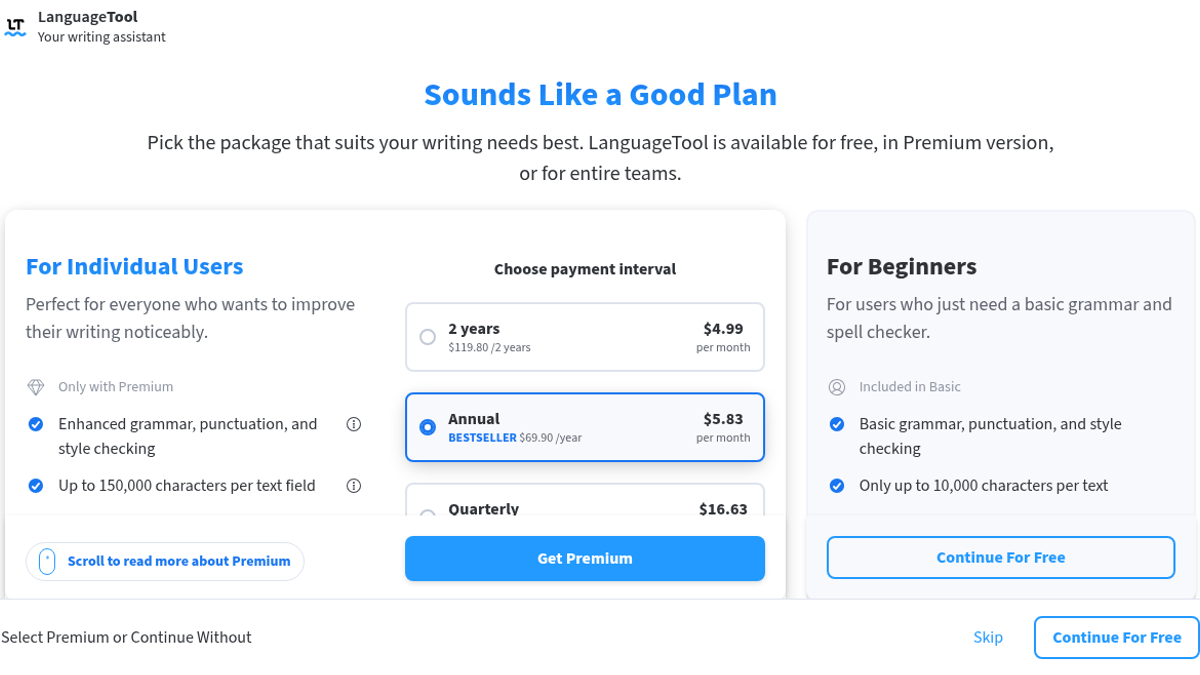
Signup was email-only on languagetool.org/register. Sign up with e-mail, name Leo Liang, forleoliang@hotmail.com, password, single-click reCAPTCHA — just the checkbox, no image grid. No Google, Apple, Microsoft, or GitHub. Terms modal, skip the survey at /survey, plan screen titled “Sounds Like a Good Plan,” then Continue For Free. Editor opened. The banner stayed sticky: Your e-mail forleoliang@hotmail.com still needs to be confirmed. Resend e-mail. I checked Hotmail Inbox and Junk; I never needed the confirm link to keep pasting and accepting fixes.
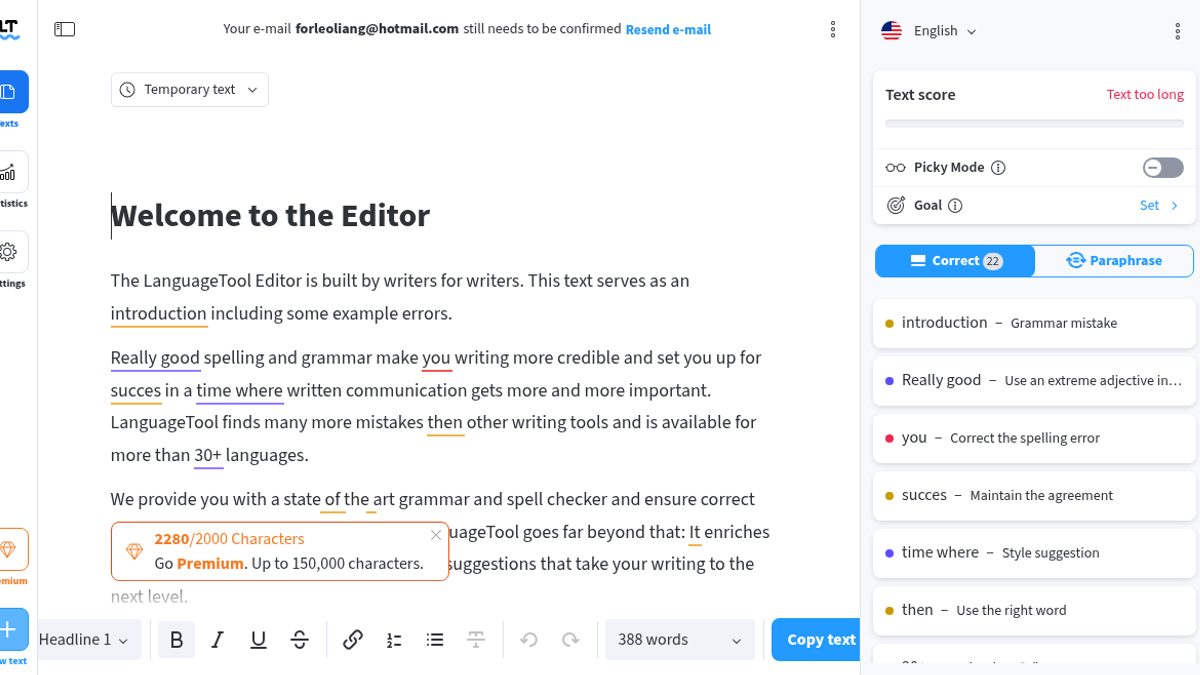
The free cap is 2,000 characters per text field. You feel it before you paste your own stuff. The default welcome sample in the editor was already 2280/2000 Characters — orange counter, red “Text too long” where the Text Score usually sits, Premium pitch up to 150,000. That alone is the free tier’s loudest honesty. My 814-character draft fit. A medium blog section would not.
Premium pricing from the UI I opened that night:
- 2 Years: $119.80 ($4.99/mo)
- Annual (Bestseller): $69.90/yr ($5.83/mo)
- Quarterly: $49.90/q ($16.63/mo)
- Monthly: $24.90/mo
- Teams: from $125.80/yr for two seats
Premium also unlocks the longer field, unlimited paraphrasing across those tones, advanced style, and the office plugins I didn’t install. Free keeps basic grammar, spelling, punctuation, limited Picky, and those three Standard paraphrases.
Short emails, blog intros, UI copy snippets — the free web check is quick and doesn’t ask for a card. Long paste jobs and the fancy paraphrase tones hit the wall early. I left Monday night with a cleaner draft, a score that moved when I clicked, and a clear map of what free will not do.
Final rating: 4 out of 5.
ToolifyNav Directory
Explore LanguageTool on ToolifyNav
Multilingual grammar, style, and paraphrase assistant with browser and office add-ons.