Microsoft Copilot
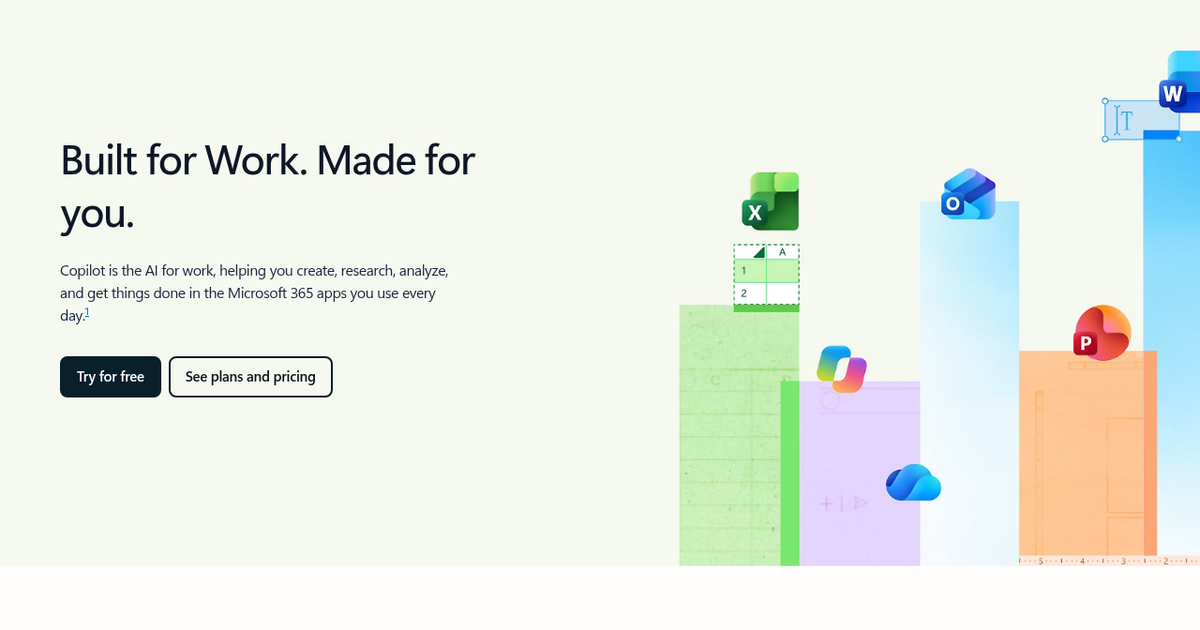
Microsoft's AI assistant for chat, images, voice and screen-aware help, free on the web and Windows and extended into Word, Excel, PowerPoint and Outlook through Microsoft 365 plans.
Evaluation
What to know
Best for
- Households and freelancers already living in Microsoft 365
- Windows users who want an assistant built into the OS
- Students drafting papers and decks in Word and PowerPoint
Not ideal for
- Google Workspace or Apple-first users
- Enterprises that need tenant-level data governance (that is Microsoft 365 Copilot)
- Power users wanting to pick specific third-party models
Key features
- Free chat, image generation and voice mode across web, Windows and mobile
- Copilot inside Word, Excel, PowerPoint and Outlook on Microsoft 365 plans
- Screen and camera-aware visual assistance
- Researcher and Analyst agents on Premium
- Cowork for planning and completing multi-step tasks with approvals
Pros
- Bundled with Office apps and 1 TB OneDrive many households already pay for
- Works natively inside Windows, so there is little setup
- Office integration edits real documents rather than pasting chat output
Cons
- Plan names and feature splits between free, Personal and Premium are confusing
- Excel help requires OneDrive files with AutoSave enabled
- Usage limits apply even on paid tiers
ToolifyNav verdict
Copilot's argument is less about being the cleverest assistant and more about being the most embedded one. Its real advantage over standalone chat apps is that it can act inside the documents, spreadsheets and inboxes people already use, and many readers are paying for Microsoft 365 regardless. The free tier is a reasonable everyday assistant on Windows. The friction is packaging: overlapping plan names, limits that persist on paid tiers, and Excel quirks around OneDrive. Readers outside the Microsoft ecosystem gain little here, while Office-heavy individuals should treat Personal or Premium as an upgrade to software they already own.
About
About Microsoft Copilot
Microsoft Copilot is the consumer face of Microsoft's AI push, separate from the enterprise Microsoft 365 Copilot that companies license per seat. It runs at copilot.microsoft.com, inside Windows and Edge, and on iOS and Android, and anyone with a Microsoft account can use the base chat for free. Microsoft now markets it heavily as "the AI for work" for individuals, which reflects how closely it is tied to the Office apps.
The free tier covers everyday chat, image creation, voice conversations and visual assistance from your screen or camera, all with usage limits. Paying for Microsoft 365 Personal or Family raises those limits and, more importantly, puts Copilot inside the desktop and web versions of Word, Excel, PowerPoint and Outlook: drafting documents from notes, turning a spreadsheet into charts and insights, building a deck from a prompt, and summarizing an inbox. Excel features require files saved to OneDrive with AutoSave on.
The newer Microsoft 365 Premium tier adds agent-style features, including Researcher for multi-source reports, Analyst for data work and Cowork, which plans and executes multi-step tasks while asking for approval. AI features belong to the subscription owner only and are not shared with Family members beyond their own allowances, and Microsoft applies age limits to some AI capabilities.
Related
More in Chatbots & Virtual Companions
Same category — not a curated competitor list.

Discover More
Weekly digest
Get weekly AI tools and hands-on reviews
A short digest of new tools and hands-on breakdowns. Unsubscribe anytime.