NaturalReader
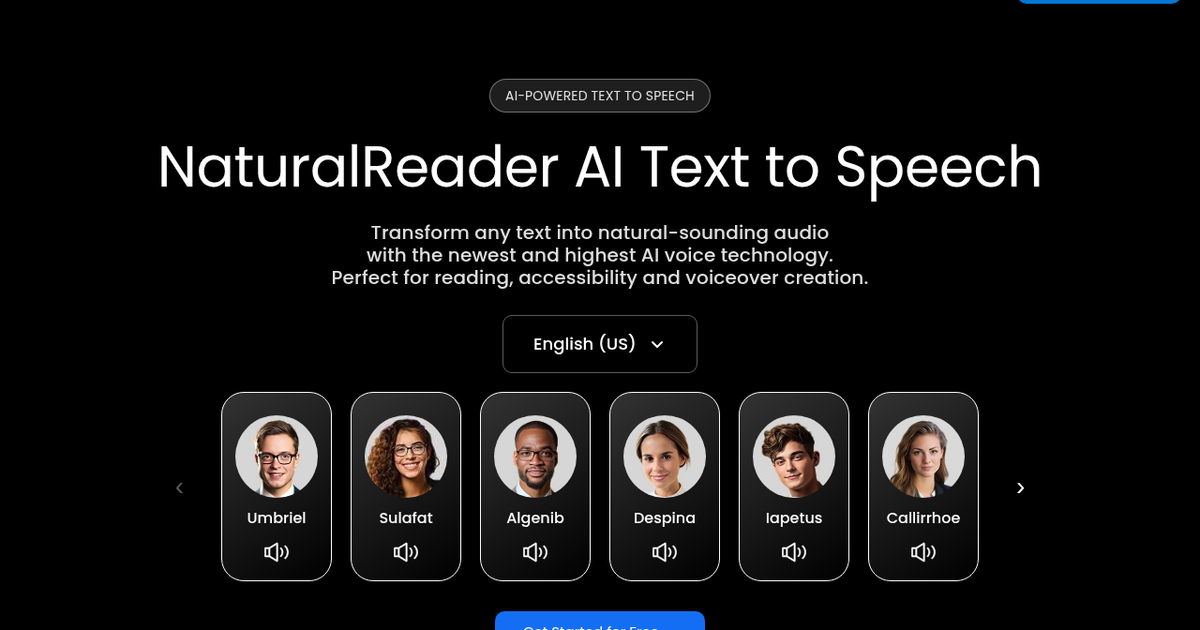
Long-running text-to-speech app that reads documents, PDFs, ebooks, web pages and scanned text aloud with AI voices, plus a separate commercial AI Voice Generator for voiceovers.
Evaluation
What to know
Editorial notes based on the vendor's own documentation and public pricing, plus hands-on testing where a score or review is shown above. They describe fit for a job, not absolute quality.
Best for
- Students and professionals who listen to reading material
- Schools needing accessible text-to-speech
- Creators producing commercial voiceovers on a budget
Not ideal for
- Audiobook studios needing full production workflows
- Developers wanting a low-latency speech API
- Buyers who want one plan covering personal and commercial use
Key features
- Reads PDFs, ePUBs, Office files, web pages and OCR-scanned text
- Web, mobile and Chrome extension apps
- AI Smart Filter, pronunciation editor and annotations
- ReadAI, Recap, Quizzes and Podcast modes
- Commercial AI Voice Generator with ElevenLabs, OpenAI and Gemini voices
Pros
- Strong accessibility features for dyslexic and low-vision readers
- Handles many document formats and scanned pages
- EDU licenses make whole-school rollout affordable per student
Cons
- Personal plans cannot be used for published audio
- Commercial voiceover needs a separate subscription
- The free tier lacks MP3 download
ToolifyNav verdict
NaturalReader is best understood as two tools under one name. The personal reader is a mature, accessibility-minded way to listen to almost any document, with filters and OCR that matter to students and people with reading difficulties. The commercial generator, sold separately, brings modern third-party voice models and cloning for publishable voiceovers, and that split licensing is the main thing to get right before buying. For individuals and schools who mainly want text read aloud reliably across formats and devices, it remains a dependable, well-supported option.
About
About NaturalReader
NaturalReader is one of the older names in text-to-speech, and the company now sells two distinct products. The personal version is a reading tool: through a web app, iOS and Android apps and a Chrome extension, it reads PDFs, ePUBs, Word and PowerPoint files, Pages and Numbers documents, web pages and even photos of printed text via OCR, in voices covering dozens of languages and regional accents.
Reading aids target students, people with dyslexia or low vision, and anyone who prefers to listen. An AI Smart Filter skips page numbers, tables and footnotes, a pronunciation editor fixes awkward words, and annotations let you highlight while listening. AI features such as ReadAI, Recap, Quizzes and a Podcast mode summarize or reframe documents. Higher personal tiers unlock premium and Pro voices with reading styles, more MP3 export and up to two cloned voices, and EDU group and site licenses cover classrooms and whole districts.
The commercial version, called AI Voice Generator, is sold separately for audio that will be published. It offers commercially licensed output from Gemini, OpenAI, Azure and ElevenLabs voice models, prompt control over tone and delivery, more than 90 languages, up to four cloned voices, a script assistant and MP3 or WAV downloads. The company reports more than 10 million users.
Related
More in Voice Generation & Conversion
Same category — not a curated competitor list.
Discover More
Weekly digest
Get weekly AI tools and hands-on reviews
A short digest of new tools and hands-on breakdowns. Unsubscribe anytime.