Quadratic
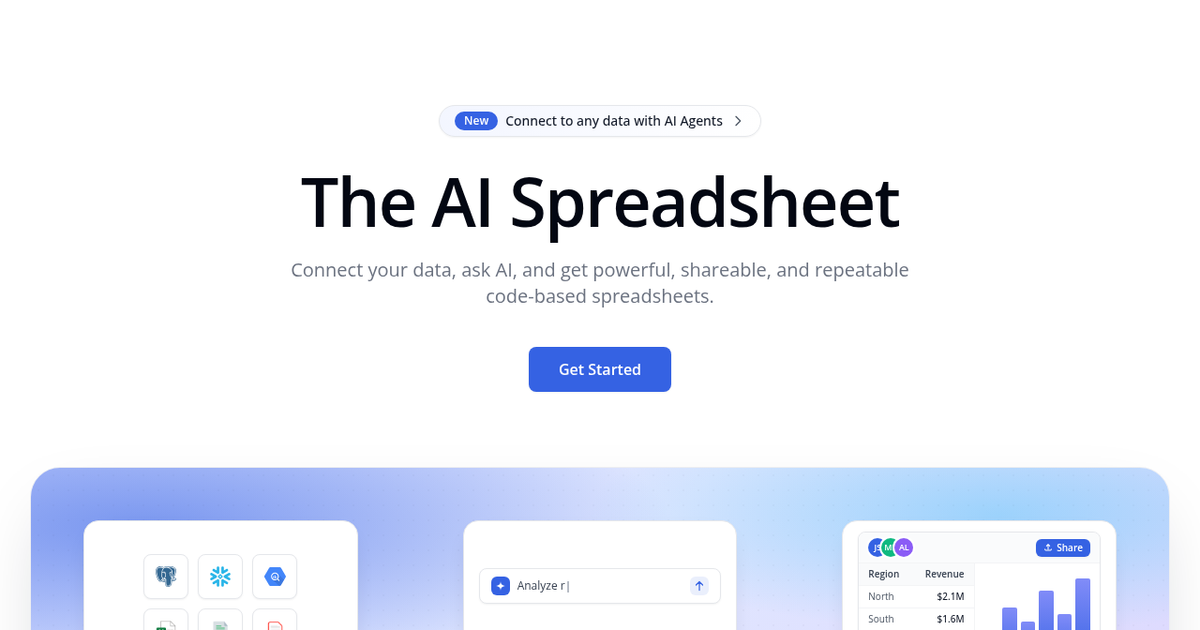
AI spreadsheet that writes Python, SQL, JavaScript and formulas from plain-English requests, connects to live databases and turns analysis into shareable, repeatable sheets.
Evaluation
What to know
Editorial notes based on the vendor's own documentation and public pricing, plus hands-on testing where a score or review is shown above. They describe fit for a job, not absolute quality.
Best for
- Analysts who mix SQL queries with spreadsheet work
- Finance and investing teams building repeatable models
- Data-savvy product and marketing teams
Not ideal for
- Users needing offline desktop spreadsheets
- Teams heavily dependent on VBA macros
- People who only keep simple budgets or lists
Key features
- Python, SQL and JavaScript cells alongside formulas
- AI assistant that writes code, formulas and charts from plain English
- Live connections to Postgres, MySQL, Snowflake and business apps
- PDF data extraction and scheduled tasks
- MCP server, API and Agent Sync for external agents
Pros
- Readable code makes analyses easier to audit than formula chains
- Live database connections keep sheets current
- The free plan is enough to evaluate the core experience
Cons
- Users without coding experience may struggle to verify AI-written code
- Not a drop-in replacement for macro-heavy Excel models
- AI usage on paid plans is metered by monthly credit allowances
ToolifyNav verdict
Quadratic makes a convincing case that the spreadsheet of the AI era should run code underneath. Having the assistant generate Python or SQL, rather than inscrutable formulas, gives analysts something they can read, check and re-run, and live database connections remove the export-and-paste cycle. It belongs in research and data analysis rather than office basics, since people who never touch code may find the AI's output harder to validate. For analysts and finance teams who already think in queries, it offers a noticeably more modern way to work.
About
About Quadratic
Quadratic is a browser-based spreadsheet built for analysis that outgrows formulas. It looks like a familiar grid, but any cell can hold Python, SQL or JavaScript as well as standard formulas, and the results spill back into the sheet. An AI assistant takes questions in plain English and writes that code, the charts and the formulas for you, which the company contrasts with nested VLOOKUP chains that are hard to read and easy to break.
Data comes from CSV and Excel files, PDFs through a data-extraction feature, and live connections to Postgres, MySQL, Snowflake, MS SQL and other databases, plus business sources such as QuickBooks, Google Analytics, Mixpanel and Plaid. Because the logic is code, a forecast or cohort analysis can be re-run when data refreshes, and scheduled tasks automate that step. Charts are generated in the sheet, and finished files can be shared with a team.
Quadratic has also added agent-facing features: an MCP server, an API and Agent Sync, which lets external AI agents read and work inside sheets. The company targets traders and investors, finance, business intelligence, product and marketing analysts, and says more than 250,000 people use it. A self-hosting option and single sign-on are available on Enterprise.
Related
More in Research & Data Analysis
Same category — not a curated competitor list.

Discover More
Weekly digest
Get weekly AI tools and hands-on reviews
A short digest of new tools and hands-on breakdowns. Unsubscribe anytime.