Let's Enhance Review: My 512px Buenos Aires Frame at 4x, Watermark Included (4/5)
I upscaled a 512 px copy of a rainy Buenos Aires frame to 2048 × 2048 with Let's Enhance — Prime in 29 seconds, Gentle in 22, one credit each — then checked both against the real original. Prime invented a face. Every free file carries a watermark.
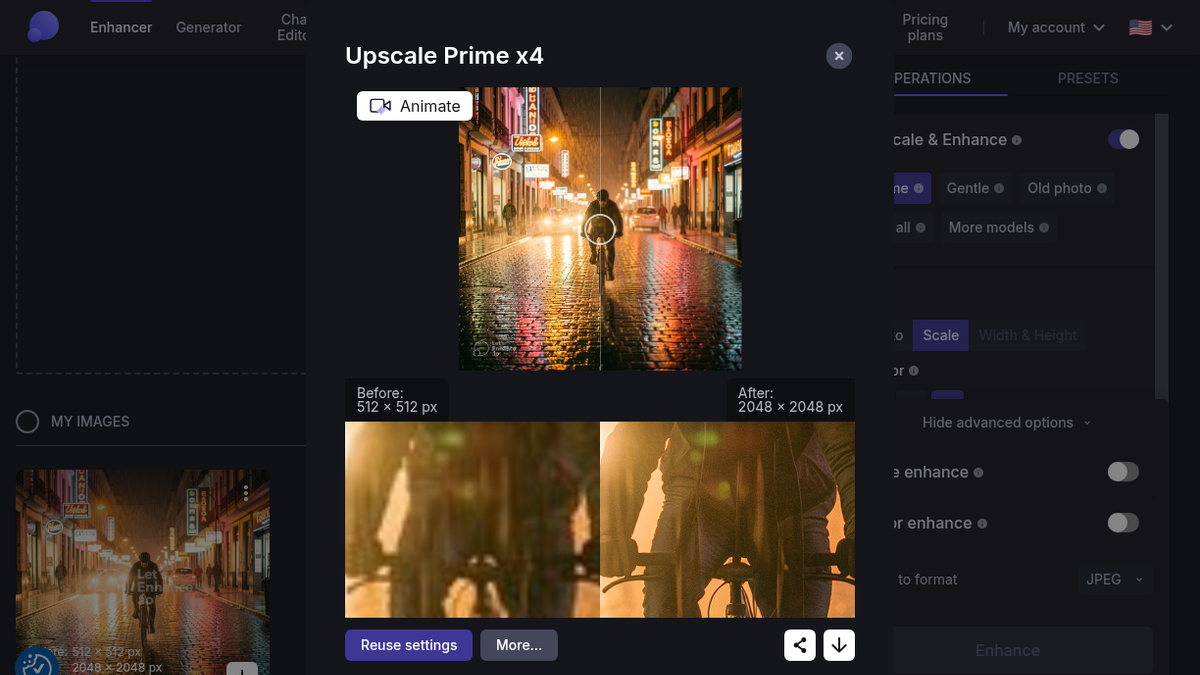
The loupe was parked on the cyclist's face when I noticed the mustache. Left side, "Before: 512 × 512 px", a soft brown smudge under a helmet. Right side, "After: 2048 × 2048 px", a man with a trimmed mustache, crisp sunglasses, clean vent slots in the helmet and creases in his jacket sleeves. Nice work, except that face was never in my file.
The file was a 512 × 512 JPEG, 90,406 bytes, a shrunk copy of the rainy Buenos Aires street I'd made in NightCafe the night before: neon signs, wet cobblestones, one guy on a bike riding at the camera. I made the small copy on purpose, because I still had the real 1,024-pixel original (631,294 bytes) and wanted a control. An upscaler should get close to that original. When it beats it, something is being invented.
Ten credits and a 512 px file
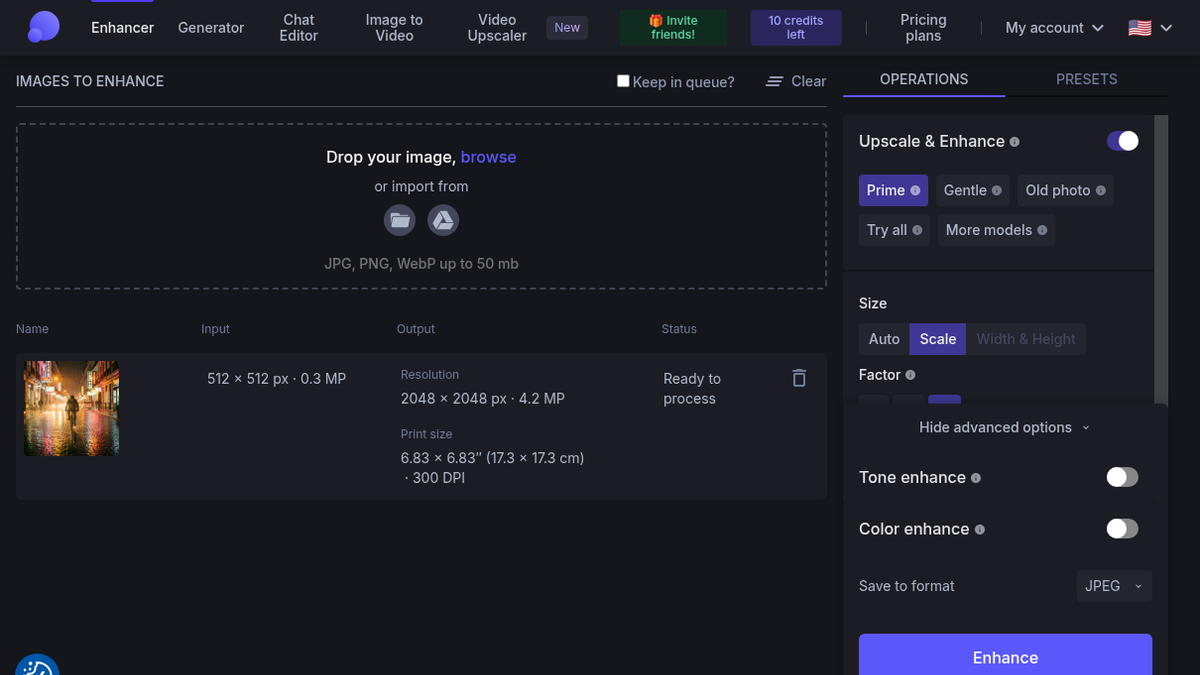
Signup on letsenhance.io was the plain kind. Email, password, an opt-in box for "fresh news, discounts, and updates" that I left alone, "Create an account". I ignored the SSO buttons. That was 22:16. The "Please validate your email" mail was in my Outlook Focused inbox within a minute, not Junk for once, and "Confirm my email" bounced me through a "Thanks, your email was confirmed!" page into the app at /boost. No survey, no card. The header said "10 credits left", next to a green "Invite friends!" button.
The upload area takes "JPG, PNG, WebP up to 50 mb", from disk or Google Drive. Once the file landed, the row did the math I'd normally do in my head: input "512 × 512 px · 0.3 MP", output "2048 × 2048 px · 4.2 MP", and a print size of 6.83 × 6.83″ at 300 DPI. So, a little under seven inches square. Not a poster, but a real print, which is all I wanted to know.
On the right, "Upscale & Enhance" was switched on with Prime selected by default, next to Gentle, Old photo, Try all and More models. Scale went to 4x. 8x and 16x were there but locked on the free plan. I left Tone enhance and Color enhance off and kept JPEG output. One image costs one credit.
I hit Enhance at 22:27:18. The status said "Processing... Will be ready in about a few minutes Prime x4". It was ready at 22:27:51, about 29 seconds later, and the counter went from 10 to 9. "About a few minutes" for a half-minute job is an odd thing to promise, but I'll take that over the reverse.
Prime, the loupe, and a man I didn't make
The result opens in a modal called "Upscale Prime x4": a split slider over the whole frame, plus the zoom loupe underneath. The loupe is the most useful thing in the product. You drag it to the place you're worried about and see 512 against 2048 at the same spot, no exporting to another app.
The Prime download was buenos-aires-cyclist-512_LE_upscale_prime_x4.jpg, 2048 × 2048, 1,645,636 bytes. I cropped the same patches from it, from a plain bicubic 4x of the 512 file, and from the real 1024 original scaled up. On the cobblestones Prime is impressive: the reflections turn into hard little specular highlights that read as wet stone. The car headlights pick up a slight glow ring. The neon signs were gibberish to begin with (one vertical sign spells something like "EAOSOA") and they stay gibberish, just with cleaner edges. Then there's the face, sharper than the 1024 original ever was. Plausible, and wrong.
Then I found the watermark, bottom-left, sitting on the wet stones: a semi-transparent circle logo and "Let's Enhance .io", roughly 300 pixels wide on a 2048 frame, about a seventh of the width. It's on the My Images thumbnails too. That is the one thing a print-prep tool shouldn't do to a trial file, because the whole point of the trial is to print one and look at it.
Gentle changed my mind
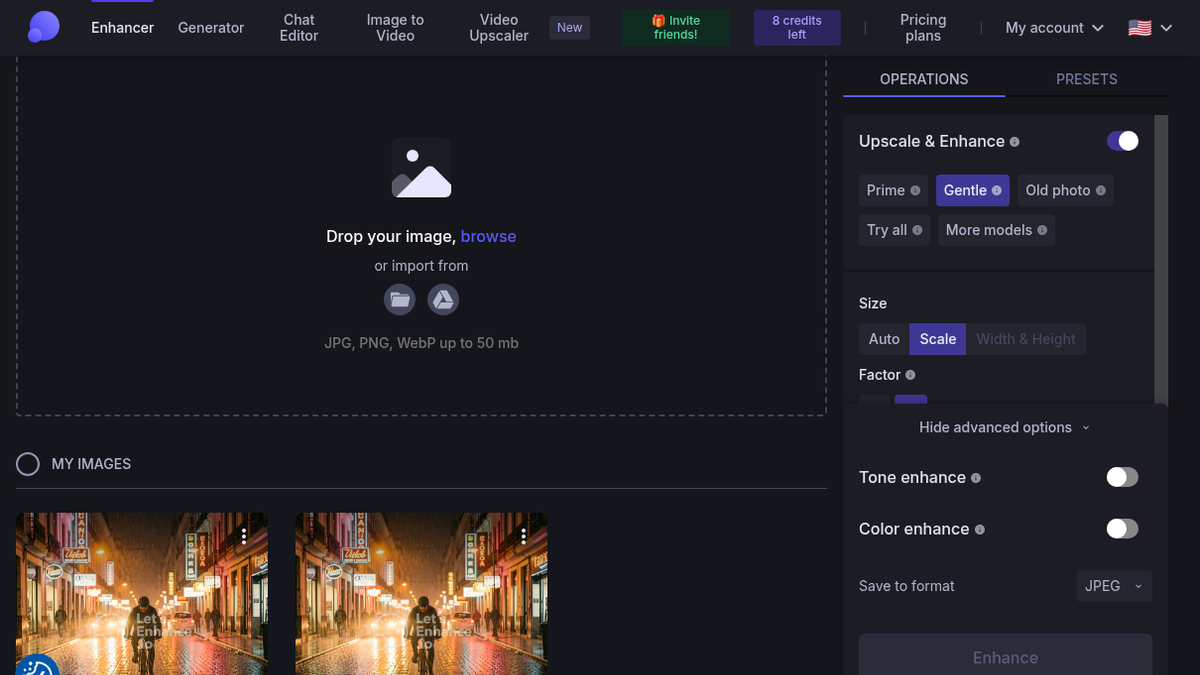
I'd gone in assuming Prime was the obvious choice. The homepage even has a pill for it, "NEW Prime: sharper photos, real texture". For the second run I uploaded the same 512 file again and picked Gentle, still 4x, toggles off.
It finished in about 22 seconds, 22:29:15 to 22:29:41, and took me to "8 credits left". The download came back as buenos-aires-cyclist-512_LE_ml_resize_x4.jpg, 1,155,509 bytes. Not "gentle" in the name, "ml_resize". Small thing, but if you run a few models on the same file you'll be renaming downloads by hand.
Side by side, Gentle is softer. The rain streaks are faint lines instead of white needles, the edges have less of that sharpened outline, and the cyclist keeps the face he had in the 1024 original, give or take some blur. Against my control it's simply closer. Prime wins the first glance. Gentle is the one I'd send to a printer for a photo I care about, especially with a person in it. For product shots or illustration, Prime's punch probably matters more than faithfulness.
Paying to lose the logo
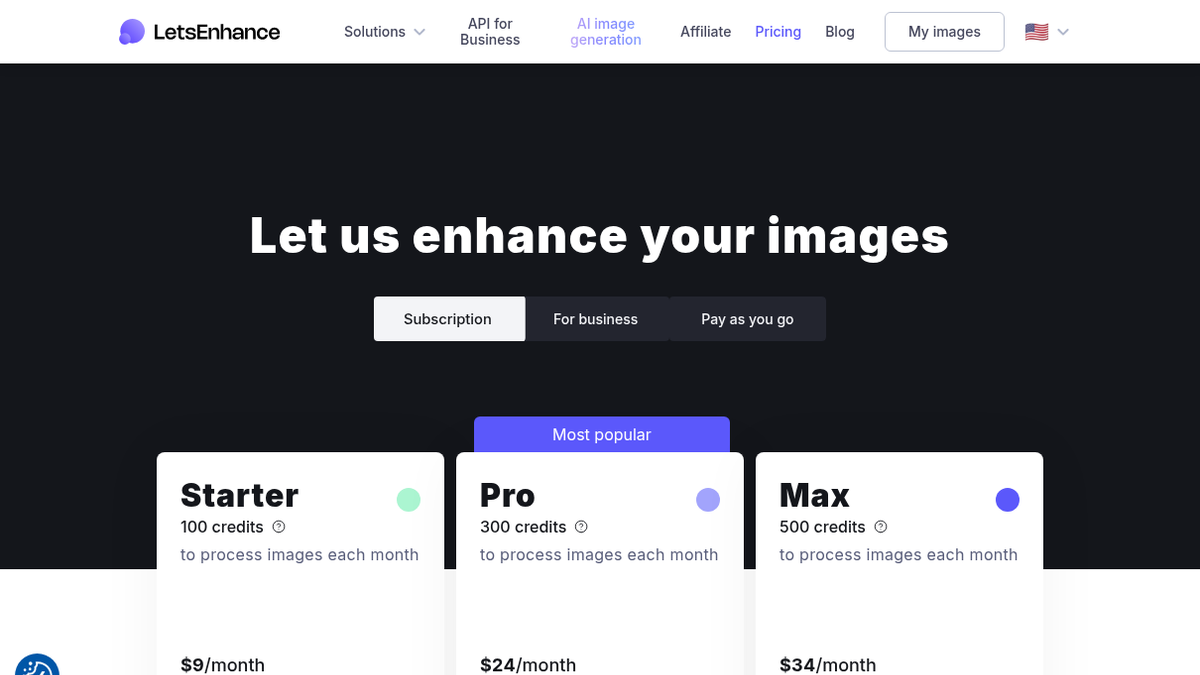
The pricing page, "Let us enhance your images", has three tabs. Subscriptions: Starter is 100 credits a month at $9 billed annually ($12 monthly), Pro 300 credits at $24 ($32 monthly), Max 500 credits at $34 ($45 monthly), with unused credits rolling over up to six months' worth and output ceilings of 256, 350 and 512 MP. Pay as you go is 20 credits for $9, 50 for $19, 120 for $39, and those never expire. The business tier starts at $72 a month for 1,000 credits and is the one that spells out "no watermark".
For someone who needs a handful of print files a year, the $9 pack is the sensible door, about 45 cents an image. Ten free credits mean ten images; I used two.
There's a lot more in the app than I touched: the Generator, Chat Editor, Image to Video, the new Video Upscaler, the Animate button on the result, the Old photo mode, Try all, the Balanced/Ultra/Strong/DigiArt models and batch upload. I didn't try any of them, or anything above 4x.
It makes sense for photographers and print or merch sellers who have a small file and need to know whether it survives 300 DPI, and who are fine paying a few dollars once it does. The free tier answers that question well, thanks to the loupe and the 4.2 MP preview math. It won't hand you a clean file, though. And if there's a face in the frame, switch off the default and use Gentle. The full listing is on Let's Enhance on ToolifyNav.
Final rating: 4 out of 5.
ToolifyNav Directory
Explore Let's Enhance on ToolifyNav
AI image upscaler and enhancer that enlarges photos up to 512 megapixels for print while restoring detail and color.