Banani Review: A Leica-Style Lens Bench in 45 Seconds, a Surprise Pricing Pop-Up, and Paywalled Figma Exports (4/5)
Banani generated a multi-screen dark-mode camera lens filter directory in about 45 seconds, asking sharp aesthetic questions like Leica versus Peak Design before rendering. The prototype canvas is responsive and detailed, but hitting a surprise pricing modal before your first render, paywalled Figma exports, and an 80% starter quota drop keep it at 4/5.
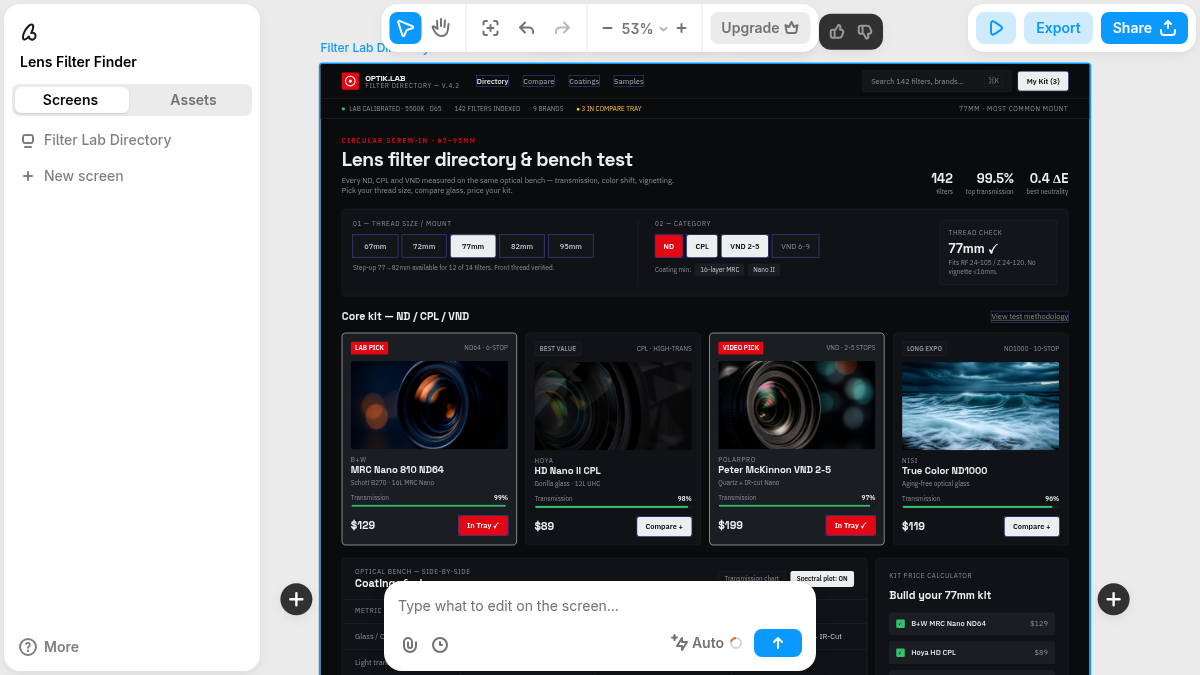
Most AI wireframe generators give you a single generic dashboard covered in placeholder lorem ipsum and call it a day. I opened Banani because I wanted something specific: a dedicated dark-mode comparison bench for camera lens filters. I needed thread diameter selectors from 67mm to 95mm, coating spec comparisons across ND and circular polarizers, a kit price calculator, and slots for community test shots. The signup was refreshingly clean—work email, password, and a 6-digit verification code from founder Vlad that arrived in my inbox in twelve seconds without requiring Google SSO.
The surprise pricing wall before the first screen
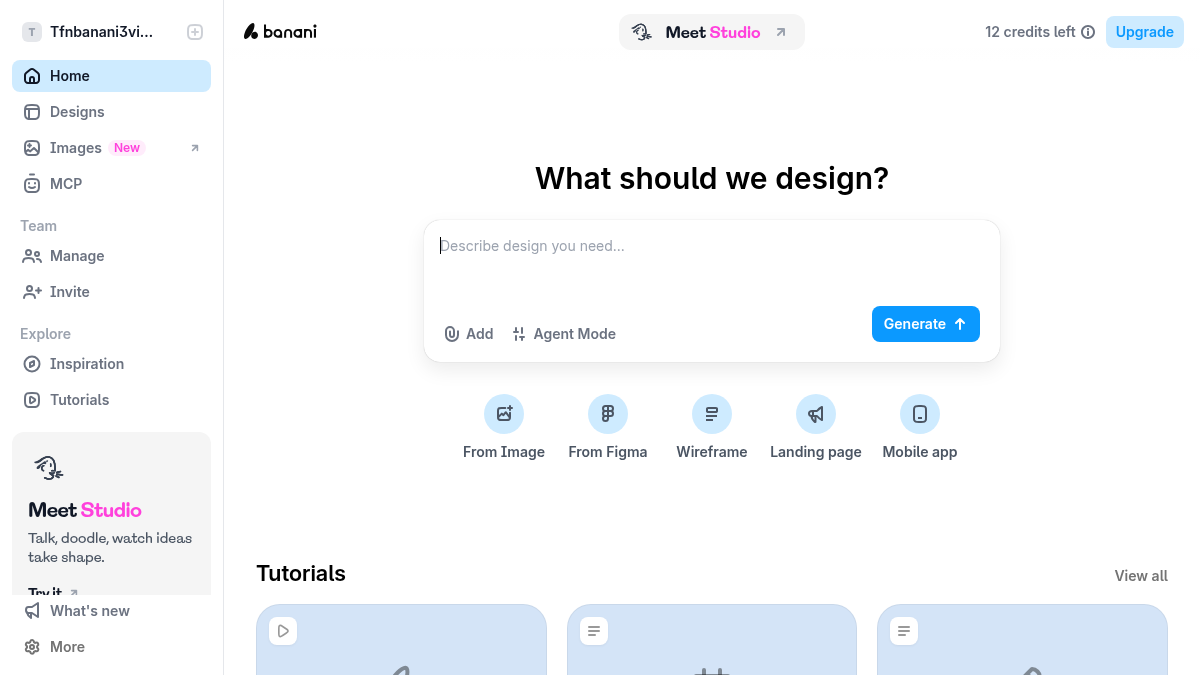
On the home screen, my balance read 12 credits. I entered a detailed prompt: 'A dark-mode camera lens filter directory and comparison tool with filter size selector, optical glass coatings specs, price calculator, and user sample photo cards.' I hit Generate, expecting to see a loading spinner on an empty canvas. Instead, the screen instantly redirected to an unprompted subscription modal pushing $20/month Plus and $50/month Pro plans.
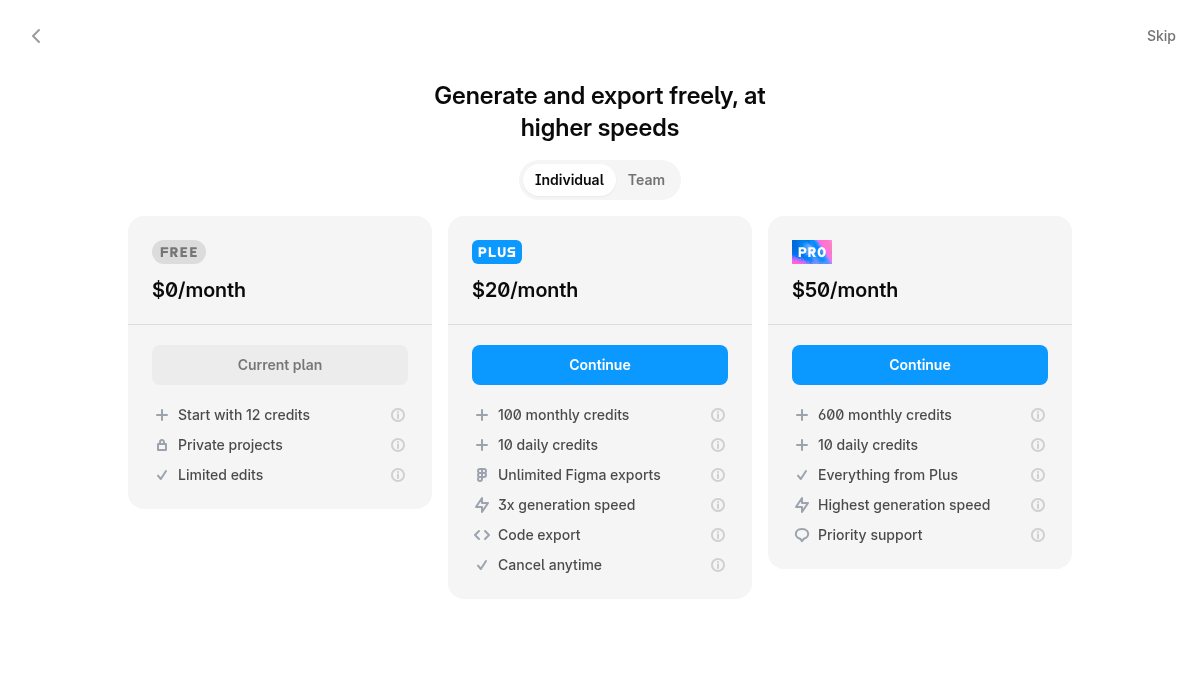
I had to locate the small 'Skip' button in the upper header to dismiss it. It is an aggressive onboarding move for a tool that promises 12 free trial credits, and anyone testing Banani for the first time might easily assume their prompt failed or that free generation is blocked entirely. Once I skipped past the modal, however, the experience changed completely.
An AI agent that actually asks design questions
Rather than running an unguided black-box generation, Banani's Agent Mode paused to ask three clarifying questions with pre-rendered option chips. First: 'What dark-mode direction should this commit to?' with choices between 'Precision lab like Leica / B&H', 'Cinematic moody like A24 / Moment', and 'Pro utilitarian like Peak Design'. That is genuine design taste—it picked up on the camera context and offered real brand styling anchors instead of just asking for light or dark.
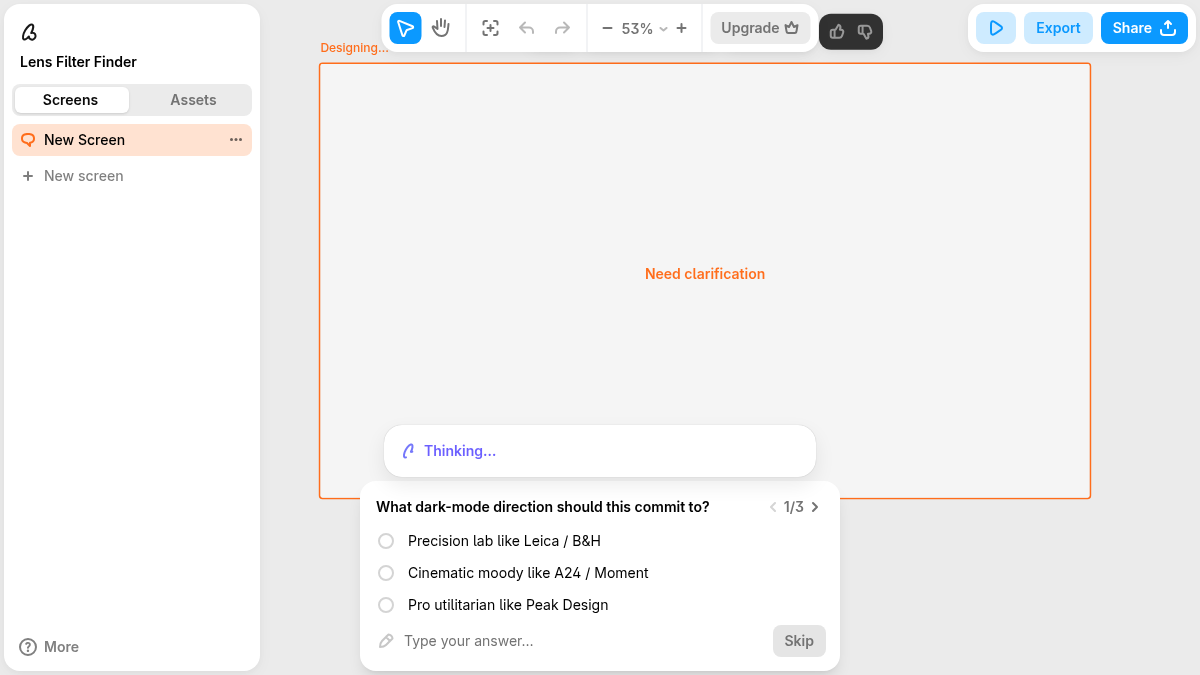
I selected the Leica/B&H direction. The second question asked which filters should anchor the directory ('ND + Polarizer + VND core kit' versus creative mist filters). The third asked what the comparison table should emphasize, where I picked 'Optical specs side-by-side'. Confirming all three answers sent Banani into drafting mode.
The multi-screen canvas and model engine
About 35 seconds later, the canvas rendered a multi-screen prototype. The main screen, titled 'Lens filter directory & bench test', laid out interactive thread size filter pills (67mm, 72mm, 77mm, 82mm, 95mm) alongside density toggles (ND, CPL, VND 2-5, VND 6-9). Below that sat a calculated 'Add kit to cart — $375' checkout block and a three-column grid of community sample shots.
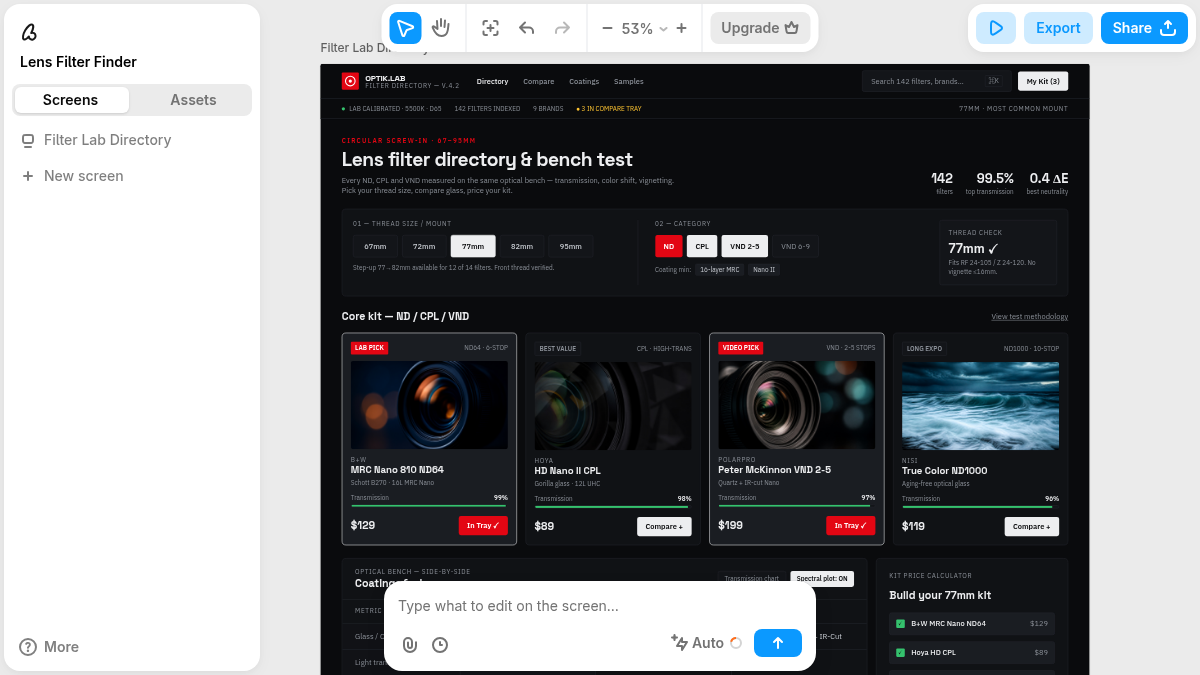
Opening the model selector revealed Banani's underlying engine: an 'Auto' router backed by Gemini 3.1 Pro (labeled Google's most stylish model), GPT-5.4 (for complex frontend code), Gemini 3 Flash, and GPT-5.4 Mini. The visual output was remarkably clean—proportional typography, tight borders, and zero overflowing text containers.
Export limitations and credit burn
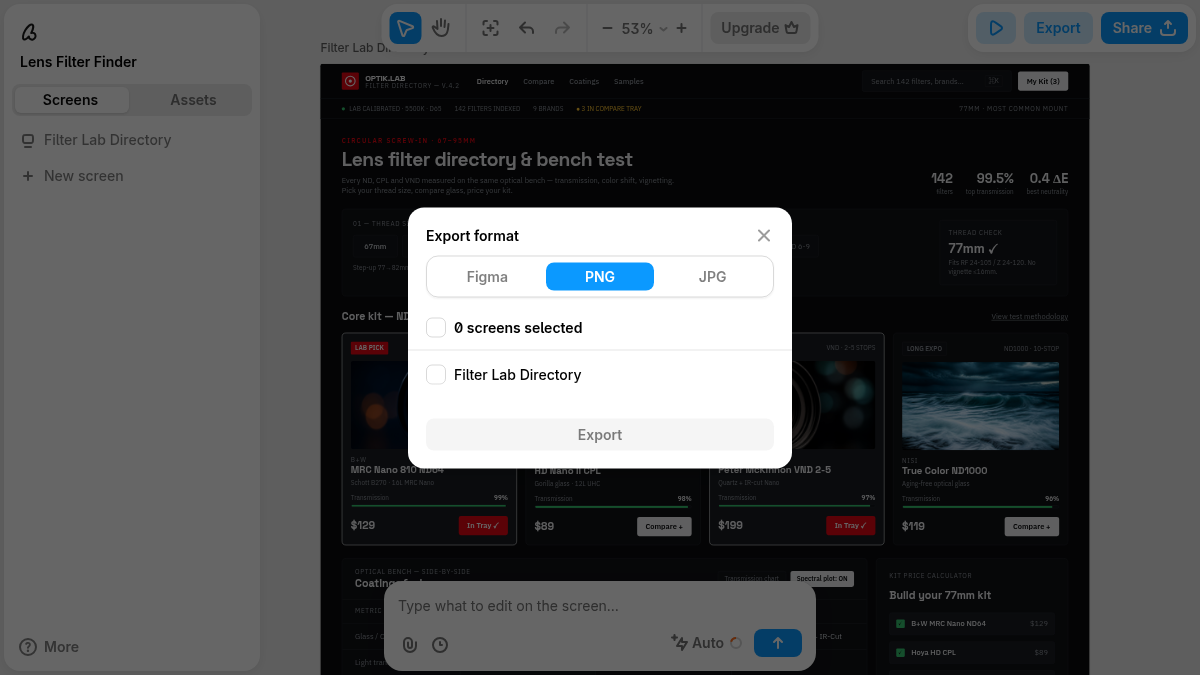
When I finished reviewing the canvas, I clicked Export in the top bar to pull the design into Figma. Here came the second gate: 'Copy to Figma' is disabled on the free tier, accompanied by an Upgrade pill. The free plan only permits PNG and JPG image exports, and the modal keeps the export button disabled until you manually tick the checkbox for each individual screen you want rendered. Code export (HTML/CSS) and MCP handoff require the $20/month tier.
The credit counter also moved faster than expected. That single prompt with its three clarifying answers consumed 80% of my initial plan budget, leaving the bar at 'Plan 20% left'. If you are planning an afternoon of iterative prototyping on the free tier, expect your starter credits to vanish after one or two multi-screen flows. I did not test the bidirectional Figma plugin sync, the external MCP protocol server, or team workspace invites.
Final rating: 4 out of 5. Banani is easily one of the most capable text-to-UI tools currently live; the aesthetic clarifying questions prove it actually understands design hierarchy rather than regurgitating flat templates. But the surprise upsell interstitial before your first run, the locked Figma copy button, and the steep credit burn keep it from a clean 5/5. I keep the listing on ToolifyNav updated as the free tier and export policies evolve.
ToolifyNav Directory
Explore Banani on ToolifyNav
Text-to-UI canvas for editable multi-screen prototypes with Figma, HTML/CSS, and MCP handoff.
Keep Reading
Related posts
SaaS Reviews
Vizard Review: An 8.0 Virality Score on Elephant Trunks, 720p Watermarks, and a 3-Day Clock (4/5)
I fed Vizard the historic 19-second 'Me at the zoo' clip to test its AI video clipper. It returned an accurate 9:16 vertical short in 25 seconds with an 8.0 virality rating, but the free tier comes with a 720p watermark, a WebGL requirement, and a 3-day deletion timer.
SaaS Reviews
Diffit Review: A Useful Worksheet in Seconds, but a 404 Became a Lesson (3/5)
Diffit turned my temperature notes into a correct grade-five worksheet, then rewrote it for grade two without losing the numbers. But it also invented classroom details and generated a polished lesson from a URL that returned 404, so the output needs a teacher’s source check.
SaaS Reviews
Auphonic Review: -24.47 to -16.00 LUFS in Seconds, but Free Exports Get a Jingle (4/5)
I fed Auphonic a 25.56-second speech file with uneven levels, white noise, and hum. It hit -16.00 LUFS exactly and varied the leveler gain by section, but the free MP3 grew by 6.408 seconds because Auphonic appends a jingle.