Consensus vs Connected Papers: An Evidence Meter or a Citation Map? (Tested)
Consensus turned a clinical fasting question into a 20-paper consensus meter and extracted effect sizes in 13 seconds — after gating search behind email verification. Connected Papers built an interactive citation graph for Vaswani et al. in three seconds with zero signup and free BibTeX export — but cannot answer a yes/no question. Both rated 4/5. Here is how to pick between evidence synthesis and neighborhood mapping.
Both Consensus and Connected Papers solve the same nightmare: doing a serious literature review without drowning in fifty browser tabs. But they attack the problem from opposite directions. Consensus starts from a falsifiable question and tallies a quantitative vote across peer-reviewed papers. Connected Papers starts from a single foundational paper and charts its visual neighborhood of citations, prior anchors, and derivative works. I ran hands-on sessions on both tools — Connected Papers on 7 September 2026, and Consensus on 9 September 2026. Both earned a solid 4 out of 5 rating, but they belong at completely different stages of your research workflow.
The entry point: an open search bar vs. a mandatory verification code
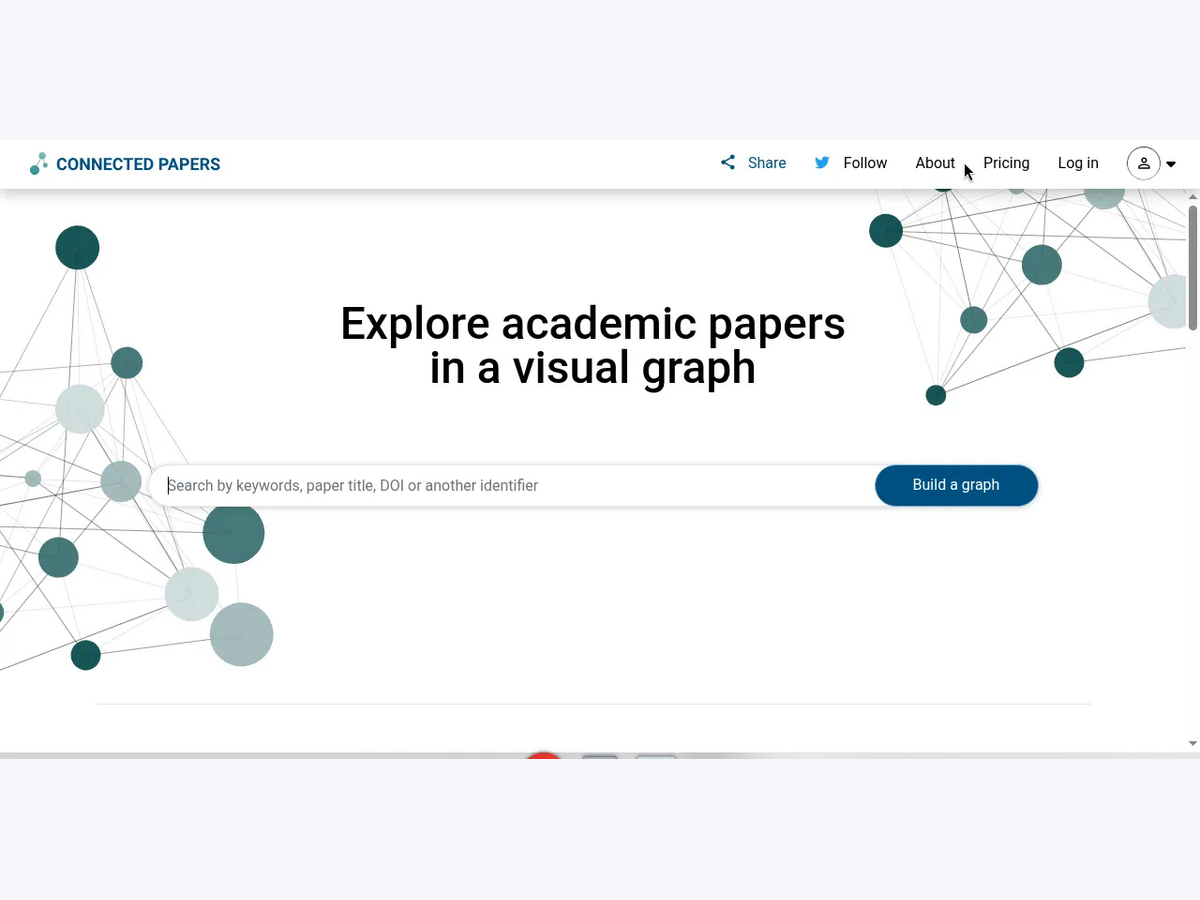
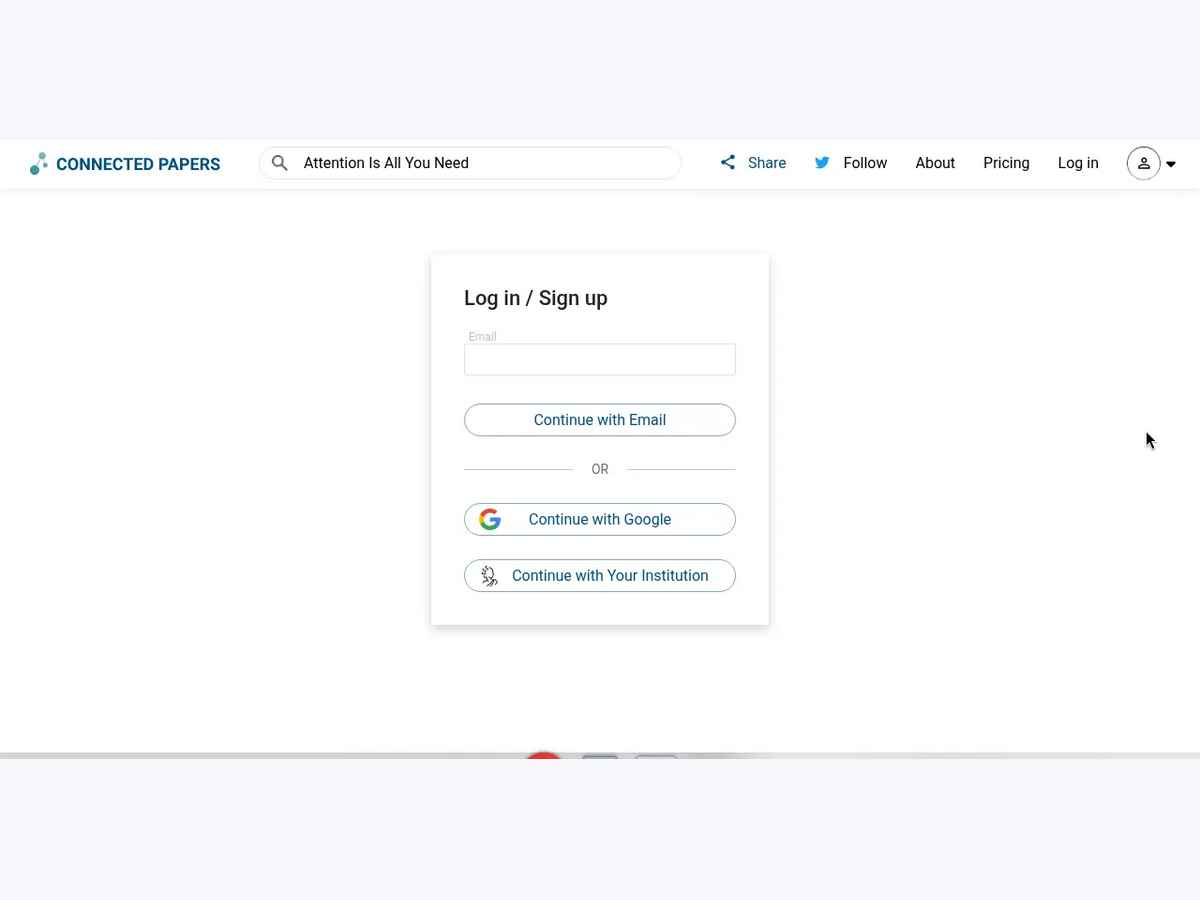
The first contrast hits you before you see a single study. Connected Papers let me walk straight into the engine anonymously. On 7 September, I opened the homepage, saw 'Explore academic papers in a visual graph', typed 'Attention Is All You Need', and watched the full interactive graph assemble in about 2 to 3 seconds. No cookie banner, no credit card, and zero email registration. Even downloading a 57.5 KB BibTeX file and opening the Share modal worked without logging in. The only hard wall on the site was clicking 'Save', which routed to /auth.
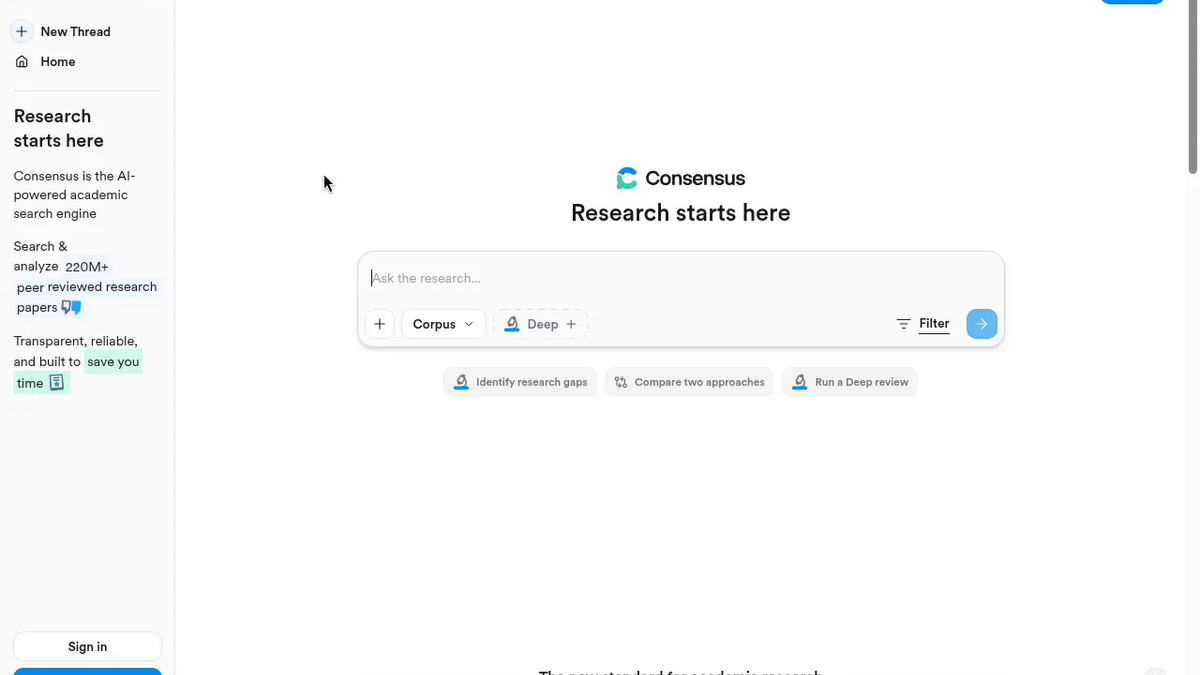
Consensus took the opposite stance. On 9 September, the clean homepage invited me to 'Search & analyze 220M+ peer reviewed research papers'. I typed a falsifiable clinical query — 'Does intermittent fasting improve insulin sensitivity in adults?' — and clicked submit, expecting at least an initial peek at matching abstracts. Instead, it threw up an immediate auth wall: 'Enter your email', 'Continue with Google', or 'Continue with Apple'. I had to route through a review Hotmail inbox, fetch a 6-digit verification code, and click through a three-step onboarding wizard ('Which best describes you?', 'Bring your research with you!', 'Ask research questions') before reaching the actual search workspace.
If you need an immediate answer while skimming papers on a deadline, Connected Papers wins the friction test hands down. Consensus demands your email upfront, though it did not require a credit card.
What Consensus did with my clinical question
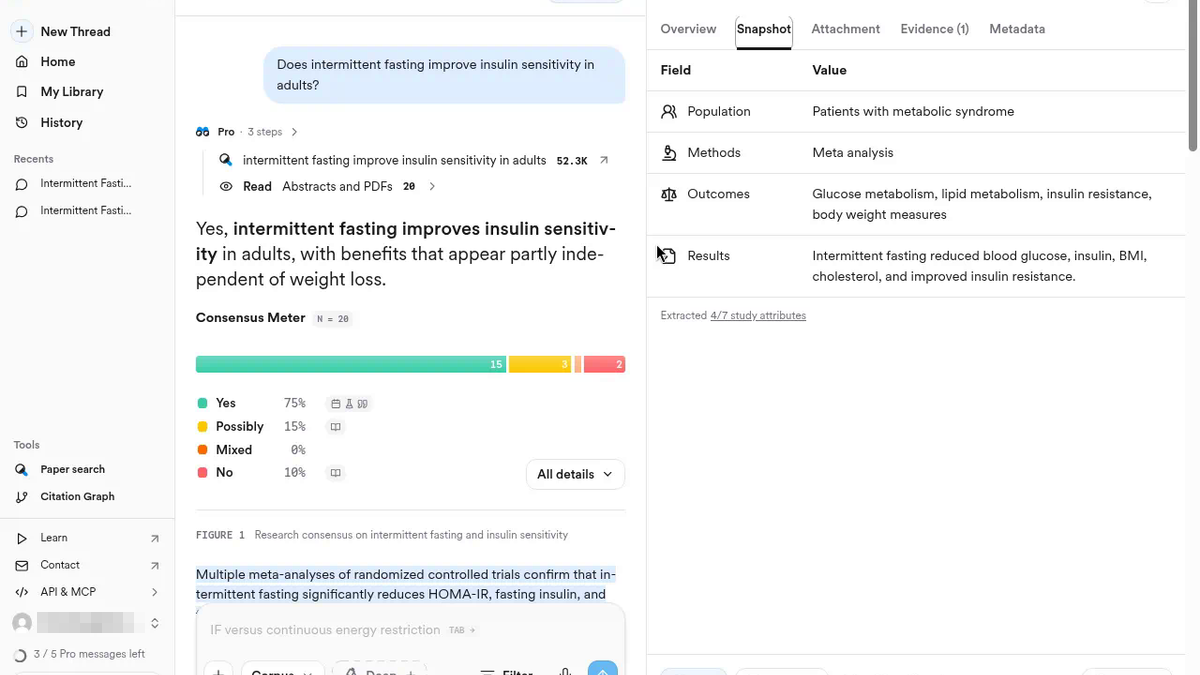
Once past the email gate, Consensus justified the friction in thirteen seconds. Running my intermittent fasting question through the Corpus / Pro pipeline triggered a 5-second scan, followed at about 13 seconds by a complete AI synthesis, a Consensus Meter, and structured paper cards.
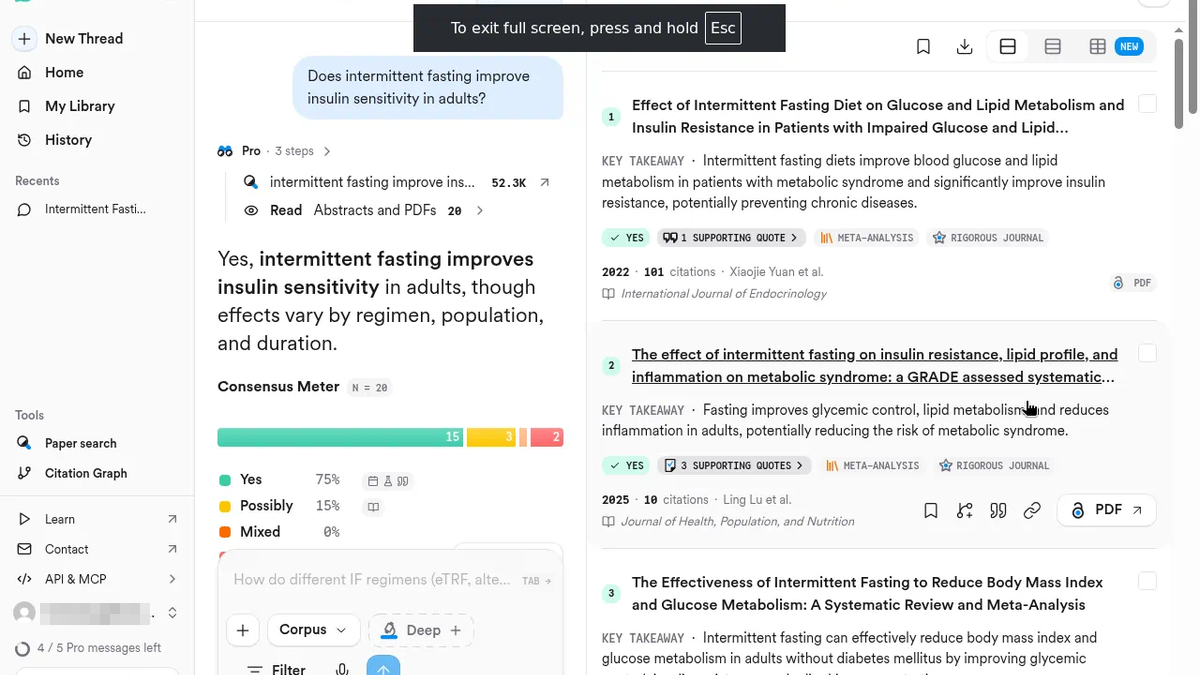
The verbatim synthesis was measured and defensive: 'Yes, intermittent fasting improves insulin sensitivity in adults, though effects vary by regimen, population, and duration.' Right above it sat the Consensus Meter across 20 analyzed papers: Yes 15 (75%), Possibly 3 (15%), Mixed 0, and a red segment of 2. The headline reported a pool of 'Results 52.3K', while the Pro step explicitly stated 'Read Abstracts and PDFs 20'.
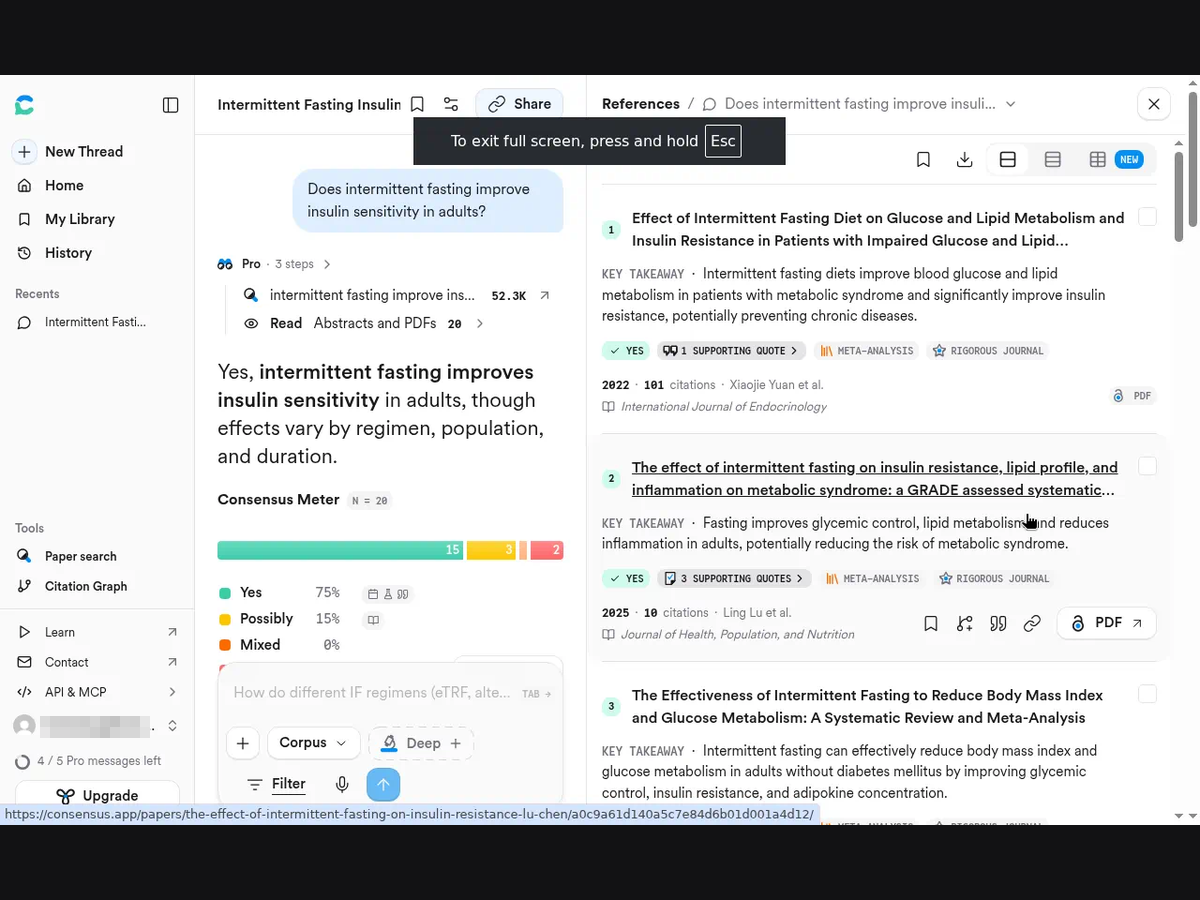
The real strength of Consensus is that it does not stop at a generic chatbot summary. Each card comes with DOIs, journal quality badges (e.g. Q3 SJR, International Journal of Endocrinology), and extracted clinical effect sizes. Opening the first Yuan et al. systematic review revealed exact outcome metrics right in the interface: fasting blood glucose −0.15 mmol/L, glycated hemoglobin −0.08, insulin plasma −13.25 uIU, HOMA-IR −0.31, BMI −0.8 kg/m², body weight −1.07 kg, and waist circumference −2.08 cm.
Clicking 'Study Snapshot' consumed 1 of my 10 free snapshot credits and pulled out structured attributes: Population (Patients with metabolic syndrome), Methods (Meta analysis), Outcomes (Glucose metabolism, lipid metabolism, insulin resistance, body weight measures), and Results. It flagged 'Extracted 4/7 study attributes' — fast and concrete, if visibly partial.
What Connected Papers did with an anchor paper
Connected Papers does not parse research questions or calculate percentage votes. Its superpower is answering: 'I have this one landmark paper — what other papers live in its direct intellectual neighborhood?'
For Vaswani et al. (2017, Attention Is All You Need, showing ~190,520 citations during testing), Connected Papers generated a force-directed visual graph where node diameter corresponds to citation scale and node hue tracks the publication year. Clicking nearby nodes like LLaMA (Touvron et al.) or Cho et al.'s RNN Encoder–Decoder instantly updated a right-side pane with authors, publication year, citation counts, and the abstract.
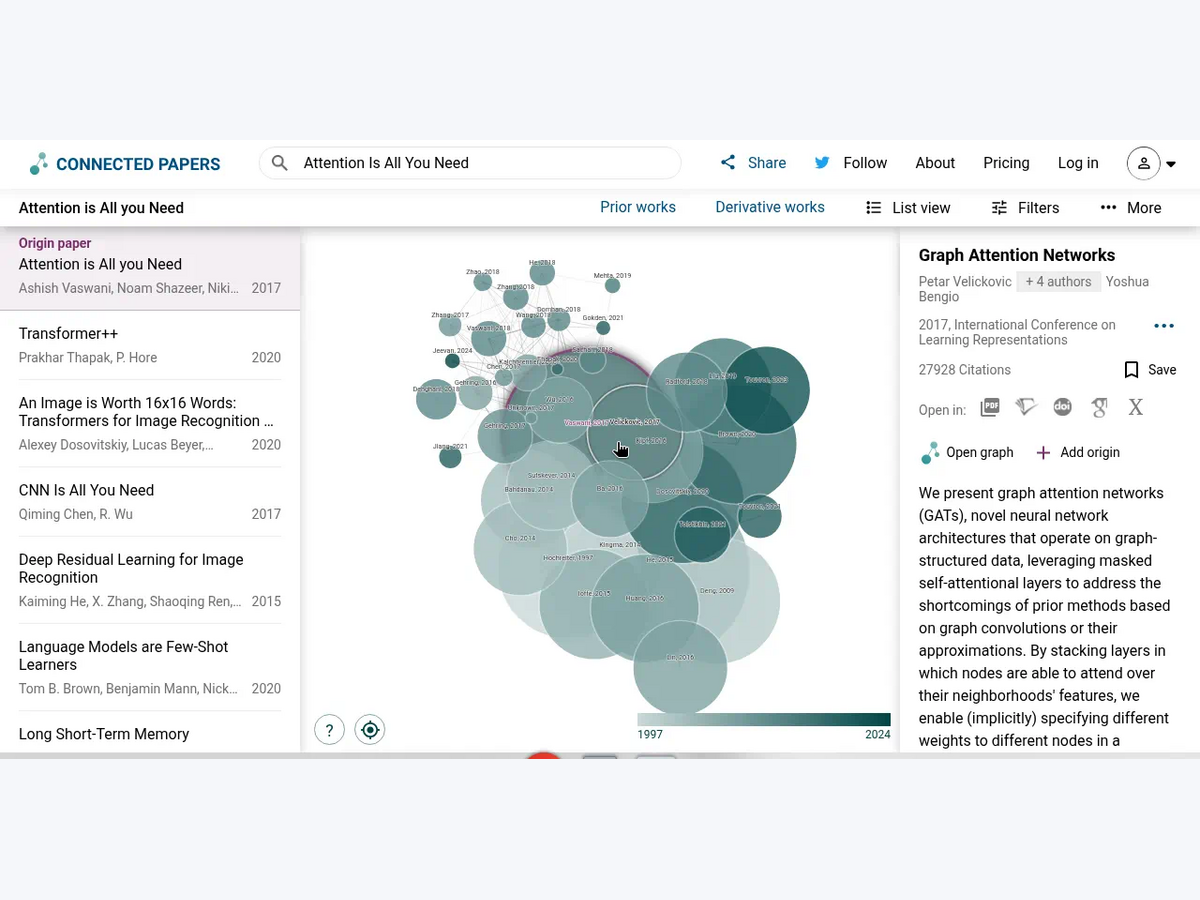
While the graph visual looks impressive on landing pages, the real workhorse features were the 'Prior works' and 'Derivative works' tables. Instead of untangling overlapping graph labels, these tables gave me sortable columns for citation count and publication year. Prior works highlighted seminal foundations (Effective Approaches to..., Dropout..., ImageNet), while Derivative works organized later breakthroughs (Open Problems in Applied Deep..., Neural Machine Translation...). Being able to export that entire neighborhood as a clean 57.5 KB BibTeX file without signing up made it the fastest bibliography kickstarter I tested.
Where both tools stumbled in practice
Neither tool delivered a flawless experience. In both reviews, real UI friction kept them from reaching a 5/5 score.
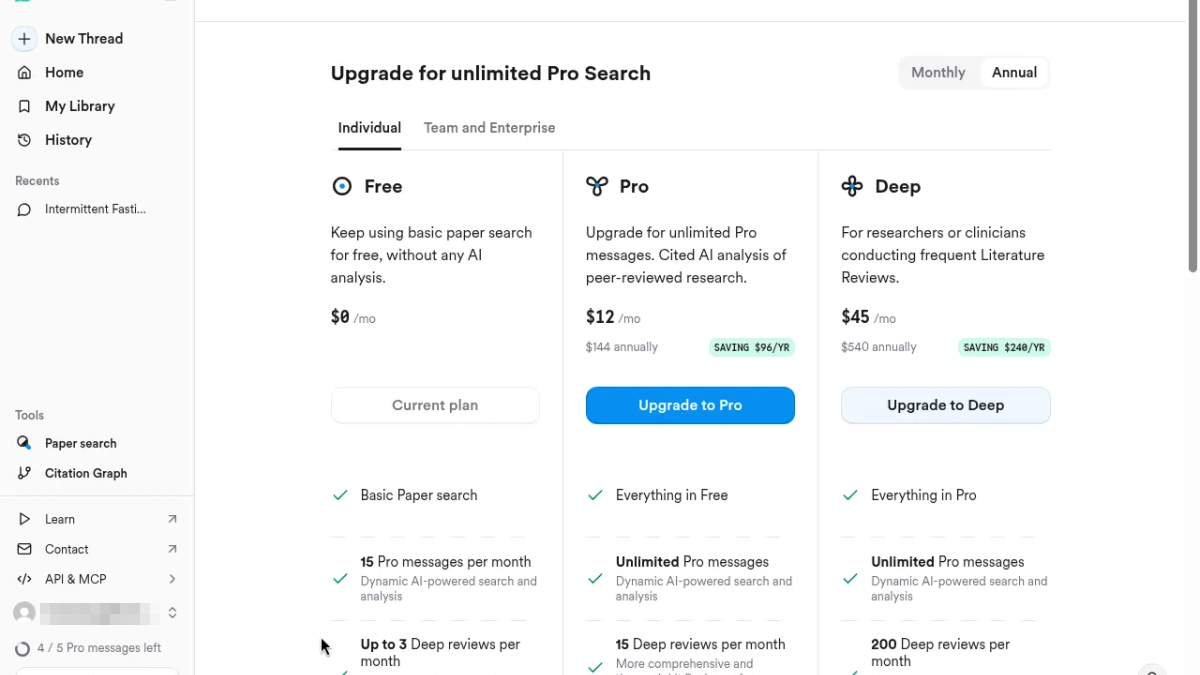
- Consensus sticky counters and allowance confusion: When I edited the publish year filter to 'Past 5 yrs' (2021–2026), the headline stubbornly remained 'Results 52.3K', giving no visual feedback on how many papers survived the filter. More annoyingly, the public pricing page states the Free tier includes '15 Pro messages per month', but my fresh account sidebar displayed '5 / 5 Pro messages left' upon entry, dropping to 4 / 5 after one query.
- Connected Papers canvas overlap and Save gates: In dense clusters, title text labels overlap heavily on the canvas, forcing you to click nodes blindly and read from the side panel. An intrusive 'How to read the graph' modal blocked the main canvas on first load. Furthermore, filtering by Open Access simply washes out non-matching nodes into a faint gray instead of reflowing the graph layout.
Pricing and free allowance comparison
Both platforms offer functional $0 tiers, but enforce very different boundaries:
- Consensus Free vs Pro: Free ($0/mo) includes basic paper search, up to 10 Study Snapshots per month, 3 Deep reviews, and either 5 or 15 Pro messages (depending on whether you read the sidebar or the pricing page). Pro is $12/month billed annually ($144/year) for unlimited Pro messages and 15 Deep reviews. Deep is $45/month billed annually ($540/year) for 200 Deep reviews.
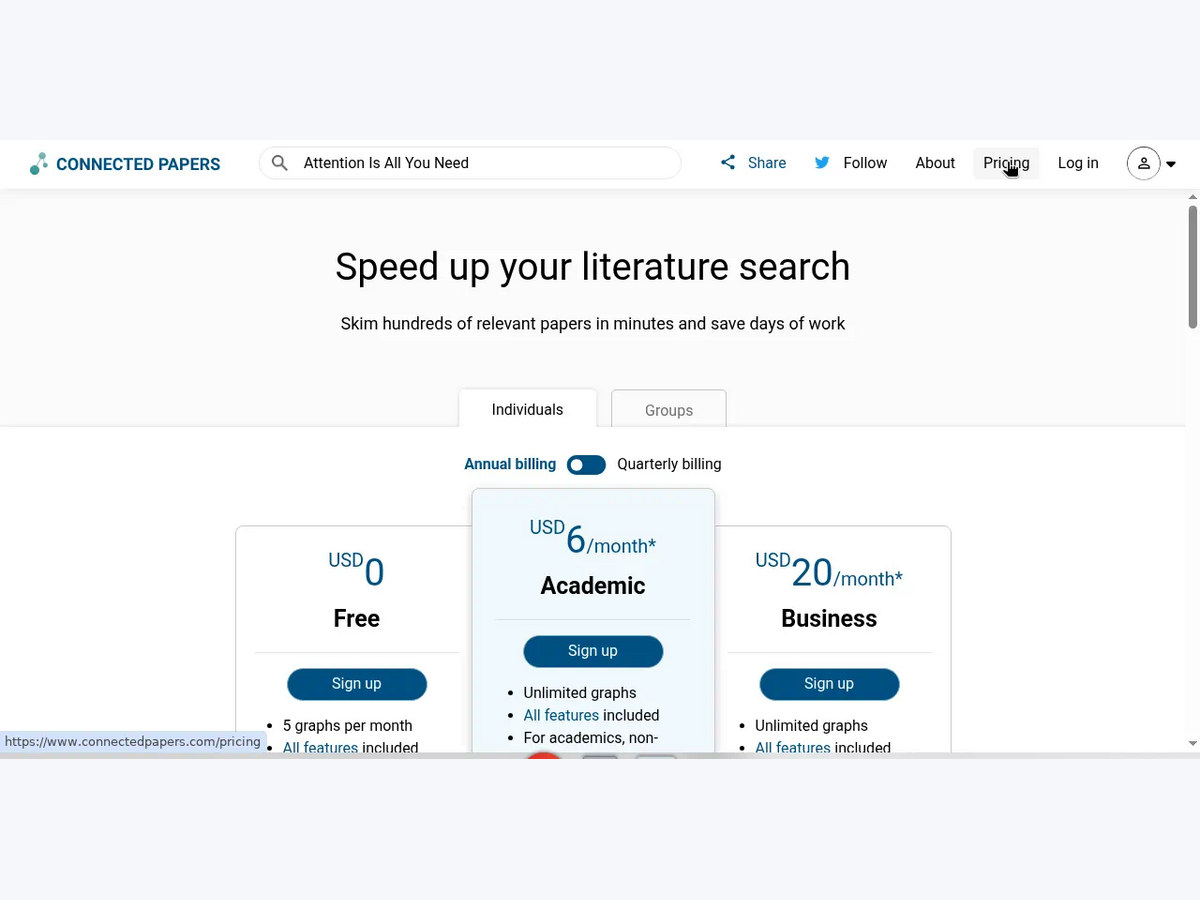
- Connected Papers Free vs Academic: Free ($0/mo) caps you at 5 visual graphs per month, though Prior/Derivative tables and BibTeX export work freely within those sessions. The Academic plan costs $6/month billed annually ($72/year) and Business costs $20/month billed annually ($240/year), both unlocking unlimited graphs, multi-origin graphs, saved paper lists, and graph history.
How to choose between them
You do not need to pick one to replace the other. Their workflows are complementary:
- Start with Consensus when you have a specific, testable hypothesis or clinical question ('Does intermittent fasting improve insulin sensitivity?'). It cuts through open-web speculation, tallies a 20-paper evidence consensus, and gives you verified effect sizes in under fifteen seconds.
- Switch to Connected Papers when you have identified a pivotal anchor paper from your initial search and need to map its intellectual context. It uncovers the older papers your anchor built upon (Prior works) and the subsequent breakthroughs that cited it (Derivative works), packaging the whole neighborhood into an exportable BibTeX file.
In short: use Consensus to answer the question, then take the top cited paper from its results and feed it into Connected Papers to map the rest of the field.
What was not tested
To stay honest to the real testing records: across both reviews, I did not test paid tier checkouts, credit card billing, or team seats. In Consensus, I did not test Google/Apple SSO, Ask Paper, full PDF downloads, Deep reviews, or the Citation Graph feature. In Connected Papers, I did not test multi-origin graphs, second-origin seeds (like BERT), publisher full-text links, or how the 5-graph monthly cap feels over weeks of sustained usage.
Verdict
Both tools earned a solid 4 out of 5 in their individual hands-on evaluations. Consensus is the sharper choice for question-first evidence synthesis, provided you do not mind registering an email. Connected Papers is the unmatched champion for instant, friction-free citation mapping and bibliography building. Keeping both bookmarked gives you a complete academic research pipeline from first hypothesis to final citation graph.
Final rating: 4 out of 5 for both tools.
Sources: https://toolifynav.com/item/consensus and https://toolifynav.com/item/connected-papers (official websites, verified during the reviews above). Full sessions: Consensus review and Connected Papers review.
ToolifyNav Directory
Explore Consensus on ToolifyNav
Ask a falsifiable science question and meet studies, not listicles.
Also Mentioned
More tools in this article
This tool on ToolifyNav
Connected Papers
A graph from a seed paper so prior and derivative work stops hiding behind bad keywords.
Keep Reading
Related posts
SaaS Reviews
Hemingway Editor Review: Post-Graduate Sludge to Grade 12 in Seconds, Hidden Sentence Math, and Export Behind a Paywall (4/5)
I pasted 112 words of dense optical filter technical copy into Hemingway Editor Plus to see if its AI rewrite lives up to the iconic web editor. It instantly flagged my 48-word run-on sentence as Post-Graduate sludge, split it into three clean statements, and dropped the readability score to Grade 12. But while the free web app stays open, file imports, exports (Word/HTML/Markdown), and target grades are paywalled behind $8.33 to $12.50/mo, and credits are metered strictly by sentence rather than word counts.
SaaS Reviews
Banani Review: A Leica-Style Lens Bench in 45 Seconds, a Surprise Pricing Pop-Up, and Paywalled Figma Exports (4/5)
Banani generated a multi-screen dark-mode camera lens filter directory in about 45 seconds, asking sharp aesthetic questions like Leica versus Peak Design before rendering. The prototype canvas is responsive and detailed, but hitting a surprise pricing modal before your first render, paywalled Figma exports, and an 80% starter quota drop keep it at 4/5.
SaaS Reviews
Vizard Review: An 8.0 Virality Score on Elephant Trunks, 720p Watermarks, and a 3-Day Clock (4/5)
I fed Vizard the historic 19-second 'Me at the zoo' clip to test its AI video clipper. It returned an accurate 9:16 vertical short in 25 seconds with an 8.0 virality rating, but the free tier comes with a 720p watermark, a WebGL requirement, and a 3-day deletion timer.