Gamma vs Napkin AI: A Deck or a Diagram? Both Ran on My Own Text
Gamma turned a short pitch brief into a seven-card deck in about twenty seconds and spent 51 of my 400 free credits - then invented a chart. Napkin AI turned a 108-word paragraph into a correct flowchart in eight seconds - then lost my branch labels in white. Both rated 4/5. Pick the deck or the diagram, and know which file to open before you ship it.
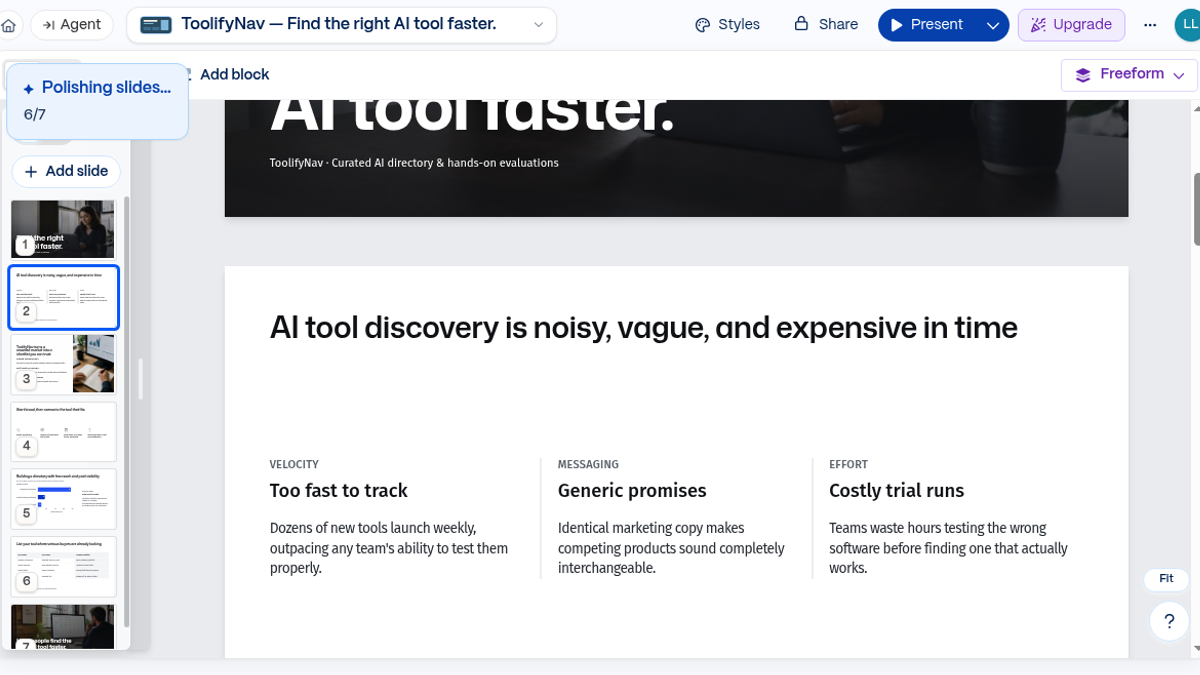
Two tools, one question: I already have text written, so what should I make out of it - a slide deck or a picture? I ran both products against my own copy in two separate sessions. Gamma on 27 September 2026, with a pitch brief for ToolifyNav on the Lite model. Napkin AI on 6 October 2026, with a 108-word paragraph describing how the listing submission flow works. Everything below is what those two sessions produced.
They are not really competitors. They are the same gesture pointed at different outputs. Gamma wants to know what you are trying to say and spreads it across cards. Napkin AI wants to know what shape your paragraph is and draws that shape. The free tiers treat those two jobs differently in a way that decides the question for most people: Gamma handed me 400 credits at signup and spent 51 of them on one seven-card deck, and I never found out whether that pool refills. Napkin AI gives 500 credits a week that reset, and my two generations cost 34 of them.
Quick scoreboard from the published ToolifyNav reviews:
- Gamma - 4/5
- Napkin AI - 4/5
- Official sites: gamma.app, napkin.ai.
Two jobs, deliberately different
I did not want a shared prompt that flatters one tool over the other, so each one got the job it is actually sold for.
- Gamma: paste a short pitch brief for ToolifyNav, ask for six to eight slides with a cover line and a problem/solution/how-it-works/ask structure, and keep it concrete. I wanted a first draft I could edit, present and export to PDF that night, without opening PowerPoint first.
- Napkin AI: paste my own paragraph about the submit flow - open the Submit page, pick a plan, on Free paste the badge and a backlink and hit Verify, if it is found you go live, if not you get an email and can try again, Premium or Highlight pays through checkout and goes live when payment clears. I wanted a flowchart I could drop into a docs page or a changelog.
I did not start trials, enter card details, or invent results I did not see. Both full session logs are published as reviews, and every number below comes out of them.
Gamma gave me a deck in twenty seconds, and then invented some numbers
The first thing Gamma does is stack three modals on you - a welcome card, a tiny tour, a feedback nudge - and the create card still wears a purple beta chip. I dismissed all three, saw 400 AI credits on the dashboard, and pasted my brief almost as written. A chip over the filmstrip said Polishing slides, 5/7, and about twenty seconds later the whole deck was in the editor. Credits went 400 to 349. Fifty-one credits for one seven-slide run.
Seven usable cards is the honest summary. Slide two came back wordier than my brief, so I rewrote the heading to the line I had actually written, and it stuck when I clicked away. Styles let me flip the whole deck to a dark preset in one shot, with no upgrade wall on either move. Present went fullscreen and the keyboard moved through the cards with my rewrite still in place.
Then slide five. Gamma drew a bar chart titled Listing Share % with Standard Free 76%, Featured Category 16% and Premium Highlight 8%. I have never published those numbers and they are not my analytics. It is illustrative filler, and it is the kind of filler that would sail through a rehearsal and embarrass you in the room. That is the whole review of Gamma in one slide: the deck arrives faster than you can think, so somebody has to read it before it leaves the house.
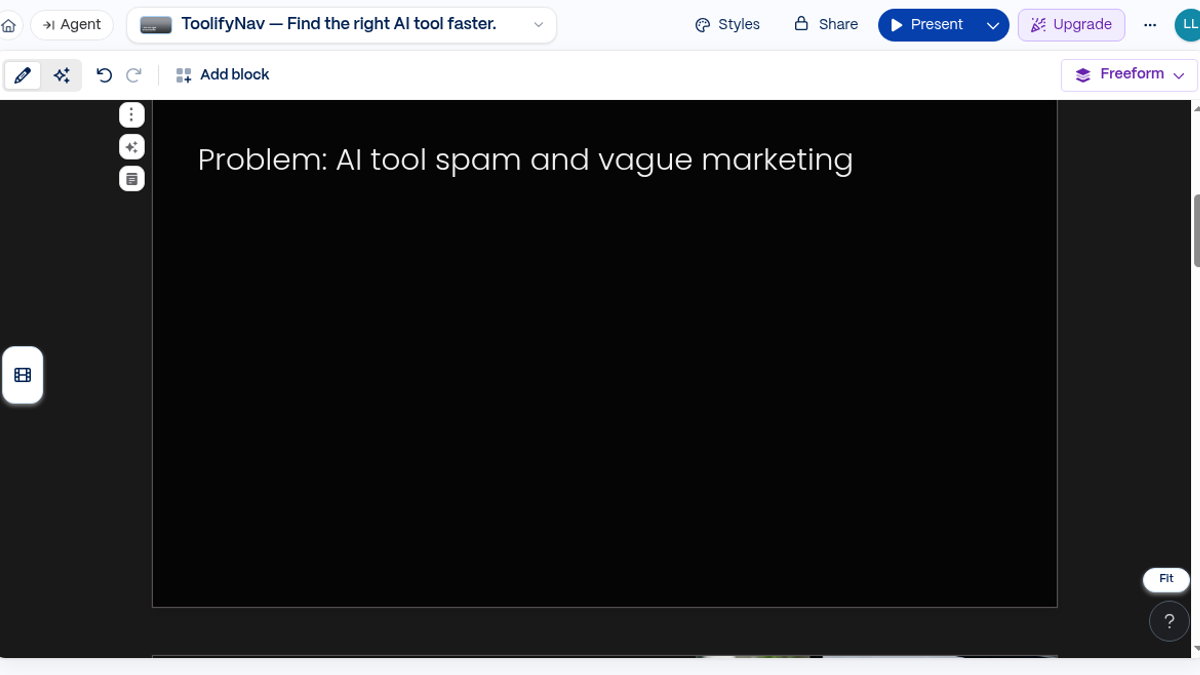
Export was the last step and the friendliest one. Share, Export, PDF, a banner that the PDF is being generated, and a download link in about eight seconds. Free. The pages carry a Made with Gamma badge, which is the free-tier tax. PPTX, Google Slides and PNG were listed in the same drawer and I did not open them in desktop apps, so I will not pretend about fidelity.
The ladder from there: Free $0 with 400 signup credits and up to 10 slides per prompt, Plus $9 a seat per month on annual billing ($12 monthly) with 1,000 credits and no branding, Pro $18 with 4,000 credits and custom branding, Ultra $90. Removing the badge starts at $9 a month.
Napkin AI read my paragraph correctly, and then lost my labels
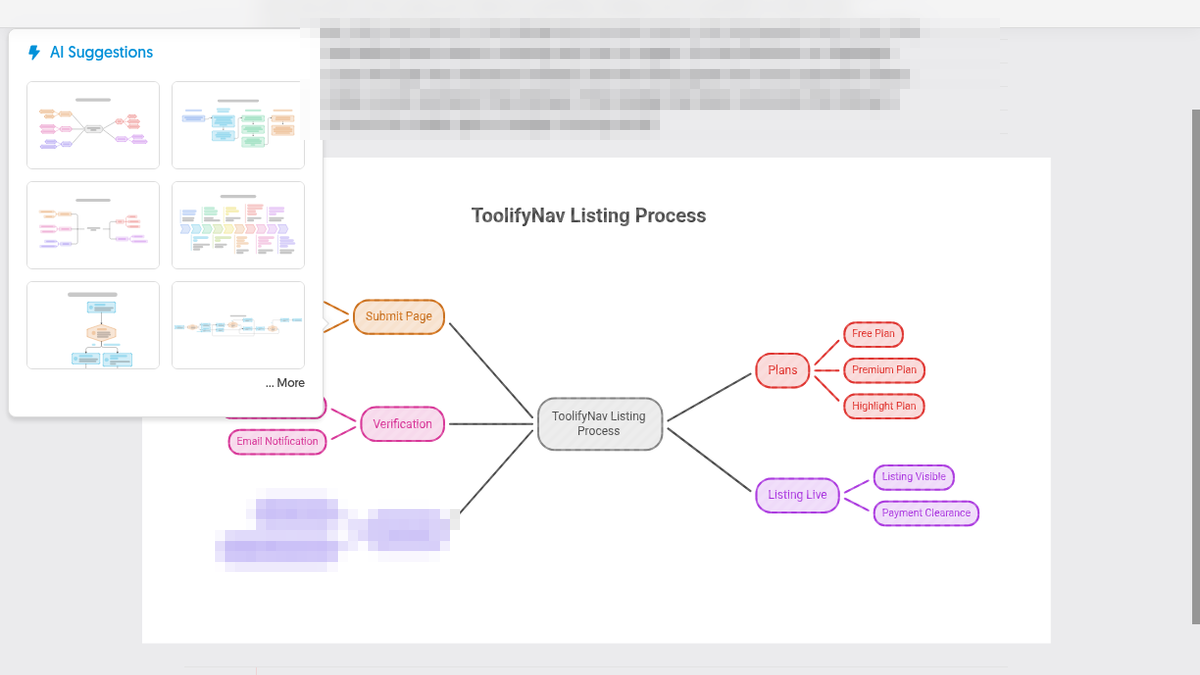
Eight seconds after I hit the little blue spark next to my paragraph, the panel held six thumbnails. The first one was a mind map with bubbles for Submit Page, Verification, Plans and Listing Live. Pretty, and wrong for me: the whole point of my paragraph is the if/else, and the mind map threw the order away.
The vertical flowchart was the other story. It starts at Submit Page, hits a Select Plan hexagon that splits into Free and Premium/Highlight, runs the Free side through Verify Listing into Requirements Found?, sends No to Send Missing Email with a line back to Verify, sends Yes to Listing Goes Live, and joins the paid side there after Payment Clears. It added a couple of subtitles I did not write, which were fine. My branches and my retry loop survived a paragraph, on the first try.
Then I started editing, and the editing is where Napkin AI gets opinionated. The routing is loose: the retry loop drops below Listing Goes Live, runs up the right edge of the canvas and crosses the main line on the way, and the payment arrow merges into the Yes arrow. My first edit went to the wrong place too. I tried to rename the top node from Submit Page to Visit Submit Page and the text landed in the document title above the canvas, so every export after that downloaded as Visit Submit Page - Visual 1.png. The node itself only changed when I double-clicked on its text, which opens an inline editor where the box resizes to fit.
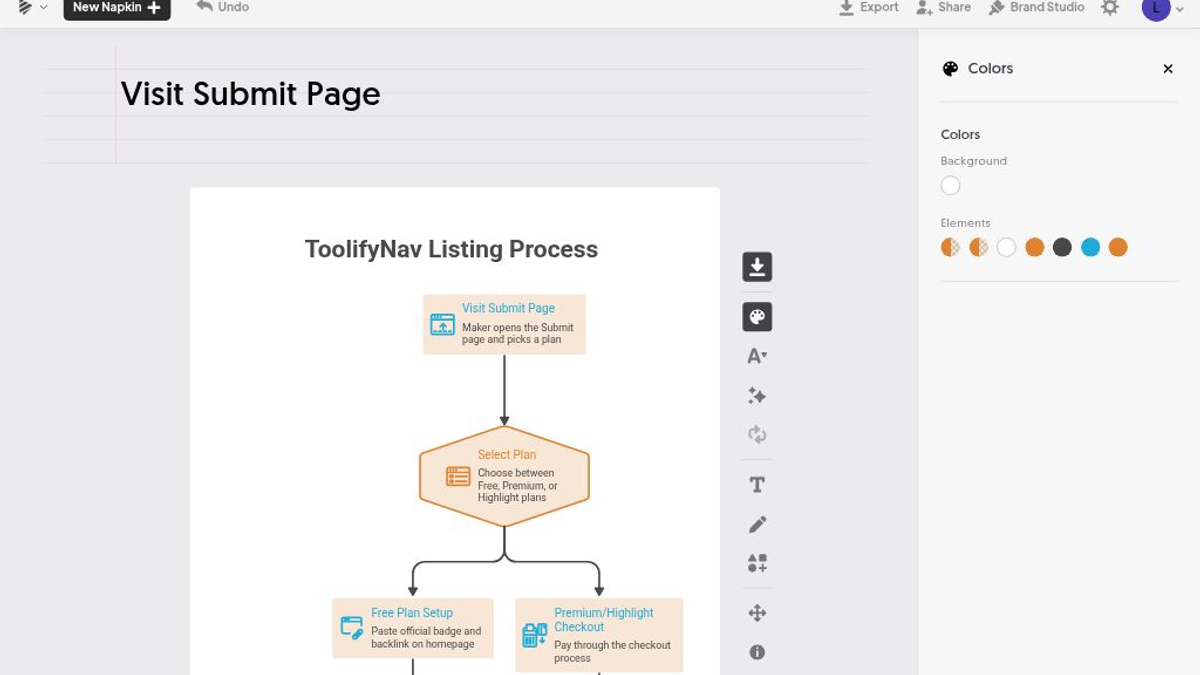
Colour cost me the most time and produced the only bug I could have shipped. The Colors panel does not do one box. It has Background and a row of Elements swatches, and each swatch is a role, so every process box went orange and cream at once. Somewhere in that, one role ended up white, and that role also drives the connector labels and the outlines. Nothing in the panel tells you which swatch owns what. On a transparent background, white connector labels simply vanish.
I found it because I put the 2x PNG on a white page. The arrows coming out of Select Plan had no words on them. The Yes and No under both decision hexagons were gone too. On a dark background they were all still there, rendered white on transparent. In the editor the diagram looked finished. In the file it was broken, and the same file was the one I was about to publish.
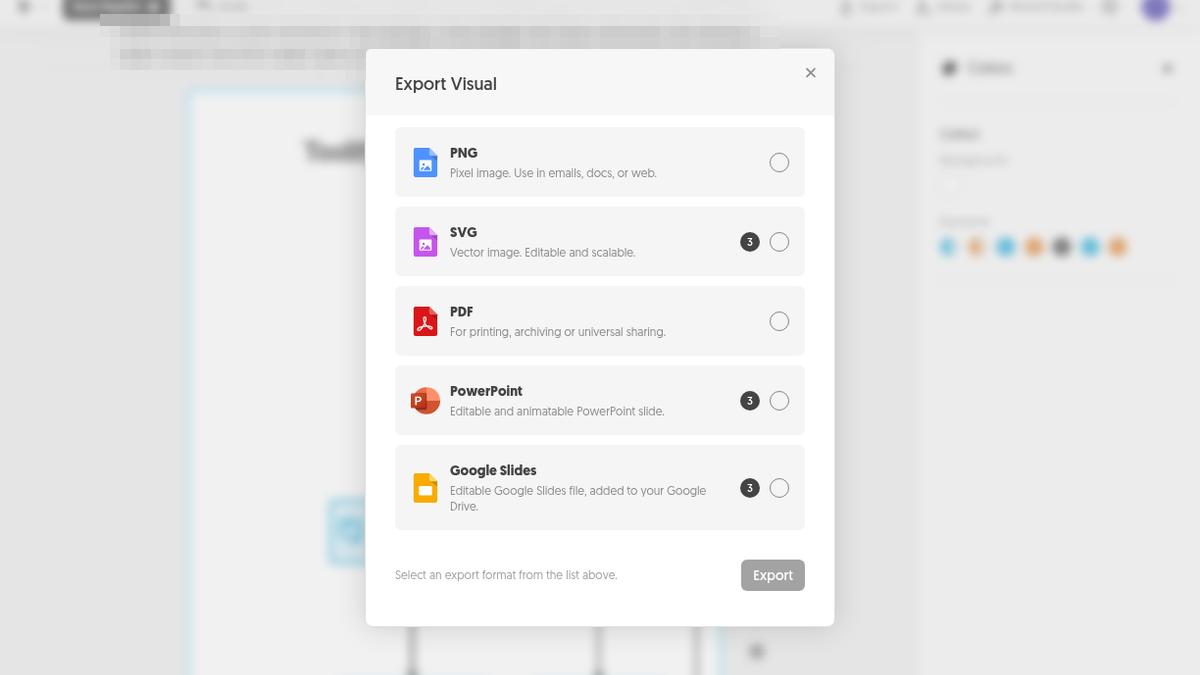
Export sizes are generous on the free tier. The default 1x PNG came out at 542 x 1665, which is too narrow for a blog column, but 2x gave me 1084 x 3329 and 3x gave me 1626 x 4994, and both are free. Every PNG carries a small grey Made with Napkin in the corner, and turning Napkin Logo off returns Remove Napkin Logo is a premium feature. PNG and PDF are free; SVG, PowerPoint and Google Slides each show a 3-credit badge. I did not open those. Swap Layout was greyed out on that flowchart, and the Effects styles sit behind an Apply 100 button, so I left them alone.
The credit counter is somewhere else entirely. The editor never shows your balance; I found Weekly Credits, 466 Credits left, refilling 11 October 2026, under Account Settings, and my two generations had cost 34 of the 500. Plus is $9 per person per month on annual billing ($12 monthly) with 10,000 credits, SVG and PPT export and no branding; Pro is $22 with 30,000 credits, custom branding and font upload.
Both tools looked finished before they were correct
This is the part I keep thinking about. The two failures are different in kind and identical in shape.
Gamma's failure was content. It drew a chart with three confident percentages I never gave it, and it looked right on slide five. Napkin AI's failure was styling. The logic was right, the labels were white on a transparent canvas, and it looked right in the editor. One of them invents data, the other hides it, and both of them get past you if you judge the result inside the tool.
So the check is the same in both cases, and it is cheap. Open the artifact outside the tool, on the background it will actually live on, and read the numbers. For Gamma that means the slide numbers. For Napkin AI it means dropping the PNG on a white page before you put it on one.
How I would choose
- You need a deck you will present from the screen tonight: Gamma. Seven cards from a short brief in about twenty seconds, an edit that stuck, Present mode, and a free PDF in about eight seconds.
- You need one picture out of a paragraph - a flowchart for a doc, a changelog or an X post: Napkin AI. It kept my branches and my retry loop on the first try, and 2x and 3x PNG export are free.
- You need the file to be clean for a client: neither free tier. Both badge every export and both sell the badge removal at $9 a month on annual billing.
- You need a chart with your real numbers in it: neither one will do that for you. Gamma will happily draw you a chart. It will not be your data, and you have to catch it.
- You want the same two evaluations in a shorter form: the pairwise page built from them is live at https://toolifynav.com/compare/gamma-vs-napkin-ai
What I did not test
On Gamma: the paid tiers, PPTX, Google Slides and PNG export fidelity in desktop apps, the Document, Carousel, Image and Beautify create modes, custom domains, the API, team seats, and whether the 400 signup credits refill in a later month. One deck, one account, one evening.
On Napkin AI: SVG, PDF, PowerPoint and Google Slides exports, file import, Brand Studio, sharing, the Developer tab, Pro credits, and the Effects styles I skipped at 100 credits each. One flowchart, one account.
On both: a second piece of content, any language other than English, and team workspaces. Nothing here is a feature matrix scraped from a pricing page. It is what two free accounts did with my own text.
Both are 4/5 in the published reviews, for different reasons. Gamma is a fast, honest draft machine that needs you to check its numbers. Napkin AI is a good diagram maker that needs you to check its file.
Sources: https://toolifynav.com/item/gamma and https://toolifynav.com/item/napkin-ai (official websites, verified during the reviews above). Full sessions: Gamma review and Napkin AI review.
ToolifyNav Directory
Explore Gamma on ToolifyNav
Fast narrative decks for founder updates and explainers when PowerPoint archaeology would kill the story.
Also Mentioned
More tools in this article
This tool on ToolifyNav
Napkin AI
Text-to-visual tool that turns pasted paragraphs into editable diagrams, flowcharts, mind maps and charts for slides and docs.
Keep Reading
Related posts
SaaS Reviews
Napkin AI Review: It Got My Submit Flow Right, Then I Broke the Labels (4/5)
I pasted my own paragraph on the ToolifyNav submit flow into Napkin AI and got a flowchart with the right branches and retry loop in 8 seconds. Then a palette change turned my branch labels white on a transparent PNG, and every free export kept its "Made with Napkin" mark.
AI Tool Reviews
Gamma Review: A ToolifyNav Deck in Twenty Seconds (4/5)
I watched Gamma polish slides 5/7 on a Sunday night in La Rioja. Twenty seconds later I had a seven-card ToolifyNav pitch I could edit, present, and export to PDF on the free tier.
AI Tool Comparisons
Remove.bg vs Clipdrop vs Pixelcut: Which Free Background Remover Won
Free tier resolution is the whole decision: Pixelcut gave me 751x1080 with no login, Clipdrop 1024x744 after an SD downscale, Remove.bg 612x408 before it sunsets into Canva on 1 Dec 2026.