Aider
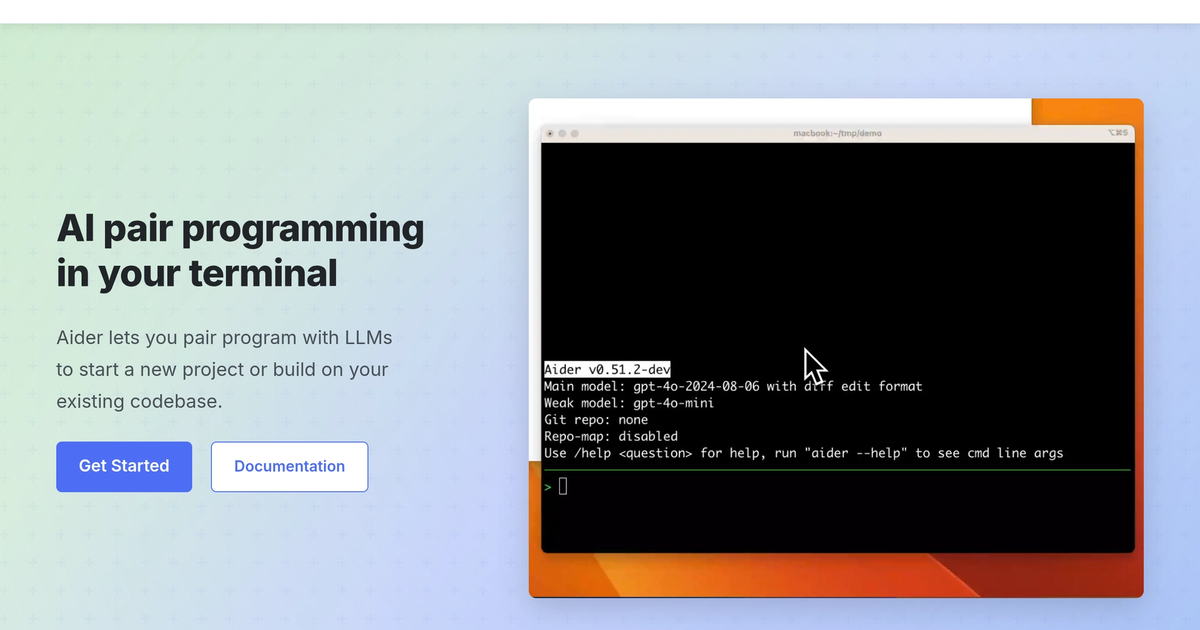
Terminal pair programmer that edits the repo and can commit — git is the interface.
Evaluation
What to know
Editorial notes based on the vendor's own documentation and public pricing, plus hands-on testing where a score or review is shown above. They describe fit for a job, not absolute quality.
Best for
- CLI-first developers
- Git-native multi-file edits
- People who refuse an IDE migration
Not ideal for
- GUI-only agent shoppers
- Zero-setup cloud IDEs
Key features
- Repo-aware pair programming
- Git commits in the loop
- Bring your own model keys
- Editor-agnostic shell workflow
Pros
- No IDE religion
- The diff is the conversation
Cons
- CLI tax
- You own the model bill
ToolifyNav verdict
Aider is the terminal harness. Claude Code is the other one with a stronger Anthropic flavor. Cursor is the IDE. Copilot is the seat switch. Use Aider when git is already home. Review every commit message. Confirm which models you will pay for. If the team wants a window with a file tree and a chat, you wanted Cursor, and that is allowed. Stay in Aider when the diff is the conversation. Leave when the team needs a file tree and a chat pane. Confirm the model bill before you let it roam a monorepo overnight.
About
About Aider
Aider assumes you are happy in a shell. It watches the repo, proposes edits, and can commit with you in the loop. Vim, Emacs, or whatever can stay. There is no product IDE to migrate to. That is the point.
A practical loop: state the change in one sentence, review the file list, run tests, accept the commit message only after the diff is honest. CLI comfort is required. Teams that only want a polished GUI agent will bounce. Model quality depends on the keys you bring. Aider is the harness, not the brand.
Cursor and Windsurf are productized IDEs. Copilot is completion inside the editor you already have. Continue is an open plugin. Claude Code is the other terminal-native Anthropic loop. Aider is git plus shell plus multi-file edits without leaving terminal culture.
If you cannot read a diff in the terminal, this page is not for you.
Keep the test command in the same line as the task. An agent that cannot run what you run is a suggestion box. The harness is only as good as the command you trust.
Alternatives
Alternatives to Aider



Direct Side-by-Side Comparisons
Discover More
Weekly digest
Get weekly AI tools and hands-on reviews
A short digest of new tools and hands-on breakdowns. Unsubscribe anytime.